
Excel resources
Excel Tips & Tricks
Articles, examples, and practical guidance from the SpreadsheetWeb team.
Page 42 of 60 · 540 articles

How to create an Excel dynamic list or a table without helper columns using SEQUENCE
Let us show you how to create an Excel dynamic list or table using the Excel auto generate number sequence function: SEQUENCE.

How to random sort in Excel using dynamic array functions
In this article, we are going to show you how to random sort in Excel using the RANDARRAY, SORTBY, and dynamic array functions.
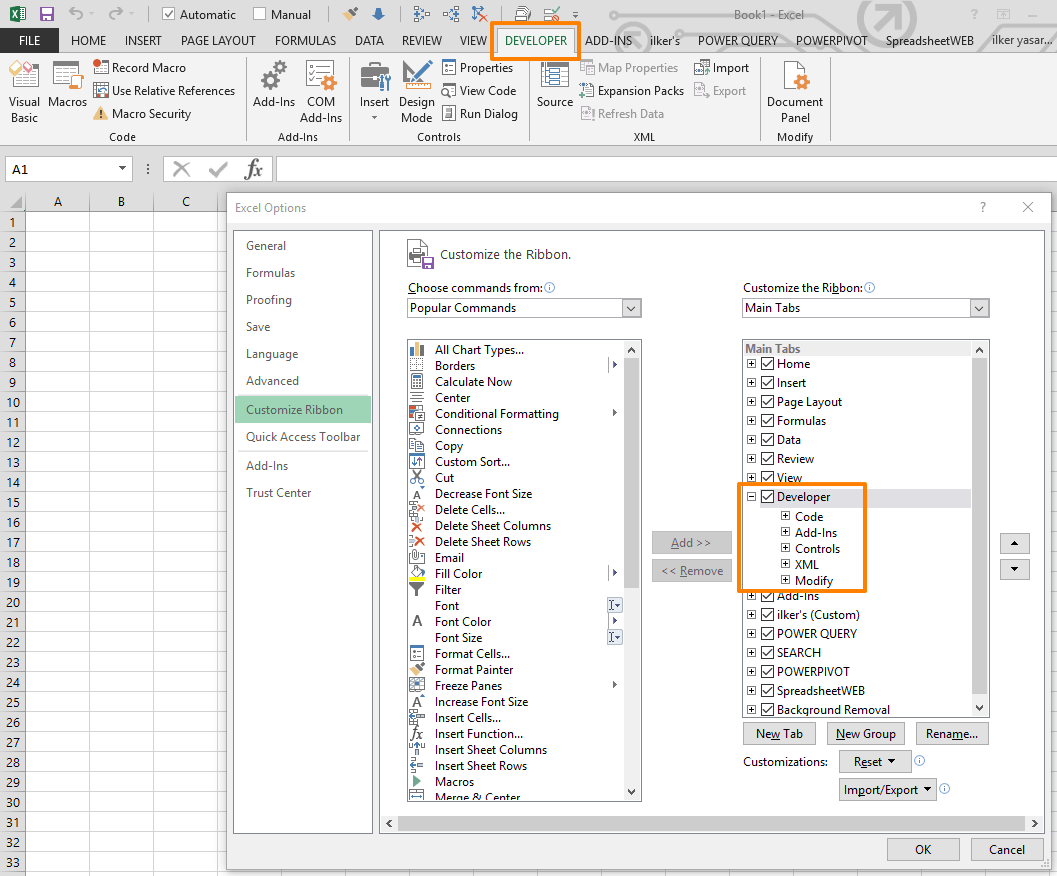
How to display the Excel Developer tab for using advanced features
Excel hides the Developer tab by default to simplify the software interface. Let us show you how to display the Excel Developer tab.

How to refresh stock data in Excel
In this article, we are going to show how to refresh stock data in Excel in 4 different ways, from doing this with a shortcut to a VBA macro.

How to monitor formulas using the Watch Window Excel feature
In this guide, we're going to show you how to monitor formulas with Watch Window.

How to Filter a Table in Excel
Data filters are essential for reporting and decision making. In this guide, we're going to show you tips about how to filter Excel Tables.
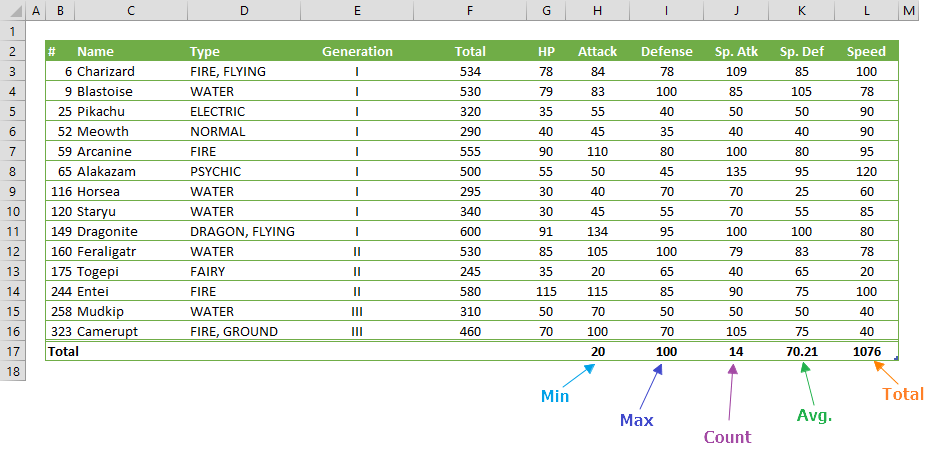
How to add Total row in Excel Tables
You can add a dynamic row to your table to display aggregate data. Let us show you how to add a total row in Excel tables.

Slicers in Excel Tables
In this guide, we're going to show you tips about using slicers in Excel Tables.
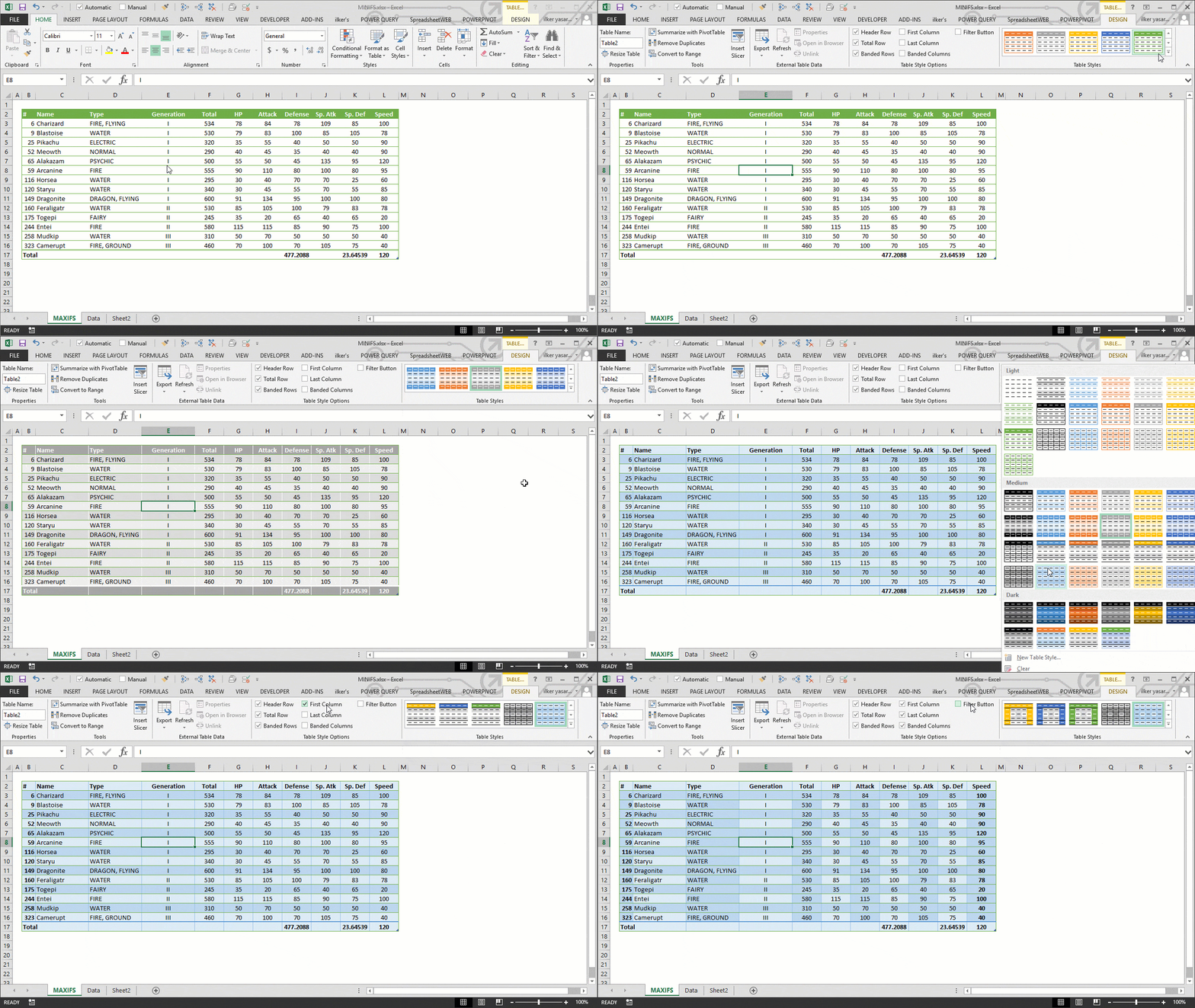
How to Change Table Style in Excel
In this guide, we're going to show you how to apply styles in Excel tables.