
Excel resources
Excel Tips & Tricks
Articles, examples, and practical guidance from the SpreadsheetWeb team.
Page 44 of 60 · 540 articles
How to Add Secondary Axis in Excel and Create a Combination Chart
A combination chart can visualize mutliple data fields in a single chart area. Let us show you how to add a secondary axis in Excel.
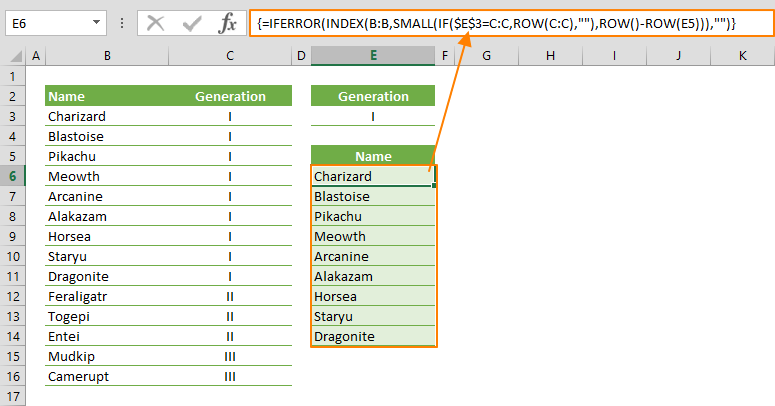
How to filter by using a formula in Excel
In this guide, we’re going to show you how to filter by using a formula in Excel.
Radar Chart in Excel
Learn how Radar Chart in Excel works, including its structure, available chart types, and the steps for creating it in Excel.

How To Use Random Number Generator in Excel
In this guide, we’re going to show you how to use random number generator in Excel with RAND, RANDBETWEEN and RANDARRAY functions.

How to insert a cent symbol (¢) in Excel
In this article, we're going to show you how to insert a cent symbol in Excel, and walk you through 5 different methods to do this.
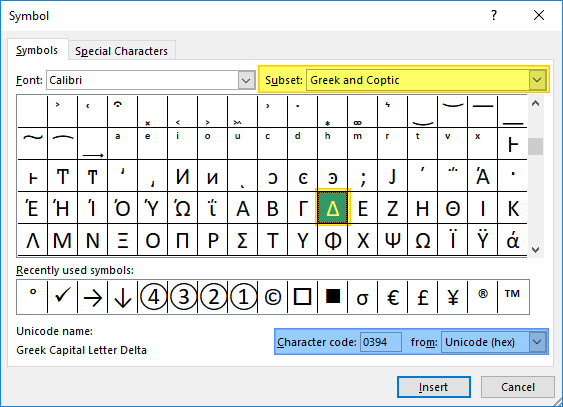
How to insert a delta symbol in Excel (Δ)
Delta, which is the 4th letter of the Greek alphabet, is widely used in mathematics and science. Unfortunately, most keyboards don't have this key and you would have to use different methods to get it in your Excel spreadsheets.
Pie Chart in Excel
Excel has a plethora of options for pie charts that you can choose from. Let us show you how to make a pie chart in Excel!
Tips for Excel Tables
In this guide, we're going to go over some tips and tricks you can use with Excel Tables for better results and efficiency.

How to find blank cells in Excel using the Go To feature
In Excel, some cells may not be actually blank. Let us show you how to find blank cells in Excel using the Go To feature.