
SpreadsheetWeb blog
Practical thinking for spreadsheet-powered teams
Deep guides on Excel, Google Sheets, web applications, product workflows, and the quiet technical traps worth knowing about.
Page 49 of 55 · 1319 articles

How to sum by date in Excel without time
Excel has functions like the SUMIFS can't work if you have date-time values combined. This article shows How to sum by date in Excel without time.

How to calculate running totals in Excel Tables
Learn how to calculate running totals in Excel Tables. This practical guide covers the formula syntax, setup steps, and how the result is calculated in Excel.

How to create a Quarter formula in Excel
Learn how to create a Quarter formula in Excel. This practical guide covers the formula syntax, setup steps, and how the result is calculated in Excel.

How to generate Excel month names
Learn how to generate Excel month names. This practical guide covers the formula syntax, setup steps, and how the result is calculated in Excel.
Excel Named Ranges
In addition to allowing quick access to complex references, Excel named ranges can make your formulas a lot easier to read and maintain.
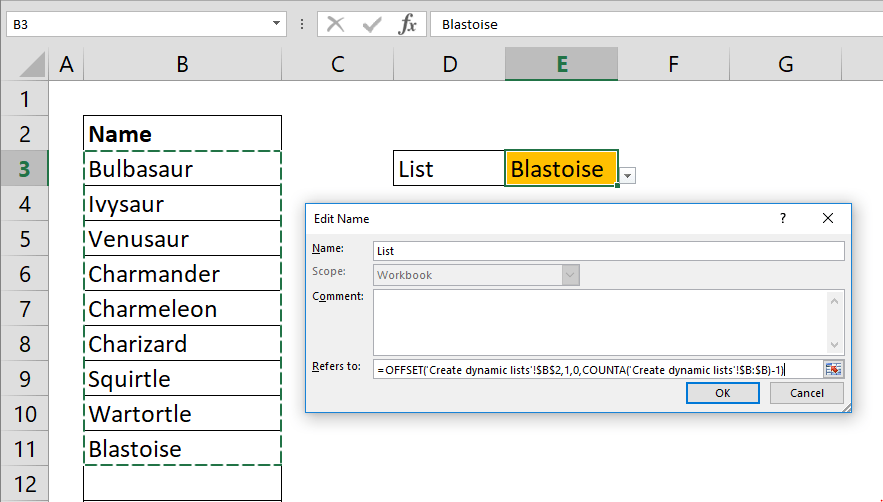
How to create a dynamic drop down list in Excel
Creating a dynamic Excel drop down list is useful If you have a list that is updated frequently. This article shows you how to create a dynamic drop down lists with the help of OFFSET and COUNTA functions.

How to get Excel cell address of a lookup result
Learn how to get Excel cell address of a lookup result. This practical guide covers the formula syntax, setup steps, and how the result is calculated in Excel.

How to change number format in Excel chart
Learn how to change number format in Excel chart. This practical guide covers the required setup, step-by-step process, and useful Excel options.
What's New in SpreadsheetWeb 6.2
In SpreadsheetWeb 6.2 release, we’ve introduced new UI controls and enhancements to the print and email processes. Now available is a slider type of input users can interact with to enter numeric values.
Pagos Announces Version 6.2 of SpreadsheetWEB Featuring New Tools to Create Elegant Web Interfaces
Review Pagos Announces Version 6.2 of SpreadsheetWEB Featuring New Tools to Create Elegant Web Interfaces, including the product features, platform improvements, and workflow enhancements covered in this update.

Case Sensitive Count
Learn about case Sensitive Count in Excel, including the relevant formula or feature, setup steps, and practical usage.
Improving VBA Macro Performance
In many cases, some Excel features can slow down the execution of your application unnecessarily. In this article, we’re going to show you different methods for improving VBA macro performance by manipulating these settings.

How to calculate average of values with OR operator
If you want to handle AVERAGE OR combination, AVERAGEIFS function will not work. This article shows how to calculate AVERAGE OR with multiple criteria using the SUMPRODUCT function.

How to sum values with OR operator using SUMPRODUCT with multiple criteria
Learn how to sum values with OR operator using SUMPRODUCT with multiple criteria. This practical guide covers the formula syntax, setup steps, and how the result is calculated in Excel.

How to count values with OR operator
Learn how to count values with OR operator. This practical guide covers the formula syntax, setup steps, and how the result is calculated in Excel.

How to calculate Least Common Multiple
Learn how to calculate Least Common Multiple. This practical guide covers the formula syntax, setup steps, and how the result is calculated in Excel.

How to calculate Greatest Common Divisor (GCD)
Learn how to calculate Greatest Common Divisor (GCD). This practical guide covers the formula syntax, setup steps, and how the result is calculated in Excel.
Windows Character Set (1252)
Learn about windows Character Set (1252) in Excel, including the relevant formula or feature, setup steps, and practical usage.
MAC OS Character Set
Learn about mAC OS Character Set in Excel, including the relevant formula or feature, setup steps, and practical usage.

How to calculate AVERAGE with intersecting tables
Learn how to calculate AVERAGE with intersecting tables. This practical guide covers the formula syntax, setup steps, and how the result is calculated in Excel.
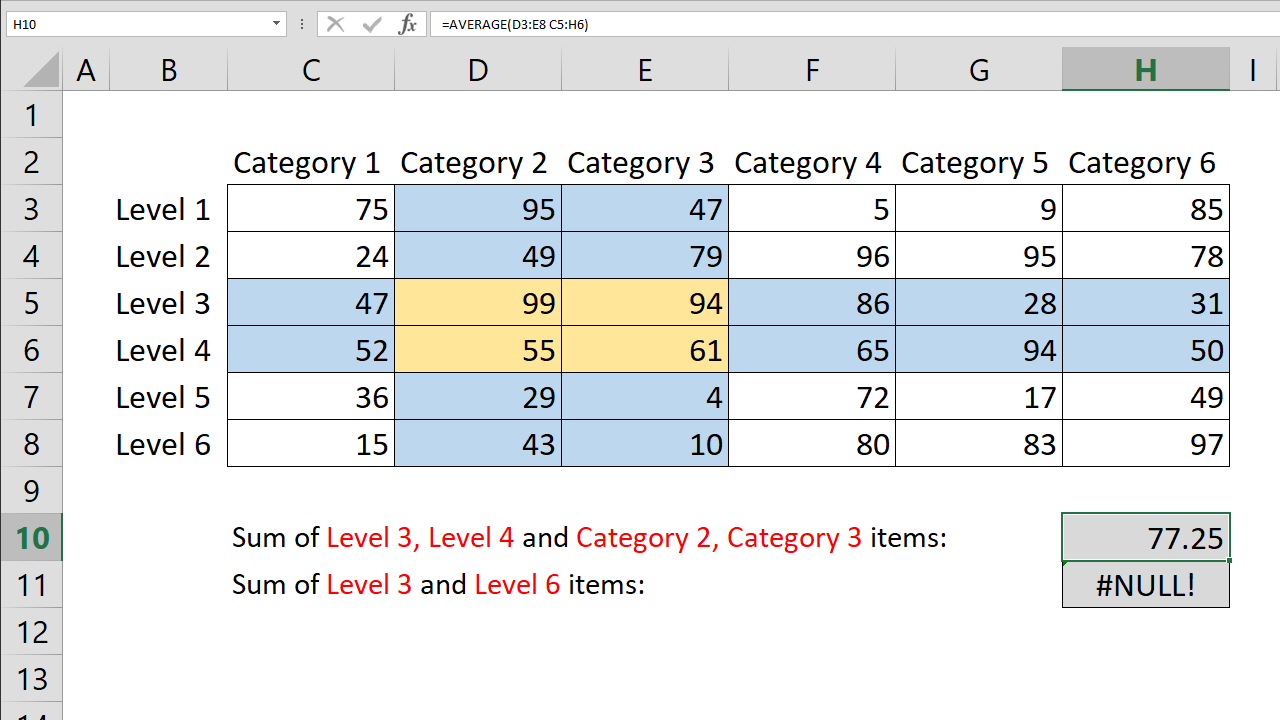
Count values with Excel intersect operator
Learn how Excel's INTERSECT function works, including its syntax, arguments, and practical usage.

How to lookup across two tables with VLOOKUP and IF functions
Learn how to lookup across two tables with VLOOKUP and IF functions. This practical guide covers the formula syntax, setup steps, and how the result is calculated in Excel.

How to count by month
Learn how to count by month. This practical guide covers the formula syntax, setup steps, and how the result is calculated in Excel.

How to calculate monthly averages
Learn how to calculate monthly averages. This practical guide covers the formula syntax, setup steps, and how the result is calculated in Excel.