
SpreadsheetWeb blog
Practical thinking for spreadsheet-powered teams
Deep guides on Excel, Google Sheets, web applications, product workflows, and the quiet technical traps worth knowing about.
Page 51 of 55 · 1319 articles
How to Create a Homeowners Insurance Quoting Application from an Excel Spreadsheet
How to Create a Homeowners Insurance Quoting Application from an Excel Spreadsheet provides a practical spreadsheet model. This overview explains what it calculates and how it can be used with SpreadsheetWeb.

How to convert a number to time units
Learn how to convert a number to time units. This practical guide covers the formula syntax, setup steps, and how the result is calculated in Excel.

How to highlight a column
Learn how to highlight a column. This practical guide covers the formula syntax, setup steps, and how the result is calculated in Excel.
Comparing Converted Web Applications and Designer Applications
In converted web applications and designer applications, a web application consists of a web interface and calculation logic. In both conversion and designer methods, the calculations come from the underlying Excel spreadsheet.
Blood Alcohol Content (BAC) Calculator
Blood Alcohol Content (BAC) Calculator provides a practical spreadsheet model. This overview explains what it calculates and how it can be used with SpreadsheetWeb.
Time Lost Due to Smoking Calculator
How do you calculate time lost due to smoking? How much does a cigarette reduce your life? Each cigarette reduces your life by 11 minutes according to an article entitled "Time for a smoke? One cigarette reduces your life by 11 minutes" in 2000.
Business Software Directory Certifies SpreadsheetWEB as a Top Business Application Software
With SpreadsheetWEB, users can also stop worrying about Excel version compatibility. For our platform’s ease of use and intuitive design, we received the Great User Experience award under the best business application list category.

How to return an entire row
Learn how to return an entire row. This practical guide covers the formula syntax, setup steps, and how the result is calculated in Excel.

How to return an entire column
Learn how to return an entire column. This practical guide covers the formula syntax, setup steps, and how the result is calculated in Excel.

How to convert a URL into a hyperlink automatically
Learn how to convert a URL into a hyperlink automatically. This practical guide covers the formula syntax, setup steps, and how the result is calculated in Excel.
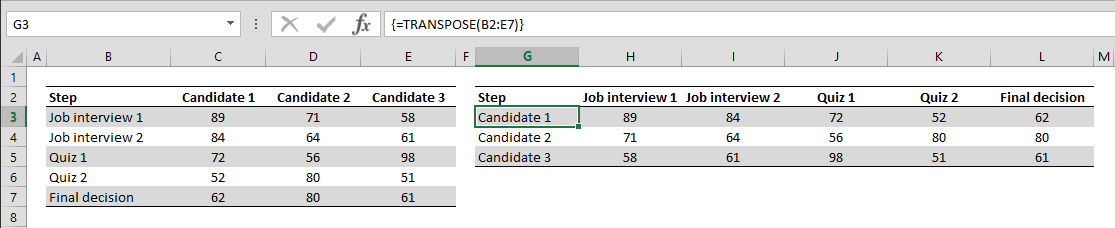
How to Transpose The Rows and Columns of a Data Table
To transpose rows and columns in Excel in a data set, transpose table using single formula, also works with dynamic ranges.
Manage Tasks Better by Visualizing the Data in Gantt Chart
Gantt charts are very helpful for project management and time tracking purposes. Even though Excel doesn’t have a built-in Gantt chart, it’s possible to get the same result using workarounds like this one.
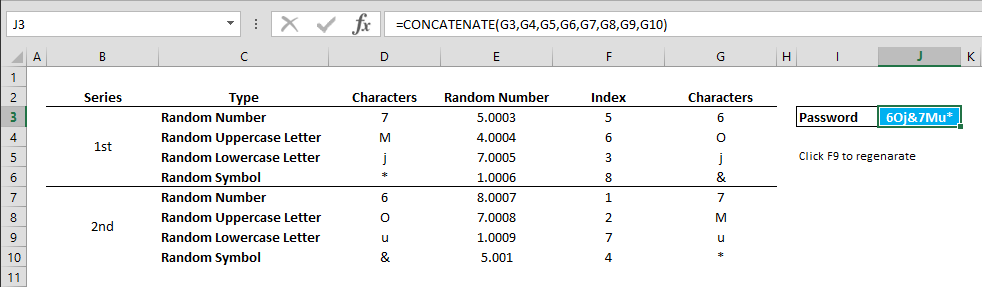
How to create a random secure password in Excel
Learn how to create a random secure password in Excel. This practical guide covers the formula syntax, setup steps, and how the result is calculated in Excel.
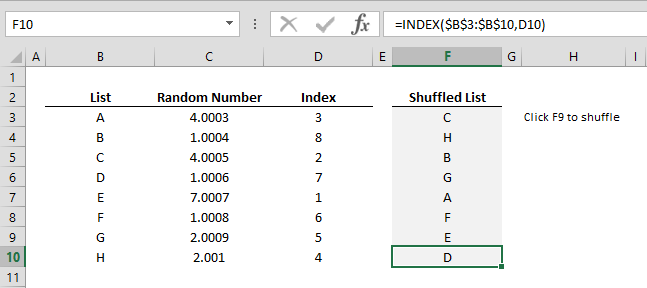
How to shuffle a list of items in a random order
Learn how to shuffle a list of items in a random order. This practical guide covers the required setup, step-by-step process, and useful Excel options.

How to add comments into formulas
Learn how to add comments into formulas. This practical guide covers the formula syntax, setup steps, and how the result is calculated in Excel.
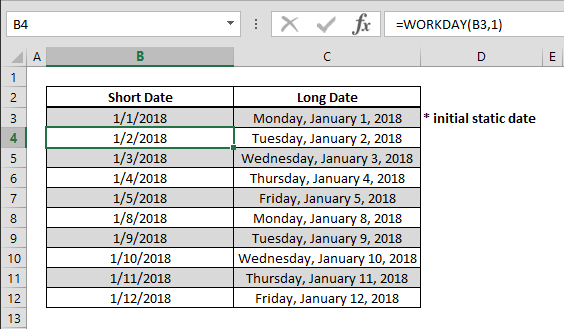
How to create a calendar that only contain workdays
Learn how to create a calendar that only contain workdays. This practical guide covers the formula syntax, setup steps, and how the result is calculated in Excel.

How to find the power of a number
Learn how to find the power of a number. This practical guide covers the formula syntax, setup steps, and how the result is calculated in Excel.

How to get the column index of a cell using the COLUMN function
Learn how to get the column index of a cell using the COLUMN function. This practical guide covers the formula syntax, setup steps, and how the result is calculated in Excel.

How to get the row index of a cell using the ROW function
Learn how to get the row index of a cell using the ROW function. This practical guide covers the formula syntax, setup steps, and how the result is calculated in Excel.

How to calculate payments for a loan
Learn how to calculate payments for a loan. This practical guide covers the formula syntax, setup steps, and how the result is calculated in Excel.

How to Get The Worksheet Name, File Name, and Its Path
This simple trick in this article will help you to organize your data, and label workbook details like filename in Excel.

How to shorten a number and get the integer value
Learn how to shorten a number and get the integer value. This practical guide covers the formula syntax, setup steps, and how the result is calculated in Excel.
Comparison of VLOOKUP, HLOOKUP, and LOOKUP
Ultimately, all three lookup formulas do the same thing. Their operating logic, however, is something you should keep in mind when choosing which one to use in your data models.

Human Resources Dashboard
This Human Resources Dashboard template visualizes various employee related measures including payroll, sick days, and employee performances.