
SpreadsheetWeb blog
Practical thinking for spreadsheet-powered teams
Deep guides on Excel, Google Sheets, web applications, product workflows, and the quiet technical traps worth knowing about.
Page 38 of 55 · 1319 articles

Excel Comparison Operators
In this guide, we are going to show you various types of Excel comparison operators available, and go over some tips and examples.

How to insert today's date in Excel
Automated time tracking can be useful in creating timestamps. In this article, we are going to show you how to insert Excel today's date.

Find the Work Hours between Two Dates for a Business Day Calculator
In this guide, we are going to show you how to calculate work hours between two dates in Excel, and create your own business day calculator.

Function: ENCODEURL
In this guide, we’re going to show you how to use the Excel ENCODEURL function and also go over some tips and error handling methods.

Function: FILTERXML
In this guide, we’re going to show you how to use the FILTERXML function and also go over some tips and error handling methods.

Function: WEBSERVICE
In this guide, we’re going to show you how to use the WEBSERVICE function and also go over some tips and error handling methods.

Excel Nested IF Alternative: The CHOOSE Function
In this article, we’re going to show you how to use the CHOOSE function as an Excel nested IF alternative and also go over some examples.
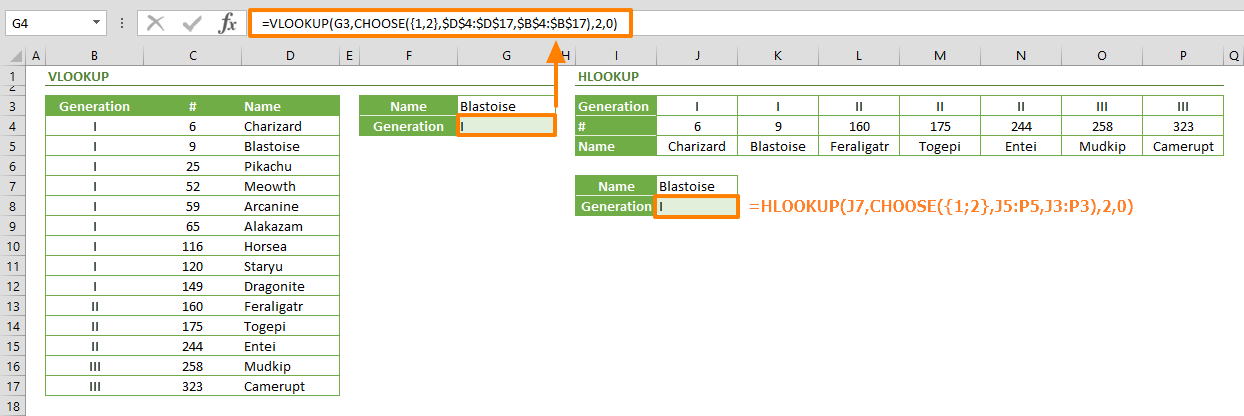
How to perform reverse lookup with CHOOSE function
In this guide, we are going to show you how to perform an Excel reverse lookup using the CHOOSE function, instead of the traditional VLOOKUP.
Treemap Excel Charts: The Perfect Tool for Displaying Hierarchical Data
On a treemap visualization, each item is represented by a rectangular shape, where smaller rectangles represent the sub-groups.

Function: CHOOSE
In this guide, we’re going to show you how to use the Excel CHOOSE function and also go over some tips and error handling methods.

How to create a dynamic drop down list Excel using the UNIQUE and FILTER functions
In this article, we are going to show you how to create a dynamic drop down list Excel using the dynamic array functions UNIQUE and FILTER.
Comparing the Performance of SpreadsheetWeb 6.11 with Google Sheets and the Microsoft Office 365 Excel API
A focused overview of comparing the Performance of SpreadsheetWeb 6.11 with Google Sheets and the Microsoft Office 365 Excel API, explaining the main ideas, practical considerations, and relevant examples.

How to create an Excel dynamic list or a table without helper columns using SEQUENCE
Let us show you how to create an Excel dynamic list or table using the Excel auto generate number sequence function: SEQUENCE.

Function: ISEVEN
In this guide, we’re going to show you how to use the Excel ISEVEN function and also go over some tips and error handling methods.

Function: ISREF
In this guide, we’re going to show you how to use the Excel ISREF function and also go over some tips and error handling methods.

Function: ISTEXT
In this guide, we’re going to show you how to use the ISTEXT Excel function and also go over some tips and error handling methods.
What's New in SpreadsheetWEB 6.11
This version welcomes the addition of the new Connectors module, that can easily connect your applications and other third-party services.

How to random sort in Excel using dynamic array functions
In this article, we are going to show you how to random sort in Excel using the RANDARRAY, SORTBY, and dynamic array functions.
Pagos Releases SpreadsheetWEB 6.11 with the New Connectors Module
SpreadsheetWEB 6.11 was just released, featuring a new Connectors module to connect external services like payment, notifications, and more.

Function: ISLOGICAL
In this guide, we’re going to show you how to use the Excel ISLOGICAL function and also go over some tips and error handling methods.
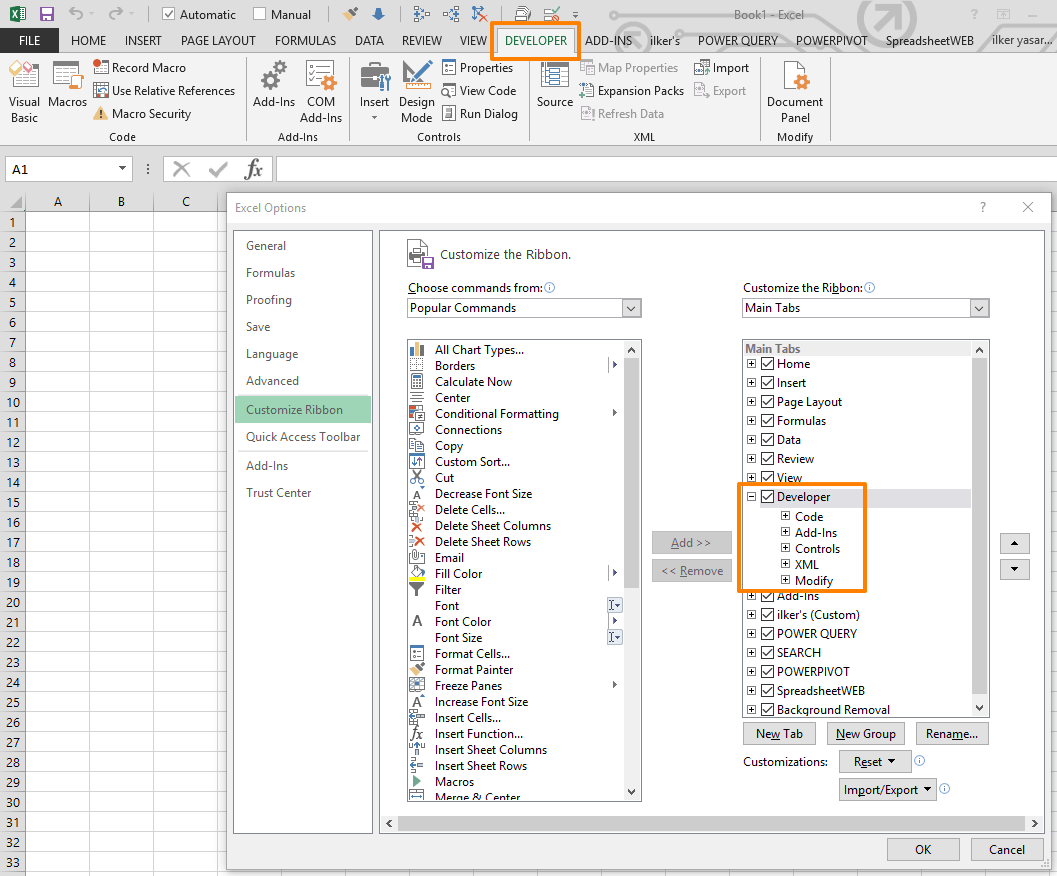
How to display the Excel Developer tab for using advanced features
Excel hides the Developer tab by default to simplify the software interface. Let us show you how to display the Excel Developer tab.

Function: ISERROR
In this guide, we’re going to show you how to use the ISERROR Excel function and also go over some tips and error handling methods.

Function: ISERR
In this guide, we’re going to show you how to use the ISERR function and also go over some tips and error handling methods.

Function: CONVERT
In this guide, we’re going to show you how to use the Excel CONVERT function and also go over some tips and error handling methods.