
SpreadsheetWeb blog
Practical thinking for spreadsheet-powered teams
Deep guides on Excel, Google Sheets, web applications, product workflows, and the quiet technical traps worth knowing about.
Page 36 of 55 · 1319 articles

Function: TIMEVALUE
In this guide, we’re going to show you how to use the Excel TIMEVALUE function and also go over some tips and error handling methods.
How to Create an Online Calculator
Online calculator is an interactive software tool that is designed to process a predefined set of mathematical functions in order to simulate a business process.

Function: SQRTPI
In this guide, we’re going to show you how to use the SQRTPI Excel function and also throw in some tips and error handling methods.

How to remove file extension from filename in Excel
In this guide, we are going to show you how to remove file extension from filename in 2 ways with SUBSTITUE, FIND and LEFT functions.

Function: POWER
In this guide, we’re going to show you how to use the POWER function and also throw in some tips and error handling methods.

SQRT Excel Function
In this guide, we’re going to show you how to use the Excel SQRT function and also go over some tips and error handling methods.
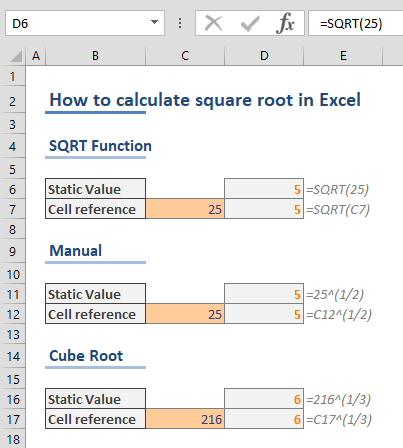
How to find square root in Excel
In this guide, we're going to show you how to find square root in Excel. This can be calculated manually or using the SQRT function.

Excel MOD Function
In this guide, we’re going to show you how to use the Excel MOD function and also go over some tips and error handling methods.

How to count Excel TRUE FALSE values
In this article, we're going to show you how to count Excel TRUE FALSE values. This article uses the COUNTIFS function to cound Booleans.
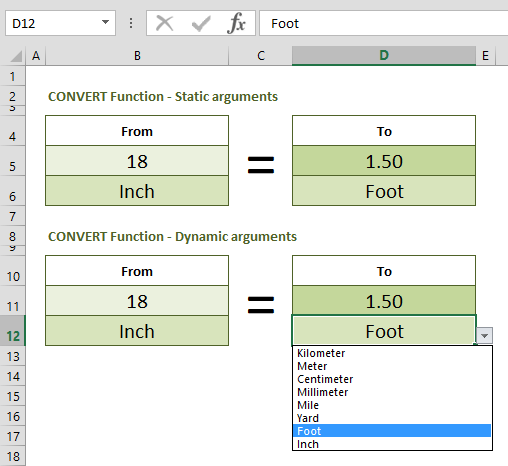
How to convert inches to feet, and feet to inches
In this guide, we are going to show you how to convert inches to feet and inches to feet, and vice versa in Excel.

Function: MINA
In this guide, we’re going to show you how to use the MINA Excel function and also go over some tips and error handling methods.

Function: MAXA
In this guide, we’re going to show you how to use the MAXA function and also throw in some tips and error handling methods.

How to calculate percentage in Excel
In this article, we are going to show you how to calculate percentage in Excel. You can show numbers as percentages without any calculation.
What's New SpreadsheetWeb in 6.13
SpreadsheetWEB's Connectors module welcomes the addition of three new connectors: DocuSign, HubSpot, and Twilio.

NORM.S.INV Function in Excel
In this guide, we’re going to show you how to use the NORM.S.INV (NORM S INV) function and also go over some tips and error handling methods.
Pagos Has Just Released SpreadsheetWEB 6.13 Now Featuring DocuSign, HubSpot, and Twilio Connectors
Pagos, Inc. announces the release of SpreadsheetWEB 6.13, welcoming the addition of three new Connectors: DocuSign, HubSpot, and Twilio.
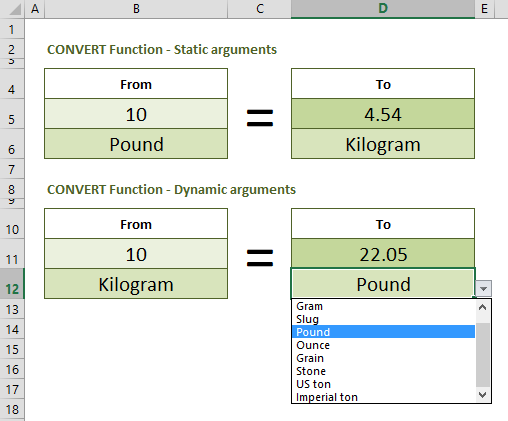
How to Convert Kg to Lbs, and Vice Versa
In this guide, we're going to show how to convert kg to lbs and lbs to kg by equations and formula in Excel.
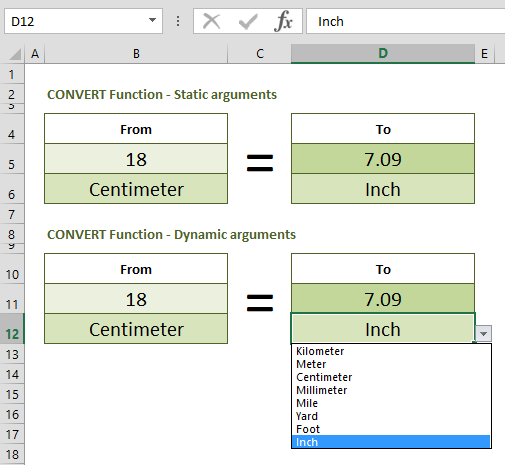
How to convert cm to inches, and vice versa
In this guide, we are going to show you how to convert cm to inches and inches to centimeters using Excel, with the help of various methods.

NORM.INV Function in Excel (NORM INV)
In this guide, we’re going to show you how to use the NORM.INV (NORM INV) function and also go over some tips and error handling methods.

Function: STDEVPA
In this guide, we’re going to show you how to use the STDEVPA function and also go over some tips and error handling methods.

Function: STDEVA
In this guide, we’re going to show you how to use the STDEVA function and also go over some tips and error handling methods.

NORM.S.DIST (standard normal distribution) Function
In this guide, we’re going to show you how to use the NORM.S.DIST (standard normal distribution) function and also go over some tips.

How to create check boxes in Excel (Tick boxes)
In this guide, we're going to show you how to create check boxes in Excel and customize them.
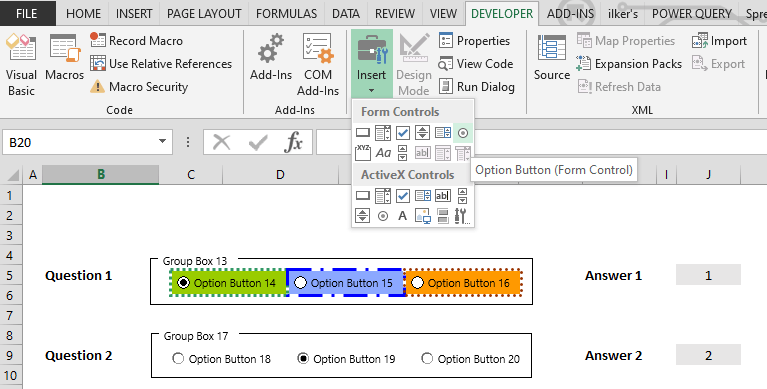
How to create radio buttons in Excel (Option Buttons)
In this guide, we are going to show you how to create radio buttons (option buttons) in Excel.