
SpreadsheetWeb blog
Practical thinking for spreadsheet-powered teams
Deep guides on Excel, Google Sheets, web applications, product workflows, and the quiet technical traps worth knowing about.
Page 37 of 55 · 1319 articles

Function: STDEV.S
In this guide, we’re going to show you how to use the STDEV.S function and also go over some tips and error handling methods.

Excel NORM.DIST Function
The NORM.DIST function calculates and returns the normal distribution of a value for the specified mean (average) and standard deviation.
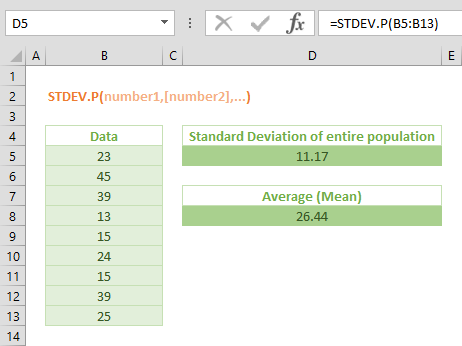
Excel STDEV.P Function
In this guide, we’re going to show you how to use the Ecel STDEV.P (STDEV P) function and also go over some tips and error handling methods.
How to create a bell curve in Excel
In this guide, we are going to show you how to create a bell curve in Excel with a real world use case scenario as an example.

How to use Center Across Selection, an alternative to Merge Cells
In this guide, we are going to show you how to use Center Across Selection in Excel, an alternative to Merge Cells.

How to change text orientation in Excel
In this guide, we are going to show you how to change text orientation in Excel and use angled headers through different methods.

How to hide zeros in Excel
In this guide, we’re going to show you how to hide zeros in Excel with the use of three different methods that cover cells or worksheet.
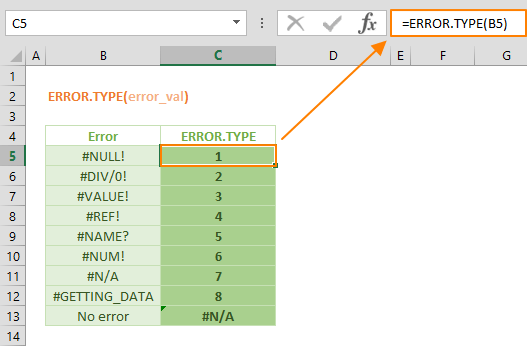
Use the ERROR.TYPE to Identify Excel Errors
In this guide, we’re going to show you how to use the Excel ERROR.TYPE function and also go over some tips and error handling methods.

Function: NOMINAL
In this guide, we’re going to show you how to calculate nominal interest rate in Excel and also go over some tips and error handling methods.

Excel EFFECT Function
In this guide, we’re going to show you how to use the Excel EFFECT function and also go over some tips and error handling methods.

Function: DURATION
In this guide, we’re going to show you how to use the DURATION Excel function and also go over some tips and error handling methods.

Excel YIELD Function
In this guide, we’re going to show you how to use the Excel YIELD function and also go over some tips and error handling methods.

How to navigate between worksheets in Excel
In this guide, we are going to show you various methods for tab navigation between worksheets in Excel using shortcuts and hyperlinks.

Function: PRICEMAT
In this guide, we’re going to show you how to use the PRICEMAT Excel function and also go over some tips and error handling methods.

Function: PRICE
In this guide, we’re going to show you how to use the Excel PRICE function and also go over some tips and error handling methods.

Enhancing Gridline Colors: How to Make Gridlines Darker/Brighter in Excel
In this article, we are going to show you to make Excel change gridline color to your liking in Excel 2016, 2013, 2010, and 2007.
What's New in SpreadsheetWEB 6.12 - New Connectors and Culture
The 6.12 version of SpreadsheetWEB introduces the Culture configurations for displaying numbers and three new Connectors with more to come.
SpreadsheetWEB 6.12 - New Connectors and Culture Configuration
SpreadsheetWEB 6.12 features three new Connectors and the ability to set a Culture parameter for a complete localization of web applications.

Excel FALSE Function
In this guide, we’re going to show you how to use the Excel FALSE function and also go over some tips and error handling methods.

TRUE Function in Excel
In this guide, we’re going to show you how to use the TRUE function in Excel, and also go over some tips and error handling methods.

How to print header row in Excel and repeat on every page
In this article, we are going to show you how to print header row in Excel to repeat on every printed page 2016, 2013, 2010, and 2007 versions.

How to print gridlines in Excel
In this article, we are going to show you two ways to print gridlines in Excel 2016, Excel 2013, Excel 2010, and Excel 2007.

Function: ERF.PRECISE
In this guide, we’re going to show you how to use the ERF.PRECISE (ERF PRECISE) function and also go over some tips and error handling methods.

Function: ERF
In this guide, we’re going to show you how to use the ERF function and also go over some tips and error handling methods.