
SpreadsheetWeb blog
Practical thinking for spreadsheet-powered teams
Deep guides on Excel, Google Sheets, web applications, product workflows, and the quiet technical traps worth knowing about.
Page 11 of 55 · 1319 articles
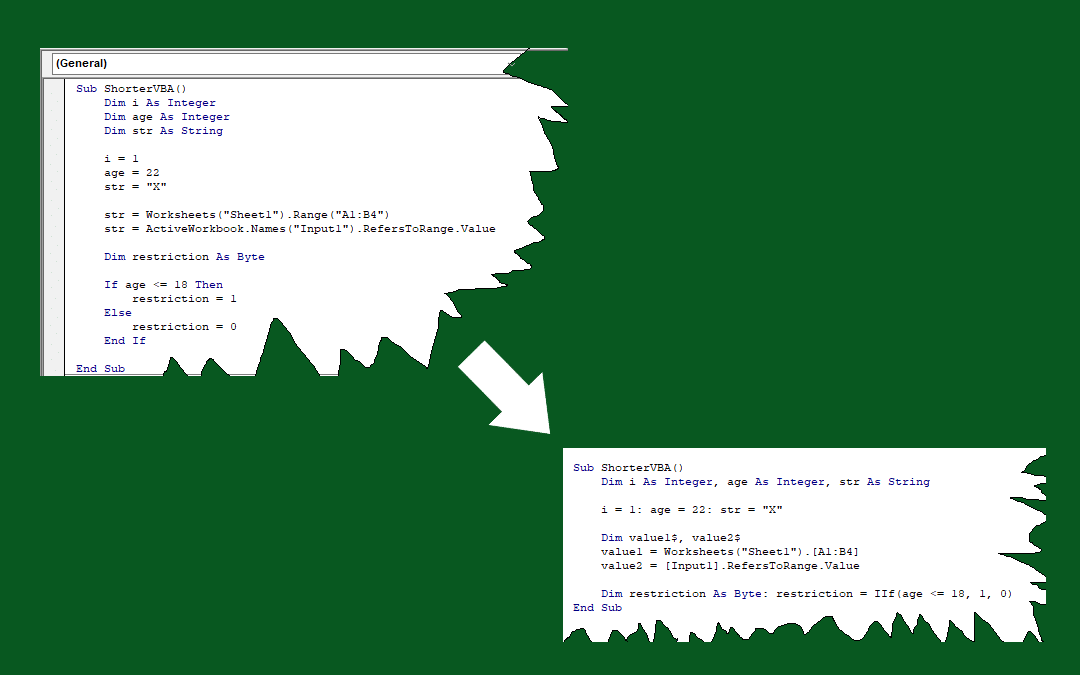
How to shorten VBA code in Excel
In this guide, we're going to show you how to shorten VBA code in Excel. Shorter codes are easy to write and read.

How to customize AutoCorrect
Autocorrect can also sometimes do things in a way that doesn't fit your needs. Fortunately, Excel autocorrect rules can be customized!

How to Use SUMIFS Function in Excel with Formula Examples
In this guide, we’re going to show you how to use the SUMIFS function in Excel and also throw in some tips and error handling methods.

COUNTIFS Function in Excel
In this guide, we’re going to show you how to use the COUNTIFS function and also throw in some tips and error handling methods.
SUMIF Function in Excel
In this guide, we’re going to show you how to use the SUMIF function and also go over some tips and error handling methods.

How to highlight quartiles in Excel
In this article, we will explain how to find quartiles in Excel and highlight them dynamically with conditional formatting.

How to make Excel turn off sounds
Do you find Excel's "ding" frustrating? Worry not! In this guide, we're going to show you how to make turn off sounds in Excel.

Excel REPLACE Formula
In this guide, we’re going to show you how to use the Excel REPLACE formula and also throw in some tips and error handling methods.
Understanding and Overcoming Known Formula Issues in Excel
No software is without its oddities. n this article, we will look at some of the well-known formula issues, bugs, and workarounds in the recent versions of Excel.

Excel MAX Function
In this guide, we’re going to show you how to use the Excel MAX function and also throw in some tips and error handling methods.
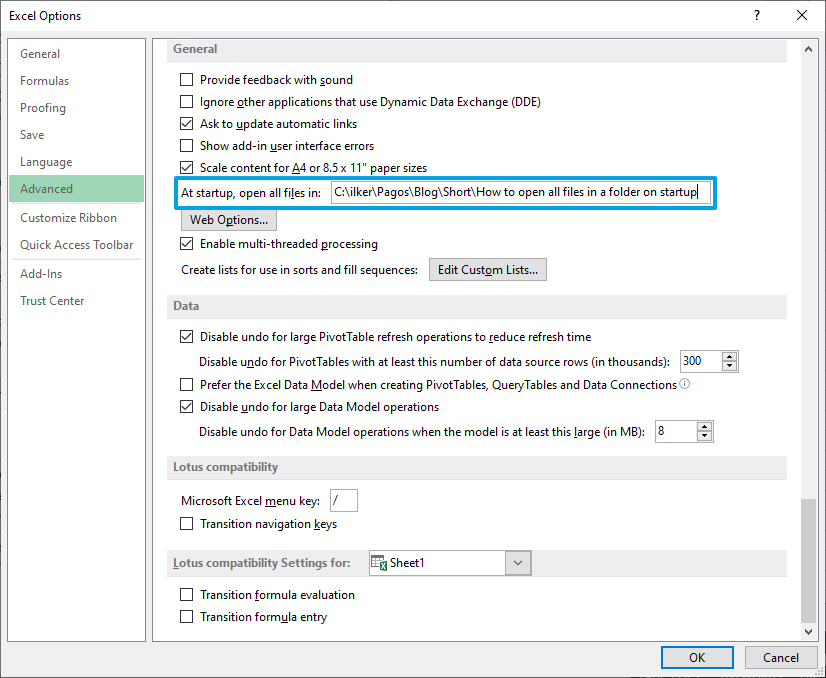
How to Open All Excel Files in a Folder on Startup
In this guide, we're going to show you how you can open all files in a folder on startup. Excel allows you open all files at once on startup.

How to Remove Spaces in Excel
In this guide, we’re going to show you how to remove spaces in Excel with Formulas and Find & Replace dialog.
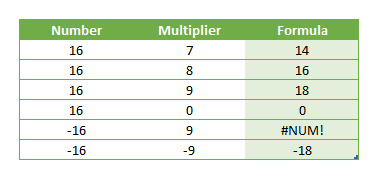
Function: MROUND
In this guide, we’re going to show you how to use the MROUND function and also throw in some tips and error handling methods.
How to Create a Pareto Chart in Excel
Ideally suited for tracking indicators like acceptance metrics or production quality, Excel Pareto charts are essential for data analysis.

How to add hyperlinks in Excel
In this article, we’re going to show you how to add hyperlink in Excel. We will be using the AutoFormat feature and HYPERLINK function.

Bar Chart
SpreadsheetWeb • We’re going to show you how to create and cutomize one of the staples of data visualizations, bar charts in Excel.

How to slugify a string with Excel
SpreadsheetWeb • Excel Tips & Tricks • In this guide, we're going to show you how to slugify a string with Excel.

How to Loop through Each Character within a String in Excel
In this guide we will show how to efficiently loop through text data using this simple VBA code to analyze or manipulate strings.

How to hide named ranges in Excel using VBA
SpreadsheetWeb • Excel Tips & Tricks Securing Your Excel Formulas: A Guide to Hiding Named Ranges with VBA.

How to Combine Data from Multiple Sheets in Excel
By leveraging Excel Tables and the intuitive Power Query interface, users can effortlessly merge information from distinct sheets.

Decoding Week Numbers in Excel: A Comprehensive Guide to the WEEKNUM Function
SpreadsheetWeb • Find out what week number, what week of the year is it, and more using WEEKNUM function in Excel.

Excel YEAR Function
In this guide, we’re going to show you how to use the Excel YEAR function and go over some tips and error handling methods.

Excel MATCH Function
In this guide, we’re going to show you how to use the Excel MATCH function and also go over some tips and error handling methods.

Executing Excel Calculations via RESTful API using SpreadsheetWeb
Learn how to expose these Excel calculations via RESTful API and connect to them for calculations using SpreadsheetWeb using JavaScript/jQuery.