How to create dynamic images in Excel without VBA

How to create dynamic images in Excel without VBA

Wouldn't be nice if images in Excel updated automatically with certain prompts? In this guide, we're going to show you how to create dynamic images in Excel. Download Workbook Preparing the Dynamic Images First, we need to place our images somewhere in the workbook....
How to find duplicates in Excel and remove or consolidate them

How to find duplicates in Excel and remove or consolidate them

Duplicate values in a dataset can cause headaches if you do not know how to deal with them. In this guide, we’re going to show you how to find duplicates in Excel and also go over how you can remove or consolidate them using a few examples. Download Workbook How...
How to prevent a #REF error in Excel

How to prevent a #REF error in Excel

A #REF! error in Excel indicates an invalid reference. This pesky error can pop up after removing a sheet, rows or columns, or copying a formula. In this guide, we're going to show you how to prevent a #REF error in Excel. Download Workbook There are 3 common reasons...
How to use Text to Columns in Excel

How to use Text to Columns in Excel

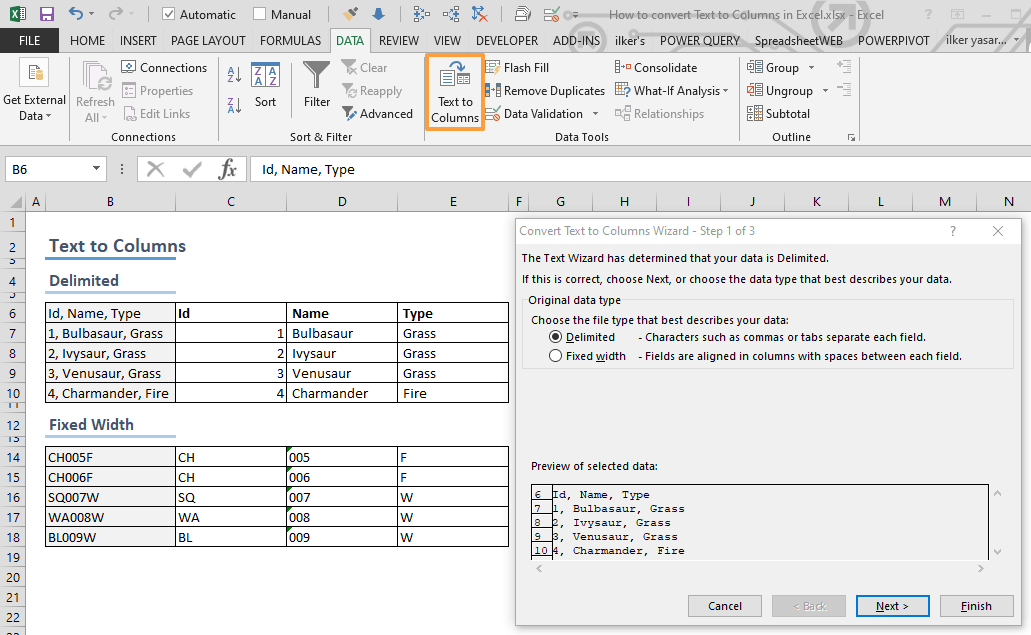
Data doesn't always come in a nice table layout, especially, when you retrieve it from an external source like a web site. Thanks to the Excel Text to Columns feature, you can split data into multiple columns. In this article, we are going to show you how to use the...

How to make Excel calculate faster

Excel is a fairly an efficient software given that it can perform complex calculations. However, depending on your system, it can also get pretty slow when running complicated calculations. How formulas are used, and size of the workbook are typically the culprit if...
RANK.AVG (RANK AVG) Function in Excel

RANK.AVG (RANK AVG) Function in Excel

RANK.AVG (RANK AVG) is a Statistical function that can return the rank of a given value, within the specified array of values. If there are values that share the same rank, the average rank of that set of values will be returned. In this guide, we’re going to show you...
RANK EQ Excel Function (RANK.EQ)

RANK EQ Excel Function (RANK.EQ)

The RANK.EQ function is a Statistical formula that returns the rank of a given value, within the specified array of values. If there is more than one values that share the same rank, the higher rank of that set of values is going to be returned by the formula. In this...
AVERAGEA in Excel

AVERAGEA in Excel

The AVERAGEA in Excel is a Statistical function that can calculate and return the average (arithmetic mean) of the values of a range of cells. AVERAGEA differs from the AVERAGE function in its ability to include numbers in string format and logical values in the...
All You Need to Know on How to Create a VBA loop in Excel

All You Need to Know on How to Create a VBA loop in Excel

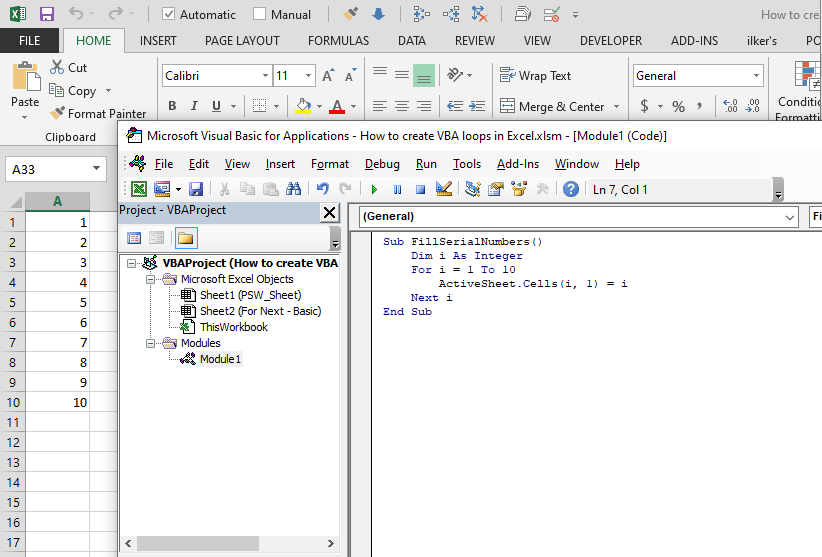
A loop is an essential concept for any programming language, and VBA follows the same approach. You can use loops to repeat an action until a specified condition is reached, or move through objects in a group, e.g. all worksheets in a workbook. A loop is an essential...