
Excel resources
Excel Tips & Tricks
Articles, examples, and practical guidance from the SpreadsheetWeb team.
Page 34 of 60 · 540 articles
Building a COVID-19 Dashboard in Excel
In this guide, we're going to show you tips of building a COVID-19 Dashboard in Excel to track and present the data more effectively.
Tracking COVID-19 Data in Excel using Power Query
In this guide, we're going to show you way of tracking COVID-19 Data in Excel using Power Query.
How to create an Excel map chart
A map chart help visualizing data in a map. In this article, we are going to show you how to insert a map chart in Excel.
How to embed Bing Maps in Excel
Did you know that you can embed maps in Excel to display location data? In this article, we are going to show you how to embed Bing maps.

How to disable Workbook_Open and Auto_Open in Excel
Either skip code for security or a programming decision, this article's going to show how to disable Workbook_Open and Auto_Open in Excel.

How to get Workbook Statistics in Excel
Workbook Statistics is a new feature for Excel 365. In this guide, we're going to show you how to get Workbook Statistics in Excel.

How to set an Excel expiration date
In this guide, we're going to show you how to set an Excel expiration date using VBA to prevent access to the workbook after expiration.

How to Remove a Line Break in Excel
In this guide, we’re going to show you how to Remove Line Breaks in Excel in 2 ways. Either using Find and Replace or Excel formulas.
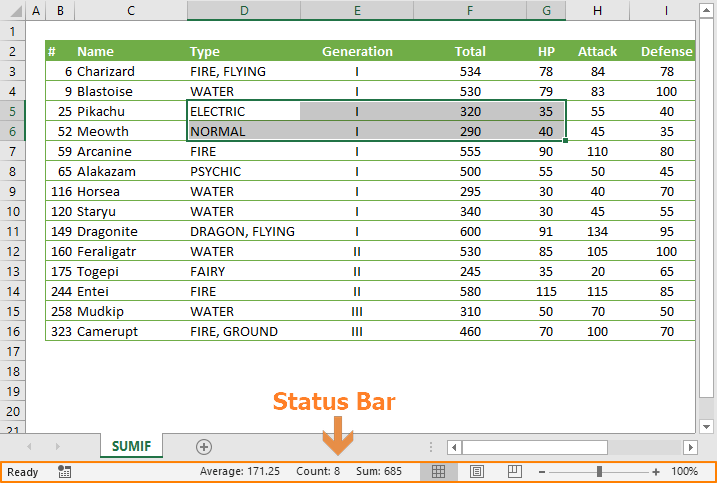
How to customize the Excel status bar
Status Bar displays various information about the Excel workbook. In this guide, we’re going to show you how to customize Excel Status bar.