
Excel resources
Excel Tips & Tricks
Articles, examples, and practical guidance from the SpreadsheetWeb team.
Page 35 of 60 · 540 articles

How to transpose Excel data using the Paste Special feature
Transposing means to rotate a range. In this guide, we’re going to show you how to transpose Excel data using the Paste Special feature.

How to add a diagonal line to a cell in Excel
In this guide, we’re going to show you how to add a diagonal line to a cell in Excel and some examples for when this format can be handy.

How to save an Excel chart template
In this guide, we’re going to show how to save an Excel chart template, and also go over re-using and deleting any existing templates.

How to use Paste Special to modify formulas in Excel
In this guide, we’re going to show how to use Paste Special to modify formulas in Excel. You can add, subtract, multiply or divide formulas.

How to multiply multiple cells in Excel using Paste Special
In this guide, we’re going to show you how to multiply multiple cells in Excel using Paste Special, which can also Add, Subtract, Divide.
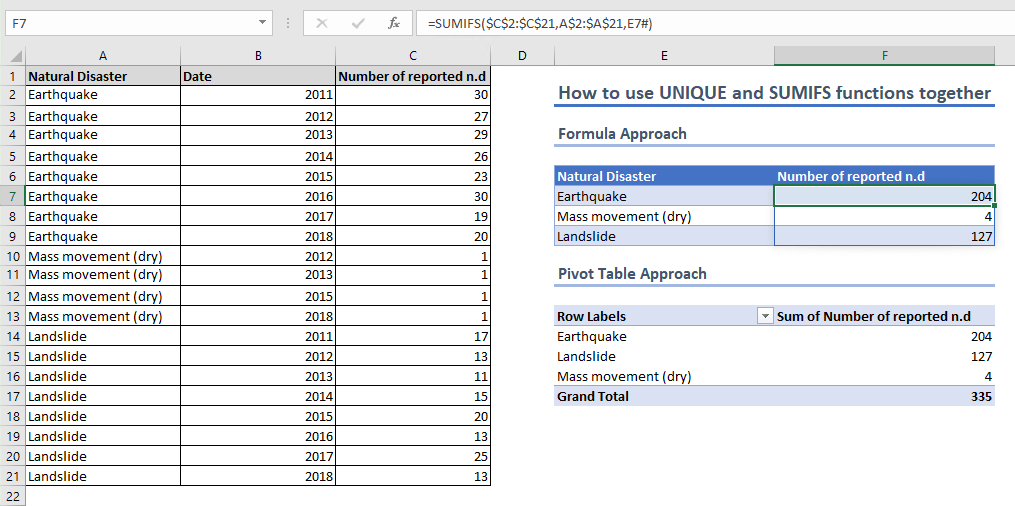
How to create an Excel summary table using UNIQUE and SUMIFS
In this guide, we’re going to show you how to use UNIQUE and SUMIFS functions in combination to generate an Excel summary table.

How to do a cell count if not equal to a variable or even an error code
In this guide, we’re going to show an alternative way to count if not equal to a variable, or even an error message in Excel, using formulas.

How to use COUNTIFS Excel Function with Unequal Ranges
In this guide, we’re going to show how to use COUNTIFS Execl with unequal ranges. COUNTIF function is also a viable alternative for this.

How to count if not equal to x or y in Excel
In this guide, we’re going to show you how to count cells not equal to x or y in Excel with COUNTIFS and SUMPRODUCT functions.