
SpreadsheetWeb blog
Practical thinking for spreadsheet-powered teams
Deep guides on Excel, Google Sheets, web applications, product workflows, and the quiet technical traps worth knowing about.
Page 43 of 55 · 1319 articles
Function: INDEX
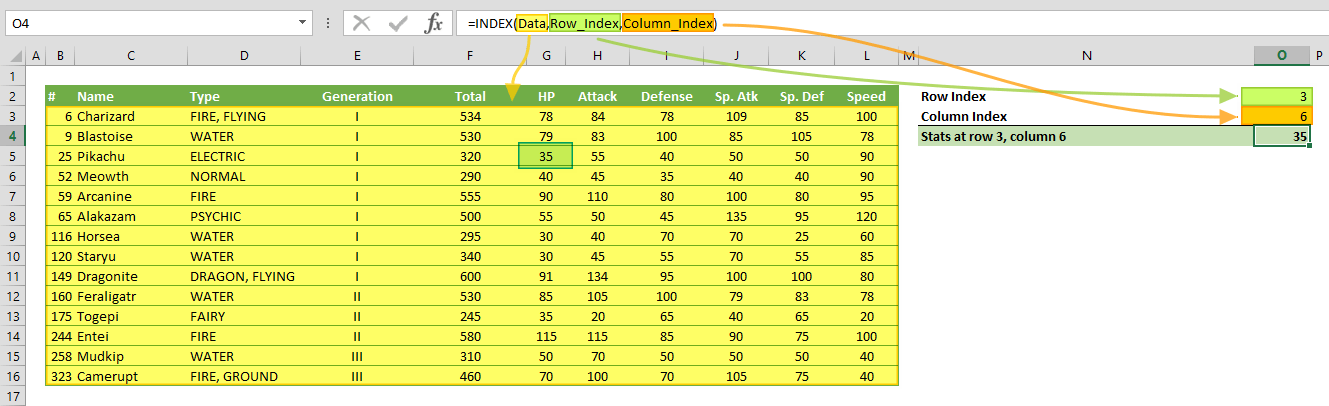
In this guide, we’re going to show you how to use the Excel INDEX function and also go over some tips and error handling methods.

Save SpreadsheetWEB Applications as Home Screen Apps on iOS and Android
In this tutorial, we're going to show you how to create "app-like" tools for iOS and Android devices from your SpreadsheetWEB applications.
Activity App
A focused overview of activity App, explaining the main ideas, practical considerations, and relevant examples.
Configure, Price, Quote with Excel
Explore Configure, Price, Quote with Excel, with a focused look at what makes Excel a platform for CPQ, limitations of Excel as a CPQ platform, and transform CPQ spreadsheets to web applications.

IFS Function in Excel
In this guide, we’re going to show you how to use the function (Excel If Statement) and also go over some tips and error handling methods.

Excel SWITCH Function
In this guide, we’re going to show you how to use the Excel SWITCH function and also go over some tips and error handling methods.

Control Panel Language Tutorial
You can edit the language files on your server installation to customize the text fields displayed throughout the Control Panel.

5 Ways to Make your Designer Applications Look More Refined
In this tutorial, we will look at various techniques that can help make your Designer Applications look more compelling and easier to use.
How to use IFS and SWITCH formulas instead of nested IF statements
Learn how to use IFS and SWITCH formulas instead of nested IF statements. This practical guide covers the formula syntax, setup steps, and how the result is calculated in Excel.

Function: MIRR
In this guide, we’re going to show you how to use the MIRR Excel function and also go over some tips and error handling methods.

Function: IRR in Excel
In this guide, we’re going to show you how to use the IRR Excel function and also go over some tips and error handling methods.

Function: XNPV
In this guide, we’re going to show you how to use the XNPV function and also go over some tips and error handling methods.

How to apply conditional formatting to Pivot Tables
Conditional formatting works differently in Pivot Tables. Let us show you how to apply conditional formatting to Pivot Tables.
Databases in Designer Applications
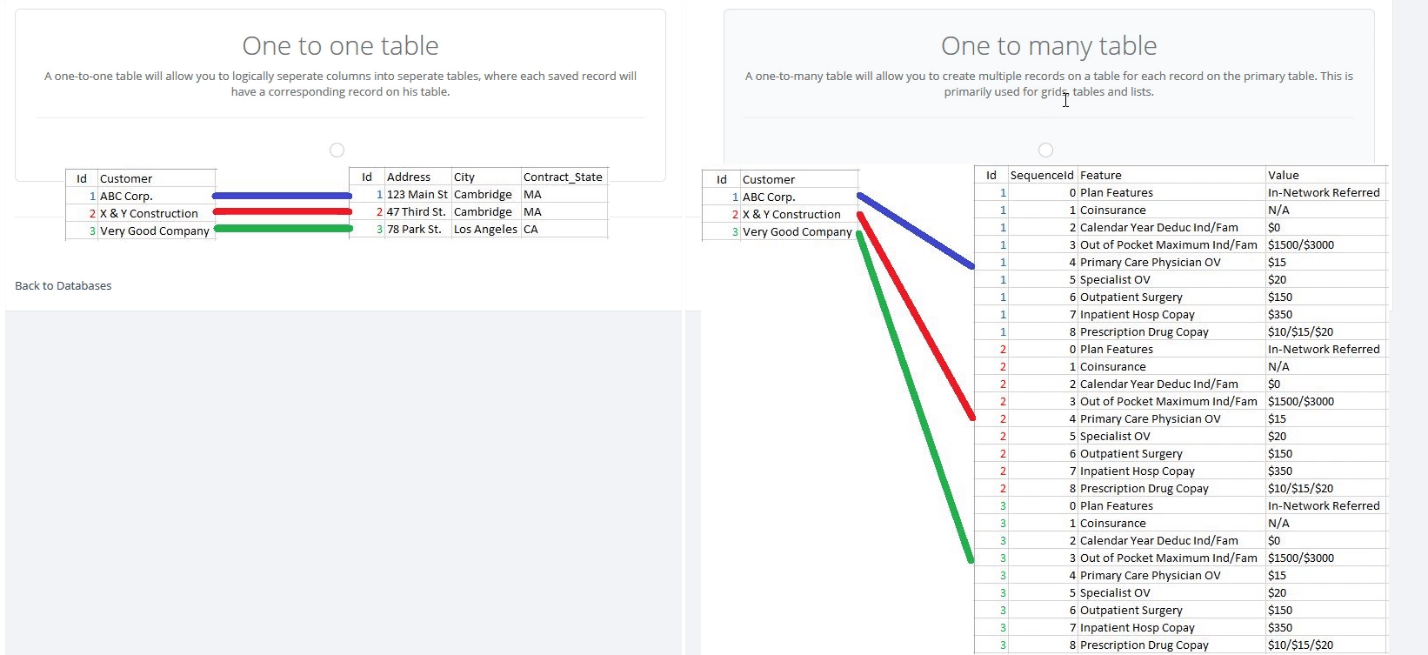
In this tutorial, we’re going to show you how to configure the database component of your designer applications for saving data.

Function: EXACT
In this guide, we’re going to show you how to use Excel EXACT function to compare strings and also go over some tips and error handling methods.
Building a Subscription Based Service from a Proprietary Excel Model
Building a subscription based service from a proprietary Excel model on SpreadsheetWeb platform.
How to make a line graph in Excel
In this article, we’re going to show you how to make a line graph in Excel for creating compelling reports.

How to compare two columns in Excel
In this guide, we’re going to show you how to compare two columns in Excel for a row-by-row analysis of data.

Email Notifications in Designer Applications
SpreadsheetWEB allows setting up email notifications in designer applications, which can be used to notify users when certain events occur.
What’s New in SpreadsheetWeb 6.7
This update brought new features as to how you can interact with data you capture with your SpreadsheetWEB applications.
Pagos Announces the Release of SpreadsheetWEB 6.7 Adding Google Analytics Support and Giving Users More Control on the Data Page
SpreadsheetWEB 6.7 features application-level Google Analytics support and giving users more control over application data interactions.

Custom Notifications in Designer Applications
Custom Notifications feature allows setting up queries, which will trigger automated emails when predetermined conditions are met.

How to wrap text in Excel
Learn how to wrap text in Excel. This practical guide covers the formula syntax, setup steps, and how the result is calculated in Excel.
How to create a gauge chart in Excel
Learn how to create a gauge chart in Excel. This practical guide covers the required setup, step-by-step process, and useful Excel options.