
SpreadsheetWeb blog
Practical thinking for spreadsheet-powered teams
Deep guides on Excel, Google Sheets, web applications, product workflows, and the quiet technical traps worth knowing about.
Page 44 of 55 · 1319 articles

Tracking your SpreadsheetWeb Applications with Google Analytics
You can track and monitor the usage of your SpreadsheetWeb applications with Google Analytics.

Function: TEXT
In this guide, we’re going to show you how to use the Excel TEXT function and also go over some tips and error handling methods.

How to use format painter in Excel
In this guide, we’re going to show you How to use format painter in Excel. Format painter works with all Excel versions.

Multi-selection Controls
Follow the Multi-selection Controls with a focused overview of the required setup, configuration steps, and expected result.

Rounddown Function in Excel
In this guide, we’re going to show you how to use the ROUNDDOWN function in Excel and also throw in some tips and error handling methods.

Function: ROUNDUP
In this guide, we’re going to show you how to use the ROUNDUP function and also throw in some tips and error handling methods.

Function: SUM in Excel
In this guide, we’re going to show you how to use the SUM function and also throw in some tips and error handling methods.

Function: TODAY
In this guide, we’re going to show you how to use the TODAY function and also throw in some tips and error handling methods.

How to add a custom button to Excel Ribbon
This article shows how to add a custom button to Excel Ribbon in 2010 or newer versions.

Function: N
In this guide, we’re going to show you how to use the N function and also throw in some tips and error handling methods.

Function: OR
In this guide, we’re going to show you how to use the Excel OR function and also go over some tips and error handling methods.

Function: AND
In this guide, we’re going to show you how to use the Excel AND function and also go over some tips and error handling methods.

How to show named ranges that were made hidden using VBA
Hidden named ranges can be tricky to find and work with. Let us walk you through how you can show named ranges that were hidden using VBA.

Function: AVERAGEIF
In this guide, we’re going to show you how to use the AVERAGEIF function and also throw in some tips and error handling methods.

Function: COUNTIF
In this guide, we’re going to show you how to use the COUNTIF function and also go over some tips and error handling methods.

How to insert a degree symbol in Excel
Standard keyboards don’t have a button for this useful symbol.Let us show you 4 different ways on how to insert a degree symbol in Excel.
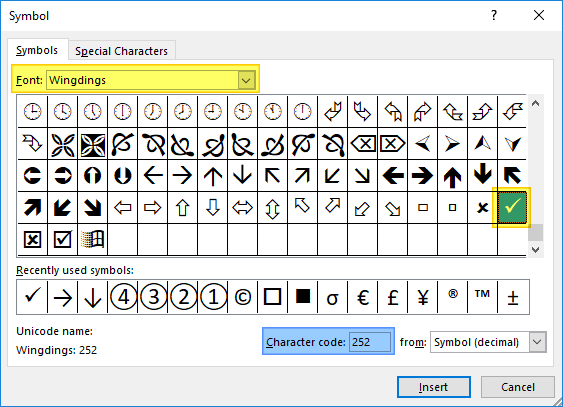
How to insert a check mark in Excel
A check mark is the universal character for confirmation. In this article we listed 5 methods you can use to to insert a check mark in Excel.
Rent vs Buy Calculator
Rent vs Buy Calculator provides a practical spreadsheet model. This overview explains what it calculates and how it can be used with SpreadsheetWeb.
Column Chart in Excel: Everything You Need to Know
Excel, being the go-to software for all data tasks supports all kinds of bar and column charts with extensive customization options.
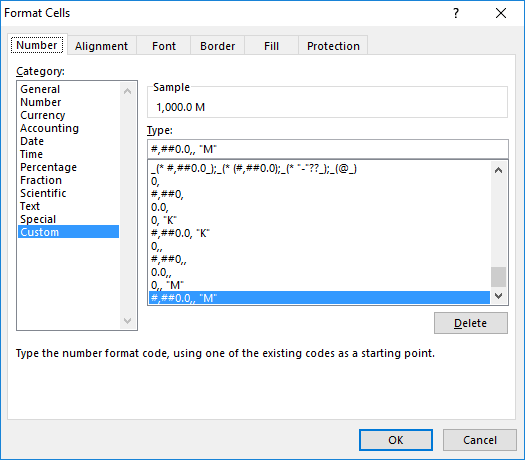
How to format numbers in Excel with millions separators
In this article, we're going to show you how to format numbers in Excel with million separators without changing the actual values.

How to format numbers in thousands in Excel
In this article, we're going to show you how to format numbers in Excel with thousands separators without changing actual values.

Function: SEARCH
In this guide, we’re going to show you how to use the SEARCH function and also throw in some tips and error handling methods.

Function: FIND
In this guide, we’re going to show you how to use Excel FIND function and go over some tips and error handling methods.

What’s New in SpreadsheetWeb 6.6
This update brought many new features for helping our users do more with their designer and dashboard applications, and in the control panel.