The June 2026 release brings new charting, page design, and document generation enhancements to SpreadsheetWeb Hub. This update focuses on making visual content easier to build, simplifying page setup, and giving developers more control over merged print documents.
Simple Label Charts
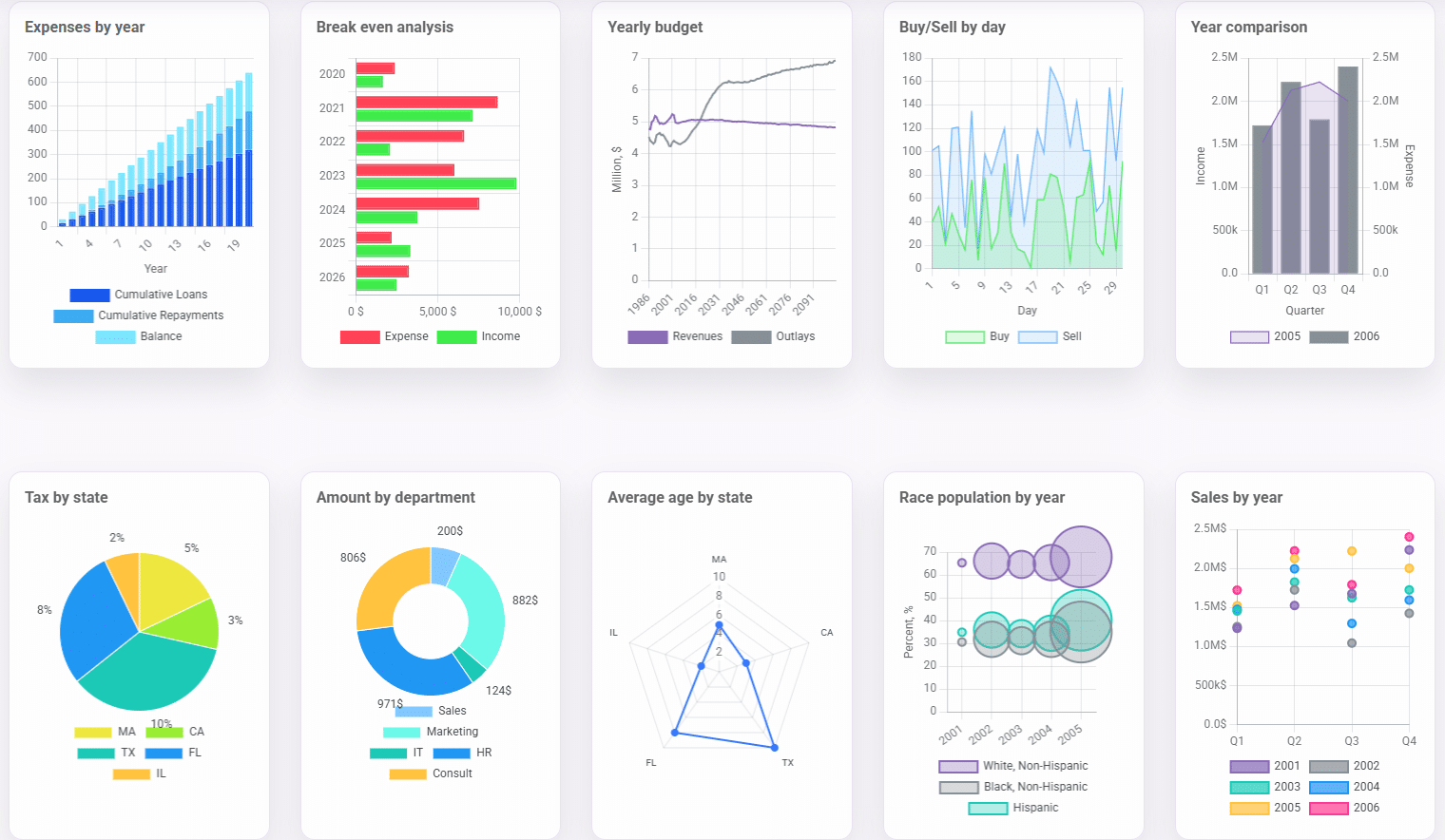
This release introduces Simple Label Charts, a simplified chart design module that makes chart creation faster and far less tedious.
Instead of working through an extensive list of chart properties, you can now create charts with minimal setup. These charts can be woven directly into rich Simple Label content, sitting alongside carousels, images, and formatted text. Because the charts automatically match your application's styling, there is no need to write custom CSS to keep everything looking consistent.
The result is a much smoother way to add data visualizations to your pages. Charts blend naturally into the surrounding content rather than behaving like separate, heavily configured components, making it easier to build polished, information-rich pages.
A More Visual Page Design Experience
Page design has received a more visual editing flow that makes setting up a page feel more cohesive from start to finish.
This update adds page-level gutter settings, giving you finer control over spacing and margins across your layout. A representational page preview lets you see how the page will come together as you work, so you can make design decisions with a clearer picture of the end result. A cleaner V2 wizard experience also guides you through page setup with fewer rough edges.
Together, these improvements reduce guesswork during page creation and make the authoring process more intuitive, helping developers move from a blank page to a finished design with less back and forth.
Print Document Merge Options
This release adds new print document merge options designed to give you more control when combining Word documents.
When merging documents, you can now preserve page layout, headers, footers, and mixed portrait and landscape sections. Previously, combining documents that used different layouts could lead to inconsistent formatting. With these new options, complex multi-section documents come together while retaining their intended structure.
This is especially valuable for applications that assemble reports, contracts, proposals, or other deliverables from multiple templates, where maintaining accurate formatting across every section matters.
As always, this release also includes a range of usability refinements, stability improvements, and system-level optimizations across the platform, including Excel-style workbook zoom controls, configurable workspace invitation expiration windows, and various security and reliability enhancements.
For more information about SpreadsheetWeb Hub and its latest capabilities, visit the SpreadsheetWeb Help Center.