
Excel resources
Excel Tips & Tricks
Articles, examples, and practical guidance from the SpreadsheetWeb team.
Page 37 of 60 · 540 articles

How to use Wildcard criteria in Excel formulas
Wildcard represents one or more other characters. In this guide, we're going to show you how to use Wildcard criteria in Excel formulas.

How to simplify Nested IF statements
Nested IF formulas can get messy when dealing with too many conditions. In this guide we're going to see how to simplify Nested IF statements.

How to Make Excel Remove Named Range Containing Errors
In this guide, we’re going to show you how to make Excel remove named range containing errors. You will learn about Name Manager as well.

Excel TEXTJOIN and CONCAT
Forget the CONCATENATE function! In this guide, we're going to show you how to use the Excel TEXTJOIN and CONCAT functions to merge texts.

CONCAT vs CONCATENATE
In this guide, we are going to focus on the CONCAT function and look at some of the differences between the CONCAT vs CONCATENATE functions.

How to create dynamic images in Excel without VBA
In this guide, we're going to show you how to create dynamic images in Excel. The methods in this article don't involve any VBA or coding.

How to find duplicates in Excel and remove or consolidate them
In this guide, we're going to show you how to find duplicates in Excel and also remove or consolidate them using various methods.

How to prevent a #REF error in Excel
A #REF error in Excel indicates an invalid reference. In this guide, we're going to show you how to prevent a #REF error in Excel.
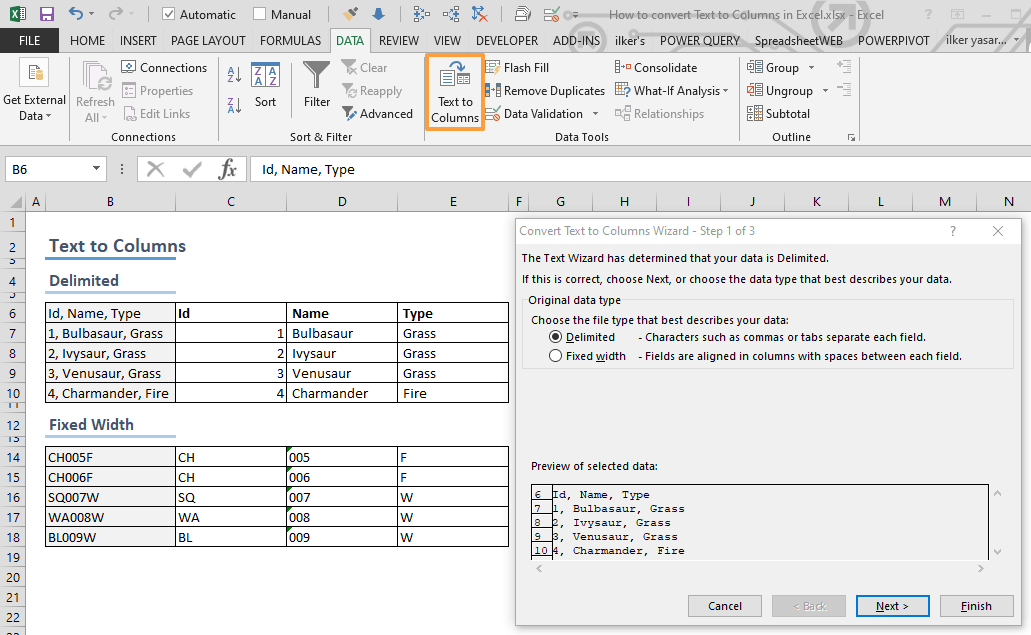
How to use Text to Columns in Excel
In this article, we are going to show you how to use the Excel Text to Columns. This way, you can split text in a cell into multiple columns.