How to use Wildcard criteria in Excel formulas

How to use Wildcard criteria in Excel formulas

Wildcard is a term for a special kind of a character that can represent one or more "unknown" characters, and Excel has a wildcard character support. You can use wildcards for filtering, searching, or inside the formulas. In this guide, we're going to show you how to...
How to simplify Nested IF statements

How to simplify Nested IF statements

Nested IF statements are useful for creating more complicated scenarios in Excel. However, things can get quickly out of hand as the number of conditions increase. For example, five conditions means at least four IF functions, hence lots of parenthesis to deal with....
How to Make Excel Remove Named Range Containing Errors

How to Make Excel Remove Named Range Containing Errors

Managing and removing named ranges in Excel can be a challenging task, as you would have to do this one by one for each field. In this guide, we’re going to show you how to make Excel remove named range containing errors. Download Workbook Filtering named ranges with...
Excel TEXTJOIN and CONCAT

Excel TEXTJOIN and CONCAT

Excel TEXTJOIN and CONCAT functions are relatively new, and welcome additions to Excel’s plethora of functions. Both functions have been released with Excel 2016 as a replacement for the CONCATENATE function to make it easier to merge multiple text strings. In this...
CONCAT vs CONCATENATE

CONCAT vs CONCATENATE

For a long time, the only option to combine text strings has been using the CONCATENATE function, which does nothing more than what the ampersand (&) operator does. Recently, Microsoft has released the CONCAT and TEXTJOIN formulas with Excel 2016. In this guide,...
How to create dynamic images in Excel without VBA

How to create dynamic images in Excel without VBA

Wouldn't be nice if images in Excel updated automatically with certain prompts? In this guide, we're going to show you how to create dynamic images in Excel. Download Workbook Preparing the Dynamic Images First, we need to place our images somewhere in the workbook....
How to find duplicates in Excel and remove or consolidate them

How to find duplicates in Excel and remove or consolidate them

Duplicate values in a dataset can cause headaches if you do not know how to deal with them. In this guide, we’re going to show you how to find duplicates in Excel and also go over how you can remove or consolidate them using a few examples. Download Workbook How...
How to prevent a #REF error in Excel

How to prevent a #REF error in Excel

A #REF! error in Excel indicates an invalid reference. This pesky error can pop up after removing a sheet, rows or columns, or copying a formula. In this guide, we're going to show you how to prevent a #REF error in Excel. Download Workbook There are 3 common reasons...
How to use Text to Columns in Excel

How to use Text to Columns in Excel

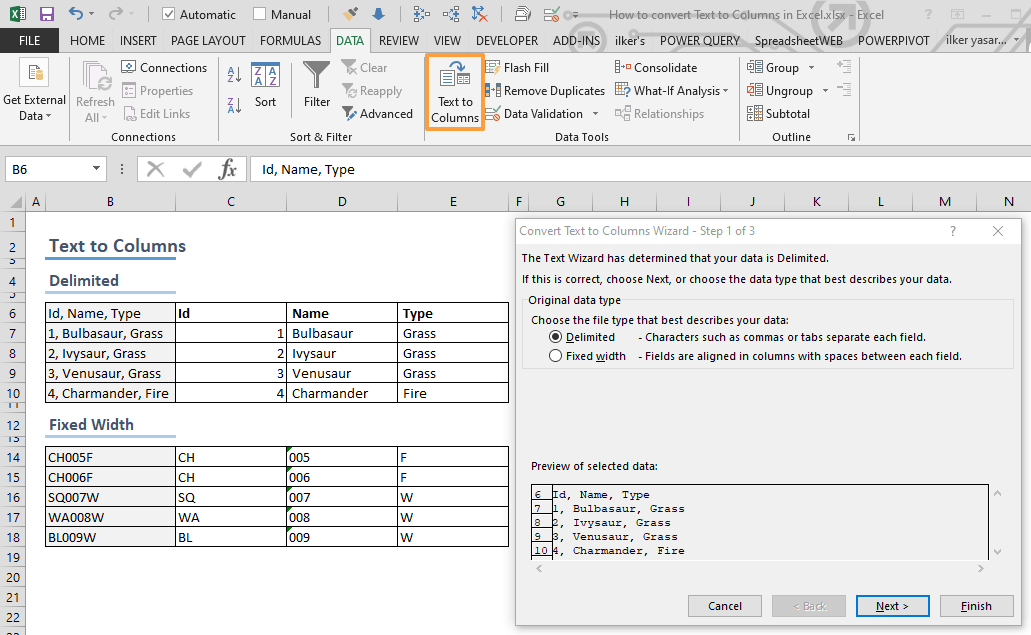
Data doesn't always come in a nice table layout, especially, when you retrieve it from an external source like a web site. Thanks to the Excel Text to Columns feature, you can split data into multiple columns. In this article, we are going to show you how to use the...