How to calculate running count

How to calculate running count

This article shows how to calculate running count by using COUNTIF and COUNTIFS functions. The running totals help you to track number of value occurrences in your data. Syntax =COUNTIF(expanding range of lookup values, lookup value again) Steps Add a new column to...
How to get nth match with VLOOKUP

How to get nth match with VLOOKUP

This article shows you how to get the nth match with VLOOKUP formula. Unfortunately, Excel doesn’t have a built-in function to find any value beyond the first match. Syntax Unique lookup value: =lookup value & COUNTIF(expanding range of lookup values, lookup...
How to Excel SUM Formula Filtered Values in Datatables

How to Excel SUM Formula Filtered Values in Datatables

The regular Excel SUM formula calculates the total of all values in a range, including those hidden by filters or the "Hide" feature. While this default behavior is suitable for many scenarios, it can become problematic when creating interactive spreadsheets that...
How to Count the Number of Columns in Excel

How to Count the Number of Columns in Excel

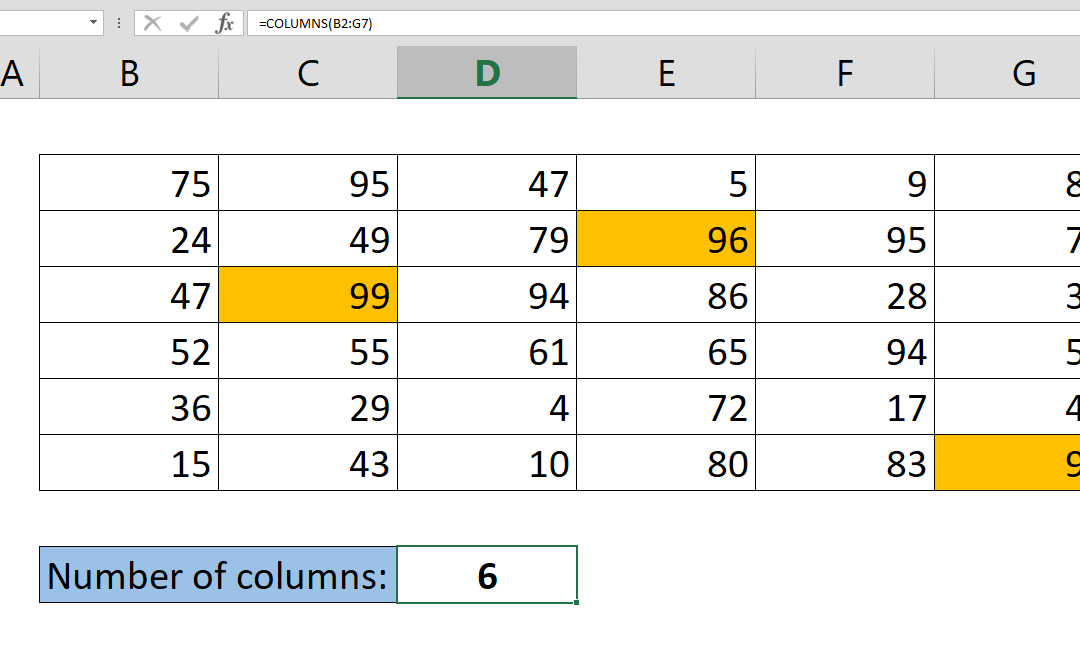
In the realm of data management and analysis, Microsoft Excel stands out as a powerful tool due to its array of functions that facilitate efficient data manipulation. One such function is the ability to determine the total number of columns within a given range. While...
How to Get The Number of Rows Containing Data in Your Table

How to Get The Number of Rows Containing Data in Your Table

Excel offers numerous built-in features to streamline data analysis. For instance, you can manually count the number of entries in your spreadsheet by selecting the relevant rows, and the count will be displayed in the bottom right corner. However, this process can...
How to create dependent dropdowns

How to create dependent dropdowns

Dropdown type of inputs are very common in Excel models, but dependent dropdowns take it to the next level, and are dynamic. This means that available options of the dropdown menu will change based on other selections. This article will show you how to create...
How to remove blanks from a list

How to remove blanks from a list

We often find data in a raw, unorganized form that contain empty cells. In this article we’re going to show you how to remove blanks from a list and create a new table using only formulas. Syntax =IFERROR(INDEX(list range,SMALL(IF(ISTEXT(list range),ROW(rows...
How to convert a number to time units

How to convert a number to time units

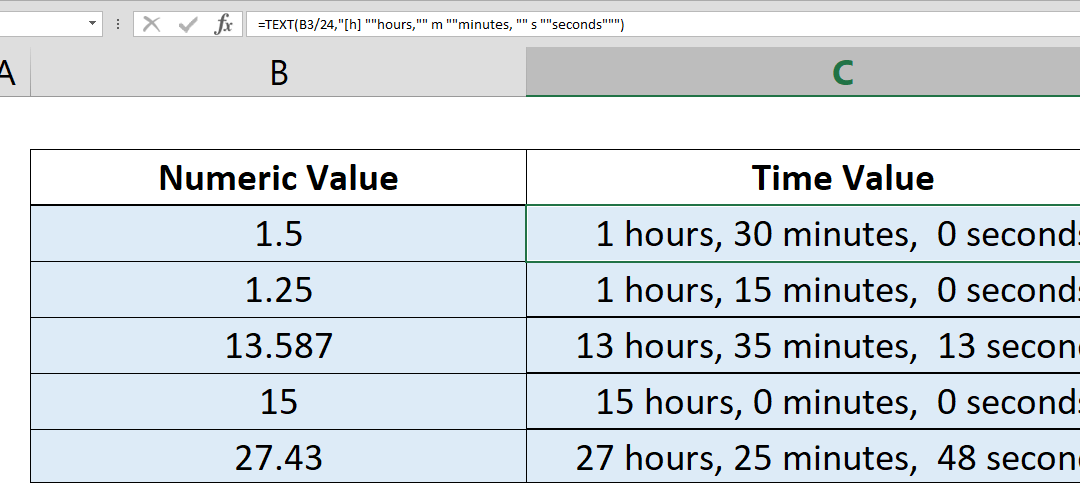
If you want to convert a number to time values, you need some additional operations, multiplying and dividing between days, hours, minutes, and seconds. Here, we’re going to take a look at a simpler approach by using Excel’s TEXT function.   Syntax...
How to highlight a column

How to highlight a column

To highlight a column may be tricky because there is no built-in option in Excel’s Conditional Formatting feature. Here, you can find out how you can do this dynamically using Excel formulas. Steps Begin by selecting rows by clicking on column letters Open...