
Excel resources
Excel Tips & Tricks
Articles, examples, and practical guidance from the SpreadsheetWeb team.
Page 11 of 60 · 540 articles
Excel Formulas for Beginners
Formulas are the backbone of Excel. Knowing how to use them effectively means that you’re going to be able to quickly analyze data and make sense of it.
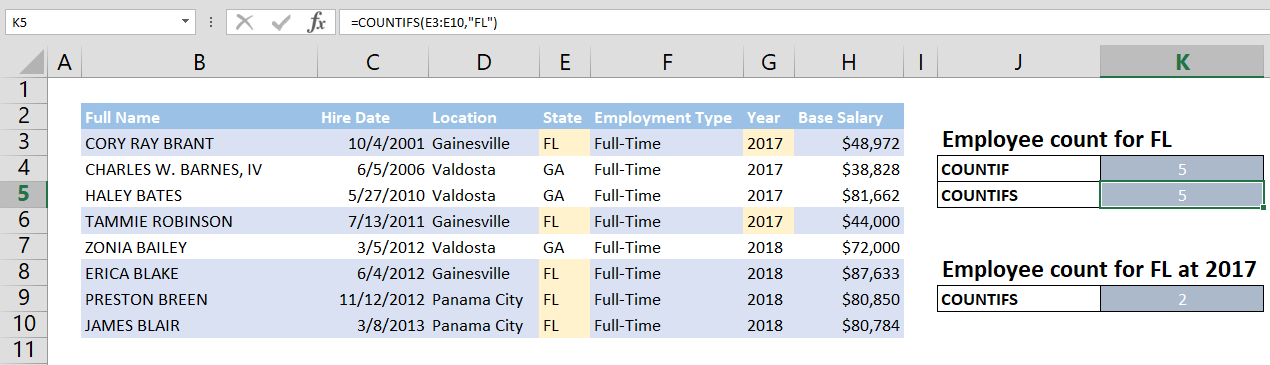
How to Use COUNTIF to Count the Number of Cells by an Equal Criteria
In this article, we will show you how to count the number of cells by an equal criteria with COUNTIF and COUNTIFS.
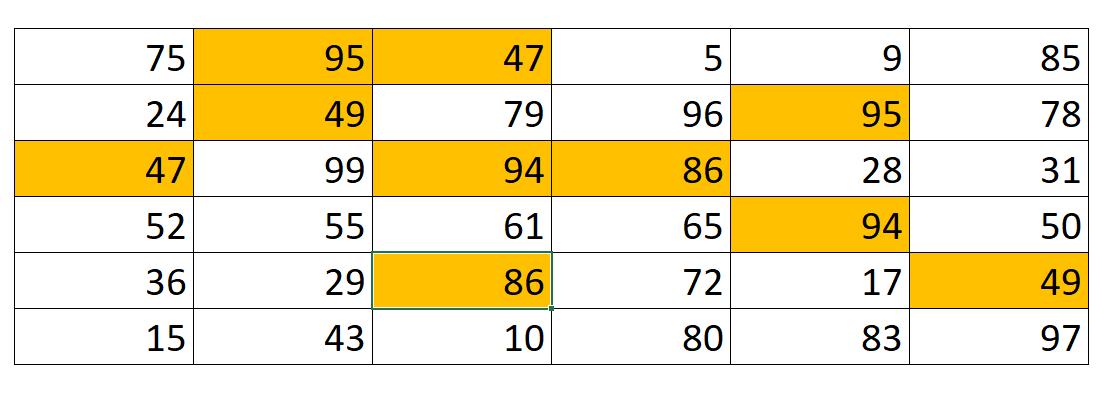
Highlight duplicate values in a data set dynamically with COUNTIF
In this post, we will show how to highlight duplicate values in a data set dynamically with COUNTIF in Excel.

How to Calculate Tax Rate with VLOOKUP
The tax brackets can be confusing to work with. Different ‘levels’ of your income needs to be multiplied with a different percentage to find the total.
10 Excel Tricks to Increase Productivity in Excel
In this guide, we’re going to show you 10 tips to increase your productivity and effieciency on Microsoft Excel spreadsheets.
How to Fix a Formula in Excel
In this guide, we cover recommended methods for creating formulas, and how to handle errors, should you encounter them when using Excel.

How to Calculate Totals in Excel
Excel Tips & Tricks • This article shows how to calculate totals in Excel.

How to Remove Duplicates in Excel
This article shows to remove duplicates in Excel by using Remove Duplicates feature under DATA tab of Excel.

How to Create a Hyperlink to the Current Workbook Folder in Excel
In this article, we are going to show you how to create a hyperlink to the current workbook folder in Excel.