We’re excited to unveil the latest updates to SpreadsheetWeb, rolling out November 2025. This release includes several powerful enhancements designed to give you more control, flexibility, and ease of use. Below are the highlights, and what they mean for you.
Floating Navigation Menu, Easier Navigation, Better UX
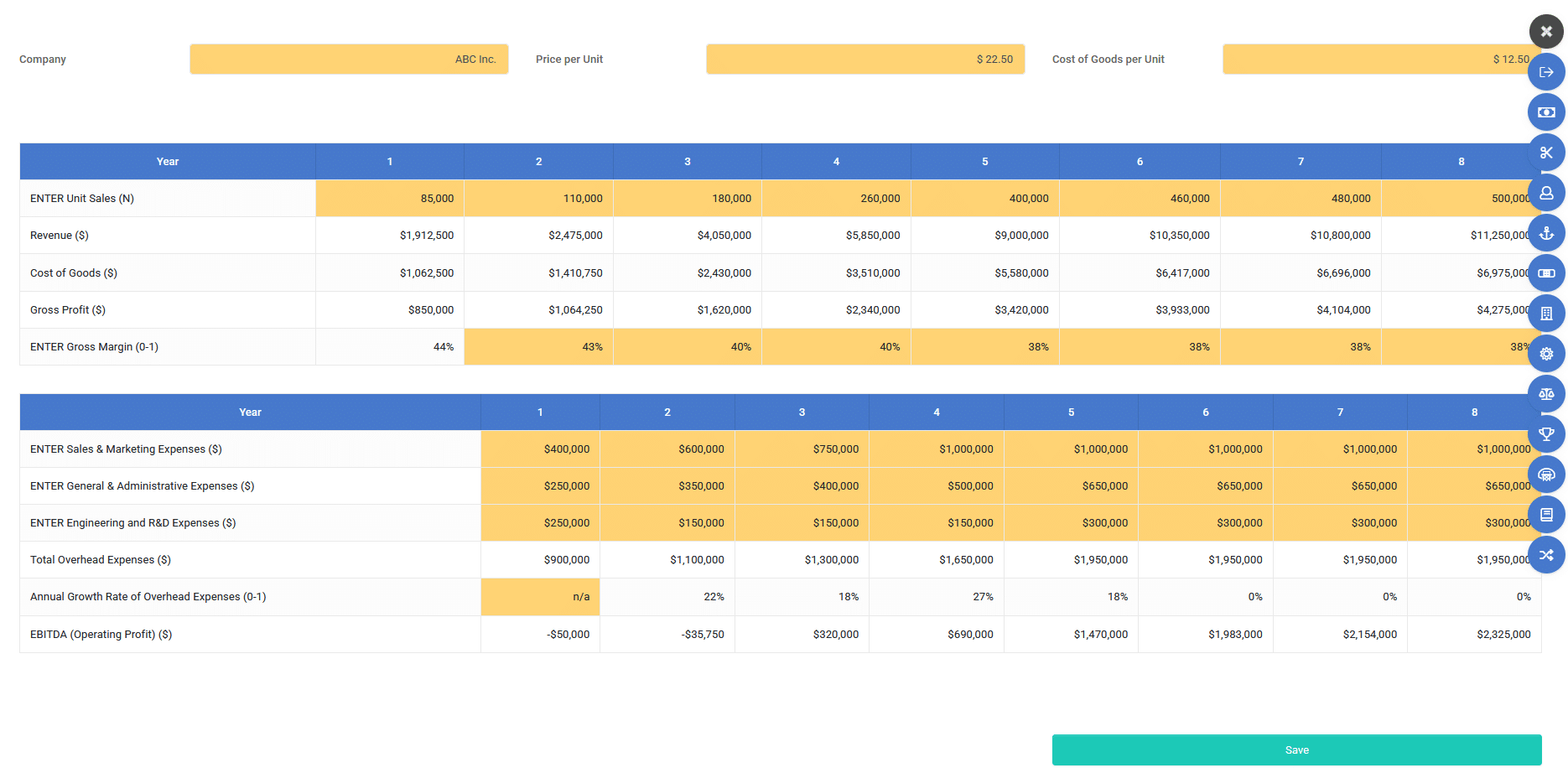
One of the biggest improvements in this release is support for a floating navigation menu.
The navigation bar now stays visible as you scroll through long application pages or dashboards.
The floating menu ensures that important controls remain within easy reach, making your web-apps more intuitive and professional-looking.
Smarter Automated App Creation, Fine-Grained Control of Charts, Images & Labels
We significantly enhanced the automated app-creation engine so that SpreadsheetWeb can now better detect and handle charts, images, and labels, with more control over what gets generated and how. Key improvements:
- Improved detection logic for charts, images, and labels. The system does a better job identifying which elements in your spreadsheet are meant to become charts, static images, or UI labels.
- Toggle controls for inputs and outputs, grids, and labels. You now have explicit control over whether certain grids, labels, or output areas show up in the generated app. That means fewer post-generation cleanup tasks.
- Generate multiple standalone labels at once. if you use static text blocks, section headings, or custom labels in your spreadsheet, you can now create them in bulk rather than one at a time.
For complex spreadsheets that mix data tables, graphs, images, and explanatory labels, this update means your converted web apps will look much closer to your original spreadsheet layout, with minimal manual tweaking.
OAuth-Based Email Support in Paid Workspaces
We’ve also simplified how email sending works from your apps. For paid workspaces, you can now send emails using OAuth-based authentication instead of traditional SMTP configuration.
Users can now link Google or Microsoft email accounts directly. Once authorized, these accounts will be used to send any outgoing emails generated by your SpreadsheetWeb applications.
This removes the need to manually configure SMTP settings (servers, ports, credentials, etc.), making setup faster and less error-prone.
For many organizations, configuring SMTP can be a stumbling block (firewall rules, port issues, credential management). By offering OAuth-based email providers, SpreadsheetWeb makes it much easier to get secure, reliable email functionality up and running, especially for business apps deployed to multiple users or clients.
Whether you’re building quoting tools, financial dashboards, calculators, reporting apps, or other custom solutions, these enhancements make SpreadsheetWeb more powerful, easier to use, and more suitable for professional-grade business applications.
We encourage you to try these features in your next app conversion or update and let us know how they work for you. As always, your feedback helps drive future improvements.
Thank you for building with SpreadsheetWeb and stay tuned for more updates!