We're excited to announce major updates to SpreadsheetWeb this June, bringing new innovations and enhanced capabilities to our platform. Read on to discover the latest features and improvements in SpreadsheetWeb Hub and the API Toolkit!
Newest Update: Advanced Search on the Hub
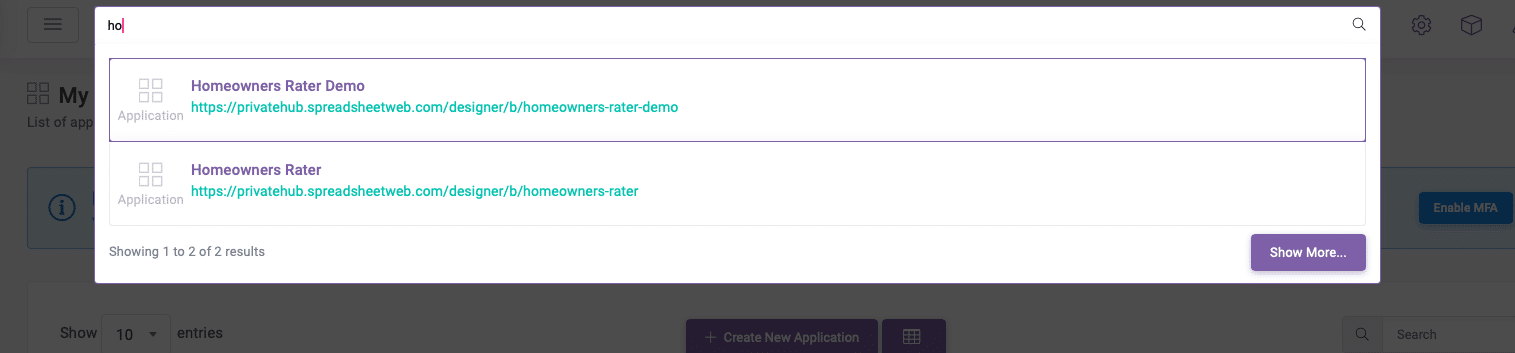
We have introduced an advanced search feature that allows you to effortlessly search for different sections within your workspace! By typing in the search bar at the top, users can quickly access relevant results. Previously, searches were limited to specific sections like applications or users. With the new advanced search, results will be returned from all sections except for data and conversations (which will be added later). Additionally, clicking the "Show More" button takes you to the Advanced Search page, making browsing even easier.
Batch Run in the API Toolkit Released
This feature enhances the API Toolkit by adding the capability to run batch requests. This means you can now execute the same request multiple times consecutively, which is particularly useful for a variety of testing purposes. Whether you are stress-testing your system, verifying consistent responses, or evaluating performance under repeated conditions, batch requests provide a robust solution.
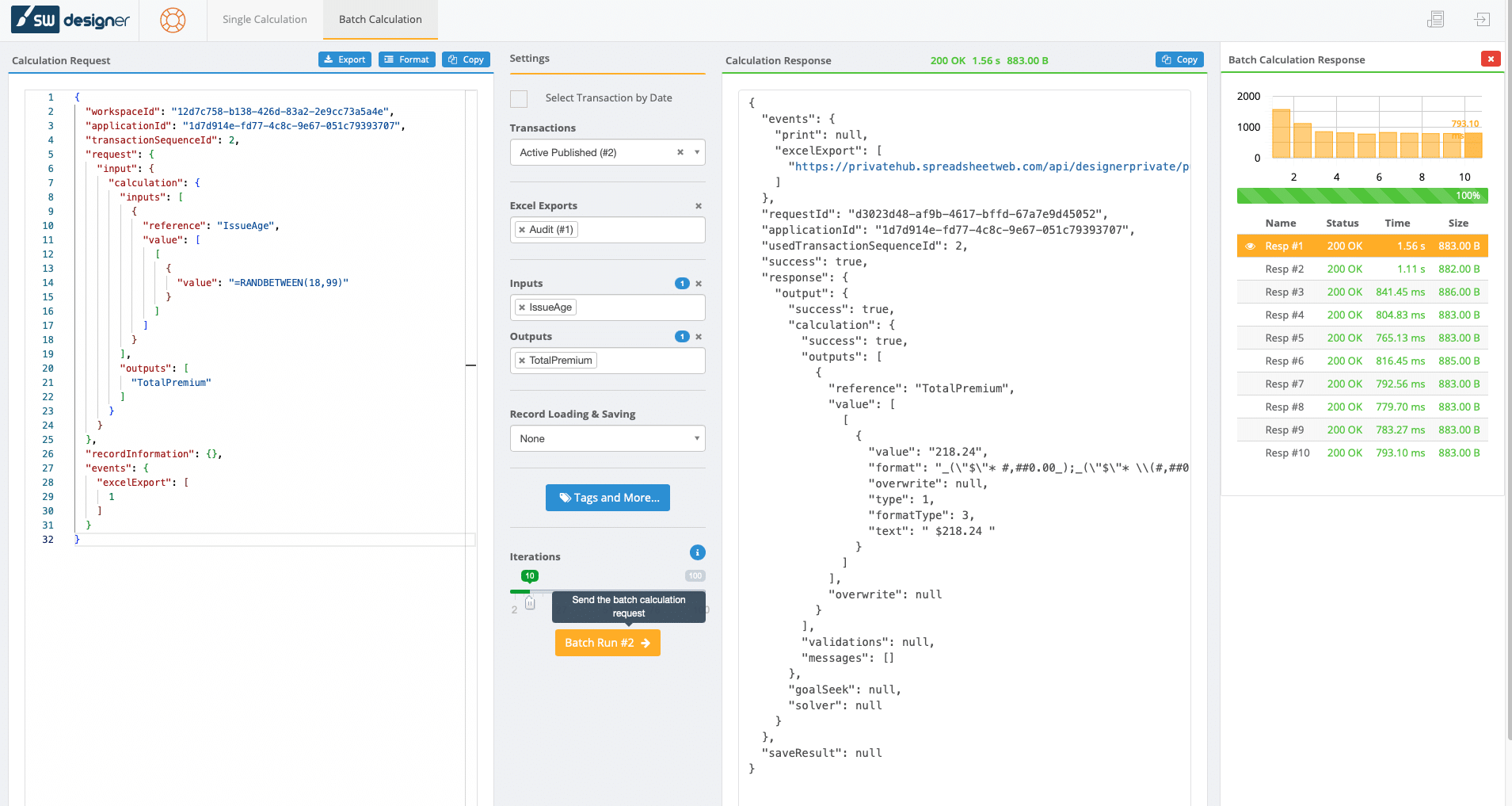
When combined with dynamic formula evaluation, which allows for the randomization of inputs in the API request, this feature becomes especially powerful. By varying the inputs, you can simulate a wide range of scenarios and edge cases, ensuring that your system handles diverse data effectively. This is especially valuable for validating the latest versions of your workbook between releases.
Regularly running these tests helps to ensure that new updates or changes do not introduce errors or inconsistencies. It provides a thorough validation process, confirming that calculations remain accurate and reliable even as the workbook evolves.
More exciting news and some more innovations are coming to make your SpreadsheetWeb experience smooth.