New Year, New Updates!
With the start of 2024, we at SpreadsheetWeb are thrilled to share some exciting updates. This January, we've introduced many new features that aim to improve your experience and make it safer and more efficient. From new ways to log in for private server users to fresh features for data display, these updates promise to enhance your experience with SpreadsheetWeb.
Easier Login with Okta on Private Servers
We've taken another step to make logging into SpreadsheetWeb simpler and more convenient for private server users. Now, you can use Okta to log in easily. This means you can access SpreadsheetWeb using the login details you already use at your company. Plus, we plan to bring this feature to more users, making it easy for everyone to sign in using popular login services.

More Control Over Emails - Custom SMTP Settings in Pro Workspaces
For those using our Pro workspaces, there's excellent news! You can now set up your email-sending settings. This new option, found on the Edit Workspace page, lets you choose your email server and the email address you want to appear as the sender for emails sent by your applications. Remember, this only changes how emails from your applications look – emails from us about your account will stay the same.

Faster Performance with Updated Data Handling
Behind the scenes, we've changed how SpreadsheetWeb handles data, particularly named ranges in Excel. We've improved our system so it's faster and more efficient, making your work on SpreadsheetWeb smoother. These changes mean quicker app creation and publishing and a better experience for you, even though you won’t see these changes directly.
Track User Interactions More Easily
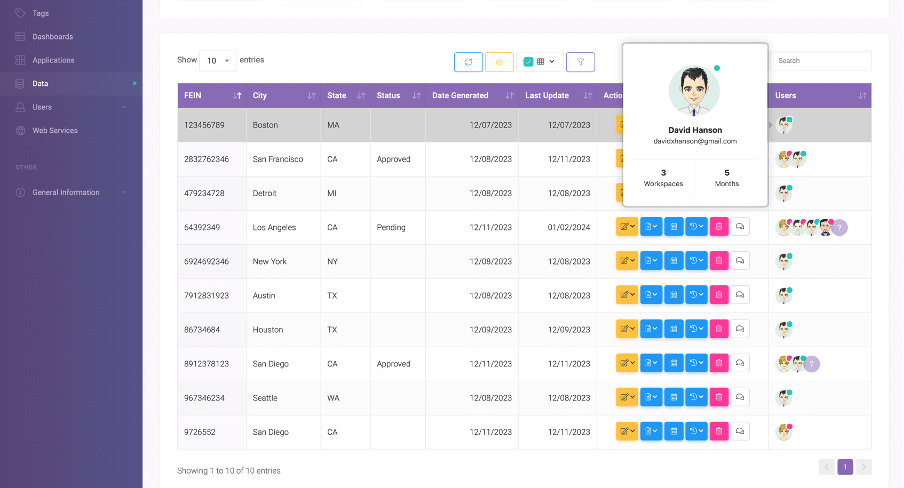
There's a new feature on the data page: a column that shows all the users who have interacted with a data record, complete with their profile pictures. This makes it easier to see who's been working with your data, adding a more personal touch to your experience on SpreadsheetWeb. To do this, all you need to do is adding the “Users” column to the data table, and you’re done!
New Ways to Visualize Data with Gauge Types and Formats
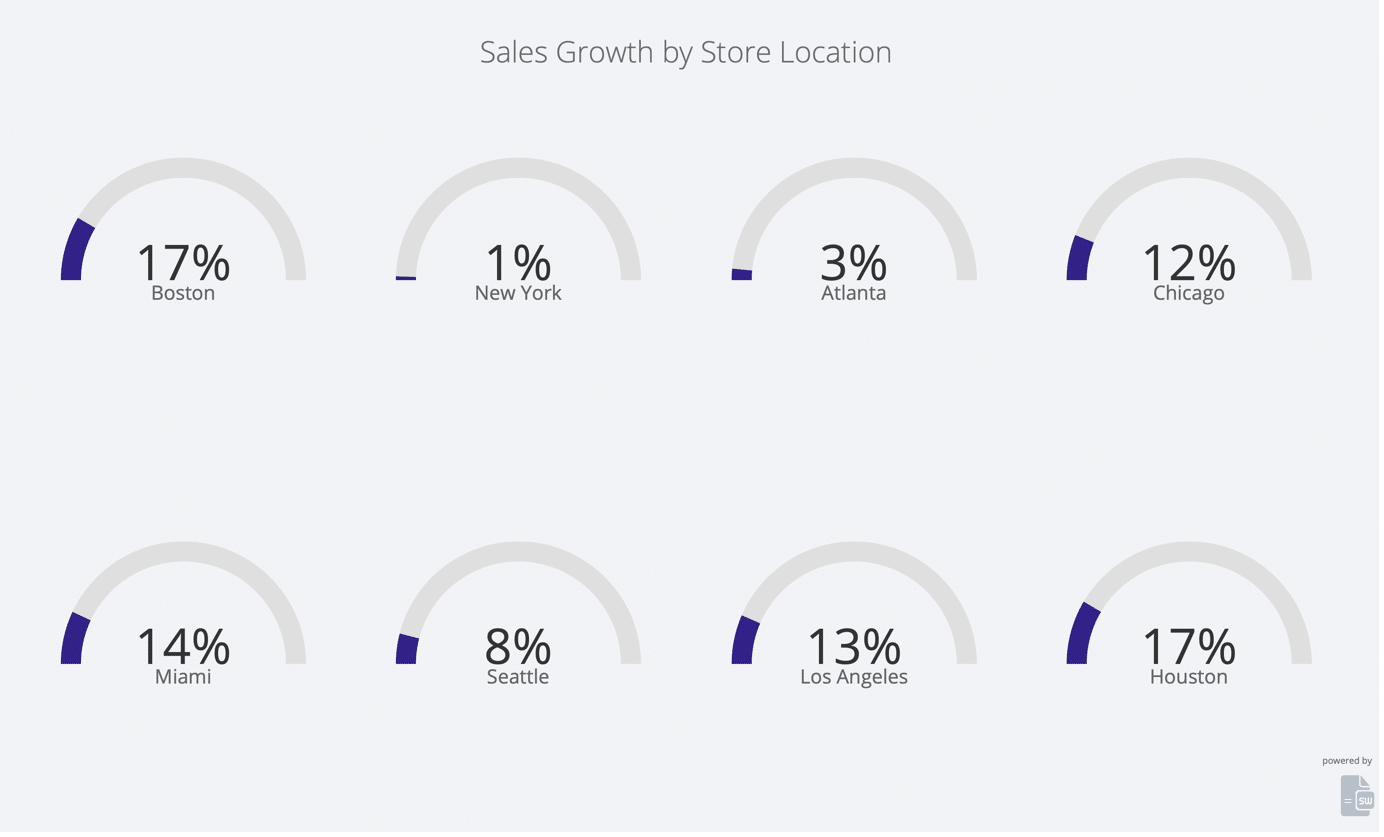
We’ve also added new types and styles of gauges for data visualization, making it easier for you to see your data exactly how you want it. You don’t need to spend time setting up these gauges - they work directly with your Excel data, showing it clearly and effectively.
Those were the highlights from this January, but we always have more in our pockets to show you. Check out our “Build Notes” here for a complete list of updates, and if you still haven’t, don’t forget to join SpreadsheetWeb Hub to simplify your work.