
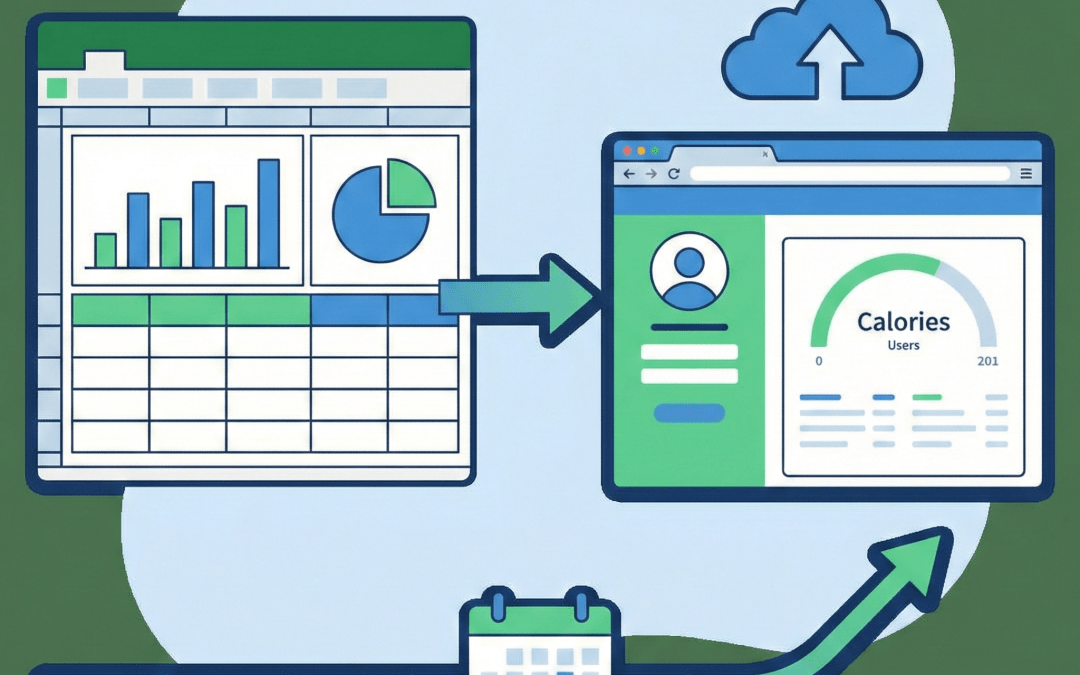
Many Excel-based applications are not transactional in nature, they are stateful, evolving tools where each user works with the same model over time. A daily calorie tracking app is a perfect example: the underlying Excel logic stays the same, but new rows of data are added each day, historical values are preserved, and summaries and trends continuously update. In this pattern, the Excel file behaves less like a disposable template and more like a living workbook that grows with the user.
In this article, we’ll walk through how to implement this model in SpreadsheetWeb by turning a single Excel workbook into a web application with per-user persistent data storage. Instead of creating a new copy of the file for every session, each user works against their own persistent dataset, where inputs auto-save, data is appended over time, and previously entered values automatically reload when the app is reopened. This approach is ideal for logging, tracking, and analytical use cases where historical data and aggregation are central to the experience.
We’ll focus on the core design concepts, data-persistence patterns, and practical implementation choices needed to build this type of application using SpreadsheetWeb, while keeping the Excel model as the primary calculation and aggregation engine.
Stateful vs. Stateless Data Persistence in Excel Web Applications
When turning Excel models into web applications, the key design choice is not just how calculations run, but how data is persisted between sessions. In this context, the distinction is best described as stateful vs. stateless data persistence.
Stateless data persistence treats each interaction as isolated. The Excel file functions as a reusable template: users enter inputs, receive outputs, and the session ends without retaining prior state. Any saved data is typically stored as a separate artifact, such as an exported file or a standalone record, rather than being reloaded automatically. When the user returns, the application starts from a clean slate. This approach is common in transactional workflows like sales quoting or one-off calculators, where each run represents a distinct, self-contained outcome.
Stateful data persistence, by contrast, is centered on continuity. The application maintains an ongoing state for each user and reloads it automatically on every visit. Inputs are saved persistently and appended over time, allowing the same Excel model to evolve rather than reset. In this pattern, the workbook behaves like a living dataset, supporting historical data accumulation, aggregation, and trend analysis. Daily logging, planning tools, forecasting models, and personal dashboards all rely on this form of persistence.
The practical difference is straightforward:
- Stateless data persistence focuses on discrete results.
- Stateful data persistence focuses on long-term context.
SpreadsheetWeb enables both patterns, but stateful data persistence is what allows Excel-based web applications to move beyond calculators and become personalized, long-running tools that grow with the user.
Use Case: A Stateful Daily Calorie Intake Application
A daily calorie intake application is a textbook example of stateful data persistence in an Excel-based web app. In this scenario, each user accesses the same application over time, continuously adding new data rather than starting from scratch on each visit.
At the core of the application is a single Excel workbook that contains all of the business logic. The workbook includes lookup tables with nutritional data for food items and formulas that convert each selected food and quantity into its corresponding calorie amount. As users enter the foods they consume throughout the day, each entry is written as a new row in a structured table, preserving a detailed log of consumption.
The Excel model then performs aggregations on this table to calculate daily totals, rolling averages, and progress against calorie targets. These results are presented visually in the application using charts and summary fields, giving users immediate feedback as they log additional items. Because the aggregation logic lives entirely in Excel, it remains transparent, easy to audit, and simple to extend.
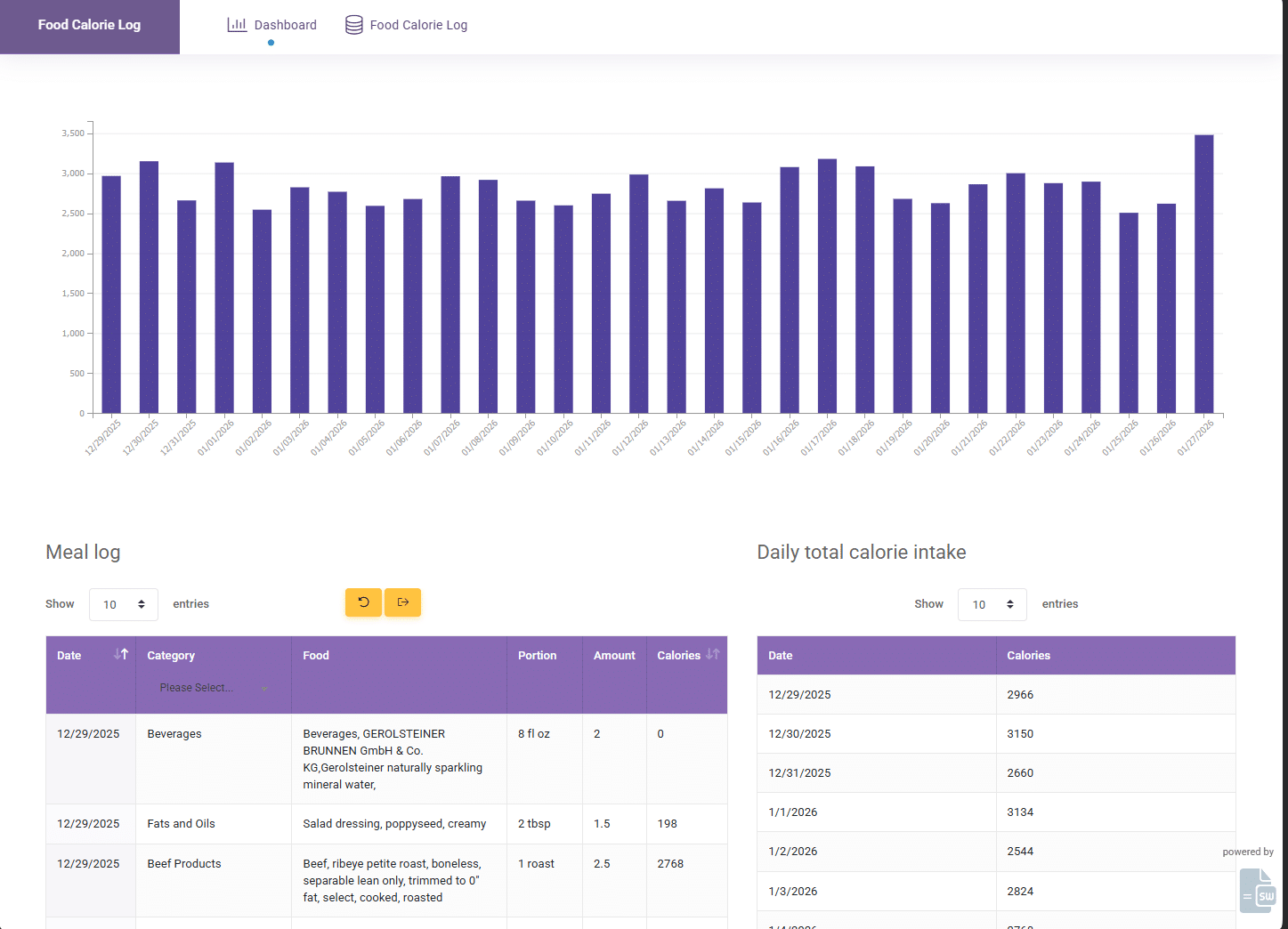
From a user’s perspective, the experience is seamless. With a single click, each user opens the application and automatically resumes where they left off. Previously entered data is reloaded, new food items can be added, and the visual summaries update in real time. There is no need to manage files, download spreadsheets, or re-enter historical data, each user works with their own continuously evolving dataset.
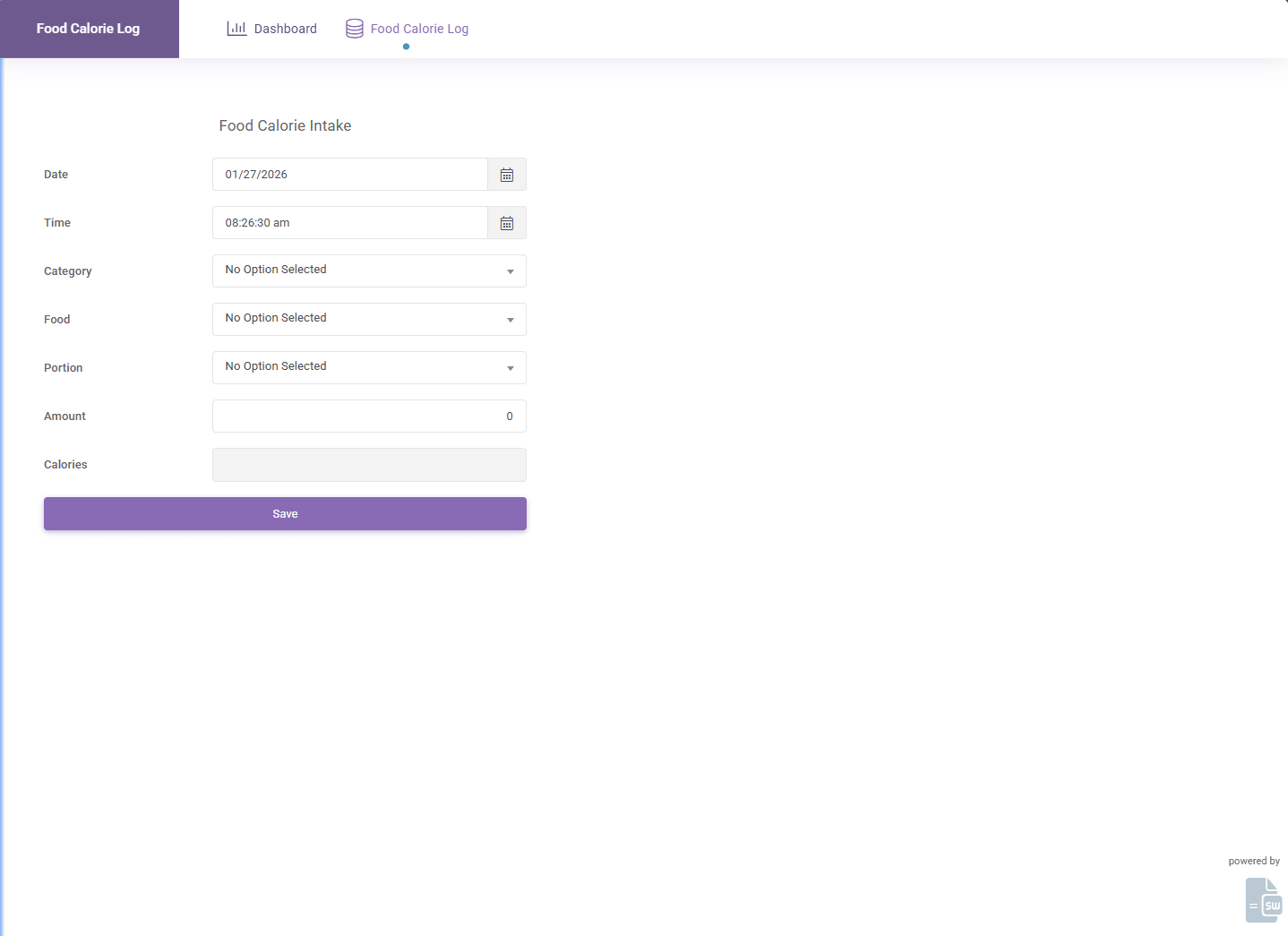
This pattern demonstrates how SpreadsheetWeb enables Excel models to function as long-lived, personalized applications, combining the familiarity of Excel with the persistence and accessibility of a modern web platform.
Why Not Use Office 365 or Google Sheets?
For a use case like daily calorie tracking, it may seem natural to use Office 365 or Google Sheets to collect and store data. While these tools work well for collaborative spreadsheets, they are not designed to function as stateful, per-user applications.
In a spreadsheet-first approach, each user must manage their own copy of the file or work within shared tabs, increasing the risk of formula changes, data conflicts, and version sprawl. Users are exposed directly to lookup tables, aggregation logic, and calculations, making it difficult to control the experience or protect the integrity of the model. Autosave and autoload behavior is implicit rather than intentional, and identity-based data isolation relies on conventions rather than being built into the design.
Version control becomes especially problematic over time. As lookup data changes, formulas are refined, or logic needs to be corrected, every user-held copy must be updated. When spreadsheets live on local machines or restricted network drives, distributing updates consistently is extremely difficult—if not impractical. Files quickly diverge, fixes are applied unevenly, and there is no reliable way to ensure that all users are working with the same version of the logic.
SpreadsheetWeb addresses these limitations by separating the roles of model, interface, and data persistence. Excel remains the protected calculation and aggregation engine, while the web application provides a controlled user experience with web-native inputs and per-user persistent state. Updates to formulas or lookup data are made once in the central model and immediately applied to all users, without disrupting their saved data or historical records.
From a monetization perspective, this centralized model also enables subscription-based access, user licensing, and feature control, options that are difficult to enforce when spreadsheets are distributed as files. Instead of managing documents, SpreadsheetWeb allows Excel solutions to be delivered as maintainable, updatable, and monetizable applications.
In short, Office 365 and Google Sheets are optimized for documents, while SpreadsheetWeb is designed for applications, a distinction that becomes critical when persistence, version control, and long-term scalability matter.
Conclusion
Stateful data persistence enables a fundamentally different class of Excel-based web applications, ones that remember users, preserve history, and evolve over time. Instead of treating Excel as a disposable template, this approach allows a single workbook to function as a long-lived model where data is continuously appended, aggregated, and analyzed.
The daily calorie intake example demonstrates how SpreadsheetWeb makes this possible by separating calculation logic, user experience, and data persistence. Excel remains the trusted engine for formulas and analytics, while the web layer provides identity, autosave, autoload, and controlled access. This combination eliminates file sprawl, simplifies version control, and enables applications to scale to many users without sacrificing maintainability.
By choosing a stateful persistence model where continuity and history matter, organizations can turn existing Excel models into reliable, updatable web applications that feel personal to users and sustainable for developers. SpreadsheetWeb provides the foundation to make that transition cleanly and effectively.
