How to get Excel cell address of a lookup result

How to get Excel cell address of a lookup result

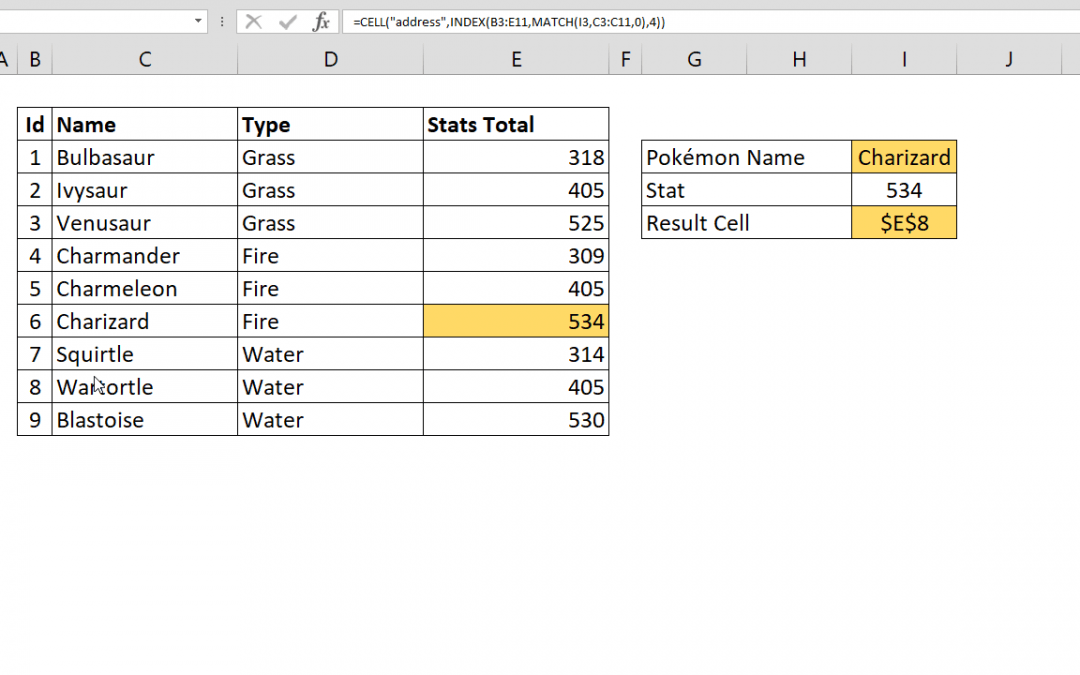
This article shows you how to get Excel cell address of a lookup result by using the CELL and INDEX functions. Syntax =CELL( “address”, INDEX( data, MATCH( lookup value for row, lookup range for row, 0 ), column index ) ) Steps Start with the =CELL(...
How to change number format in Excel chart

How to change number format in Excel chart

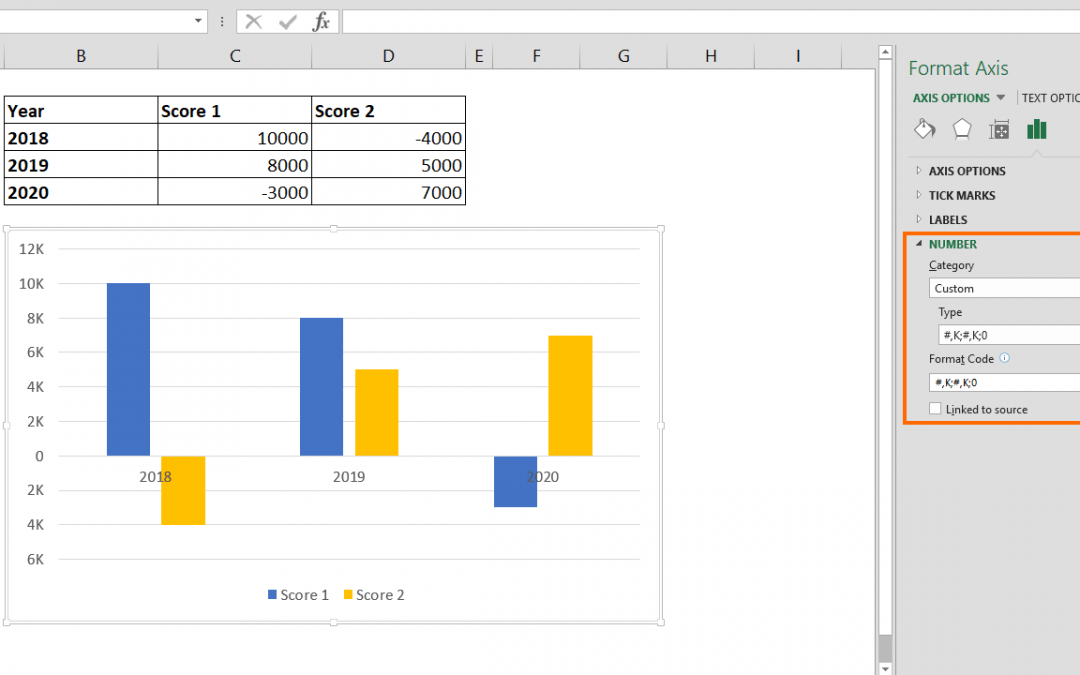
Excel charts are one of the most used and easy to understand data visualization tools. Excel provides many chart types as well as numerous personalization options. One of the cool features is the ability to change number format in Excel chart. Steps Double-click on...
Case Sensitive Count

Case Sensitive Count

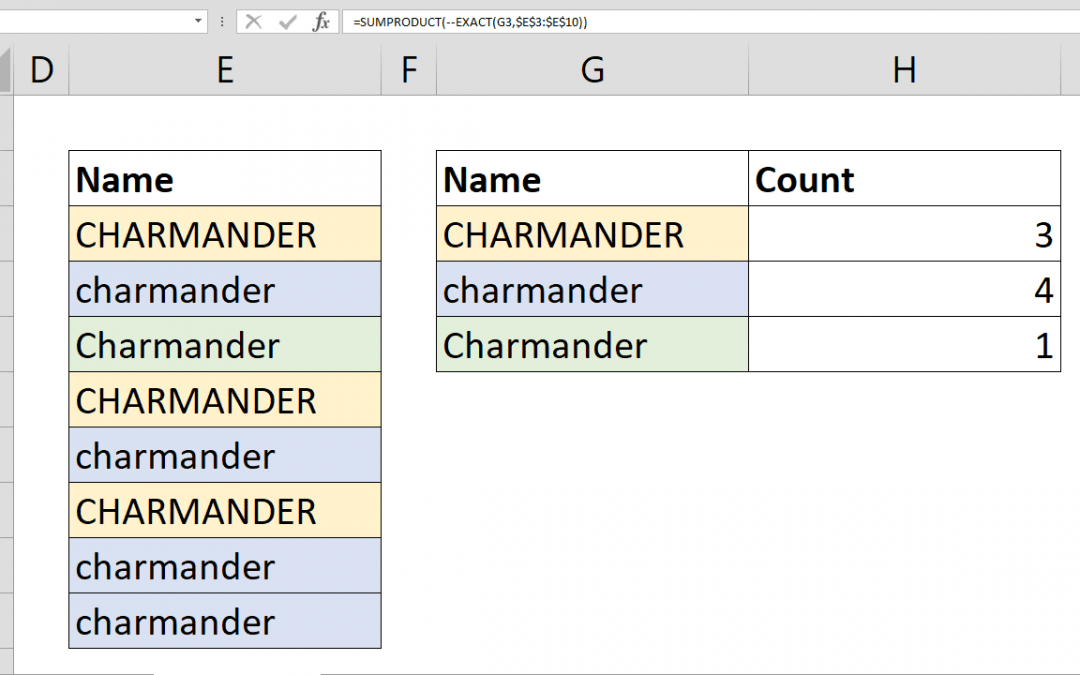
Case sensitive count can not be handled easily using standard count formulas like COUNTIF or COUNTIFS. In this article, we’ll shot you how you can count case sensitive data by using a combination of SUMPRODUCT and EXACT functions. Syntax...
How to calculate average of values with OR operator

How to calculate average of values with OR operator

The AVERAGEIFS function can calculate the average of values with multiple conditions. However, these conditions are linked with AND operator. But if you want to handle AVERAGE OR combination, AVERAGEIFS function will not work. This article shows how to calculate...
How to count values with OR operator

How to count values with OR operator

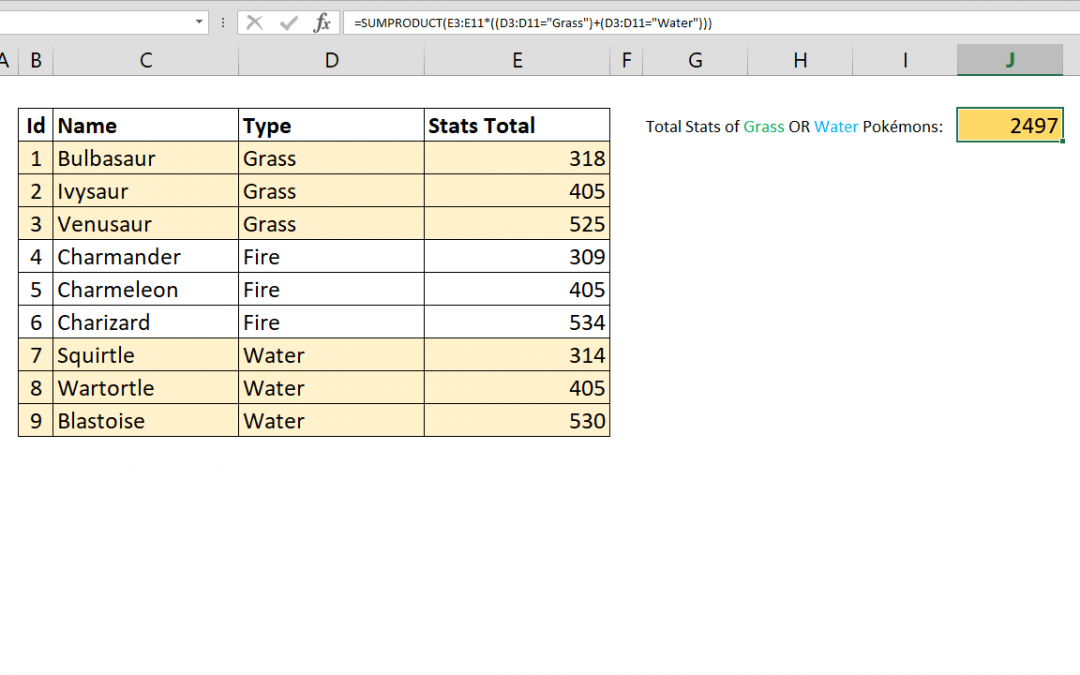
You can count values in Excel by multiple criteria using the COUNTIFS function. However COUNTIFS will only link those criterion by AND operation. If you want to COUNTIFS OR, you need an alternative approach. This article shows how to count values with OR operator...
How to calculate Least Common Multiple

How to calculate Least Common Multiple

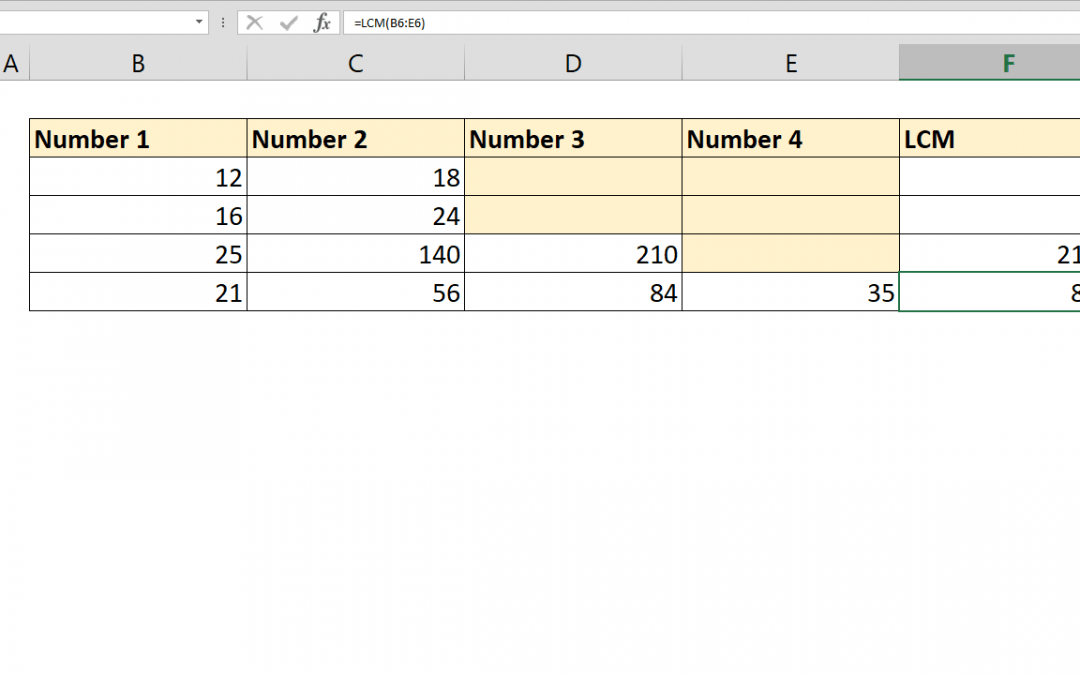
Excel has a built in function to calculate Least Common Multiple (LCM) of two or more integers. The function is also called LCM. Syntax =LCM(number1, [number2], …) Steps Start with =LCM( Type or select cells or range that includes integers B6:E6 Type ) to close the...
How to calculate Greatest Common Divisor (GCD)

How to calculate Greatest Common Divisor (GCD)

To calculate Greatest Common Divisor (GCD) in Excel is very straightforward. Excel has a built in function to calculate the greatest common divisor of two or more integers. The function called GCD. Syntax =GCD(number1, [number2], …) Steps Start with =GCD( Type or...
Count values with Excel intersect operator

Count values with Excel intersect operator

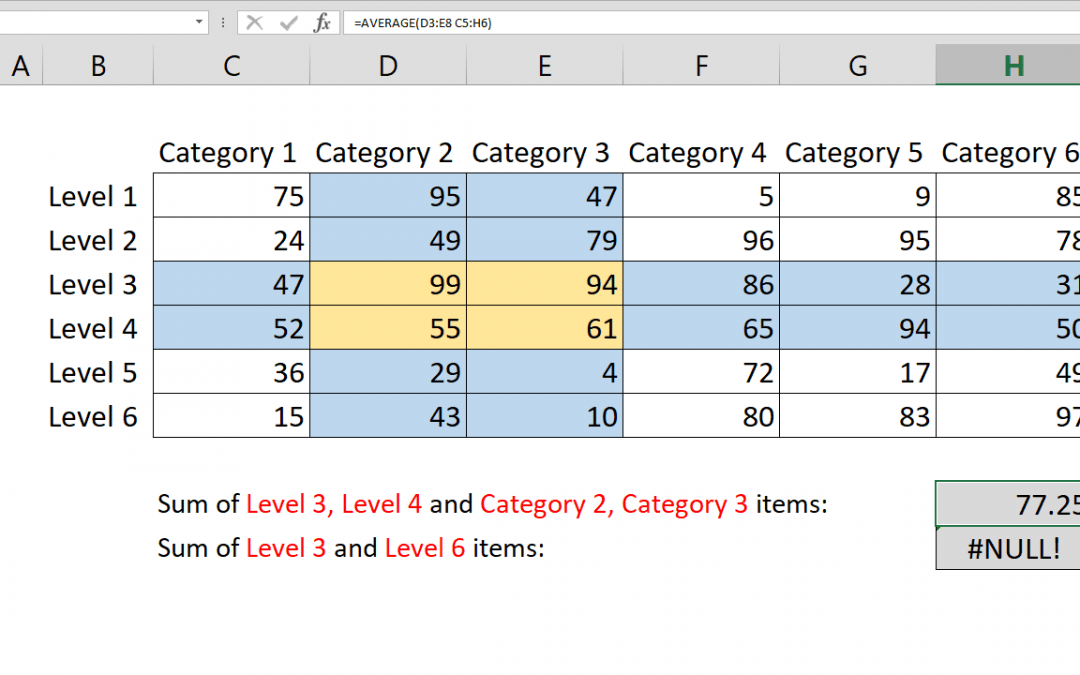
Excel intersect operation is handled by the space character (” “). You can intersect multiple rages by space in range supporting formulas. This article shows how to COUNT intersecting ranges with COUNT function and Excel intersect operator. Syntax...