
Resources

How to make Excel capitalize first letter using VBA
More often than not, to save time or for the sake of laziness, people enter data in all lowercase or all uppercase. Transforming this type of data into the proper format can be a serious headache. Let us show you how to make Excel capitalize first letter...

How to convert selection to Excel lowercase using VBA
Is changing the all letters to lowercase manually taking too much time? Let us show you how to convert selection to Excel lowercase using VBA and automate this process. Both Excel and VBA have a function to do this. Both functions use a single argument...

How to make Excel change case to uppercase using VBA
Changing lowercase characters into uppercase is a pretty tedious task if you're doing it manually. In this article, we're going to show you how to make Excel change case to uppercase using VBA Both Excel and VBA have a function to do this. Both use a...

How to remove characters in Excel using VBA
You can remove characters by replacing a character with an empty string (""). Although you can do this by going through all such cells in a selection or specified range using Find & Replace, in this article we're going to show you how to remove...

How to have Excel convert formula to value using VBA
Printing values instead of the formulas themselves can help protect your IP or prevent users from changing them. In this article, we're going to show you how to have Excel convert formula to value using VBA. How to have Excel convert formula to...

How to compare two rows in Excel using VBA
Comparing data row by row manually can be a tedious process if done manually. Let us show you how to compare two rows in Excel using VBA and automate this process. How to compare two rows in Excel using VBA VBA has a built in function called StrComp...
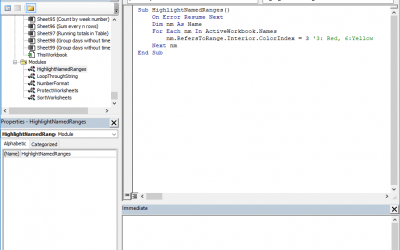
How to find named ranges in Excel by highlighting them using VBA
Named ranges are very useful when creating Excel models. However, it can get pretty hard to track what named range belongs where as your model grows. Highlighting them on your worksheets can help you identify their properties easily. In this article, we're...
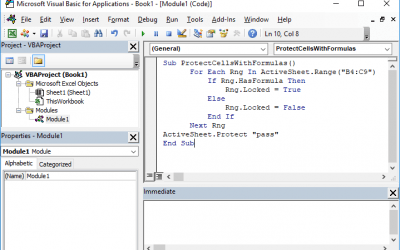
How to lock a cell in Excel formula using VBA
Users entering data into the wrong cells or changing existing formulas can make data collection a tedious process. However, you can prevent users from going outside the intended boundaries by disabling certain sections of your workbook. In this article,...
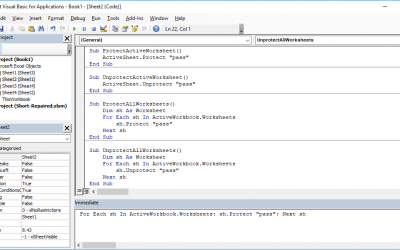
How to un-protect a protected worksheet and vice versa - the VBA method
The common ways of locking or hiding tabs in a workbook can be easy to reverse for many users. Using VBA code to do this is considered a better way to do this, if you are familiar with macros. In this article, we're going to show you how to 'un-protect' protected...