
Excel Tips and Tricks

How to calculate percentage in Excel
In Excel, you can actually show numbers as a percentage, without using any calculations. A percentage is a number or ratio that means a fraction of 100. They are expressed with the percentage sign (%), following the ratio. For example, 12% means 12/100, 0.12 or...

How to convert cm to inches, and vice versa
Working with multiple units of measure can often become a challenge, going back and forth between various calculators and your Excel workbooks. In this guide, we are going to show you how to convert cm to inches and inches to centimeters using various methods. [button...
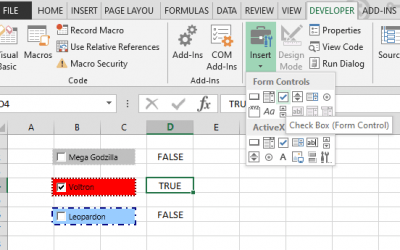
How to create check boxes in Excel (Tick boxes)
A check box, also referred to as a tick box, is a form control input which you click to select or deselect a given option. If you click on an empty check box, a checkmark is added into the small box. The check box control works like a switch or toggle. Thus, if you...

How to create radio buttons in Excel (Option Buttons)
A radio button, also known as option button, an input type that allows user to select from a list of pre-defined options. Radio buttons are useful if you want to limit the end-user to select a single option from a list. While a radio button looks more user-friendly, a...
How to create a bell curve in Excel
A bell curve, also known as normal distribution, is the most common type of distribution for a variable. It is accepted as a distribution that occurs naturally in many situations. In a bell curve, the highest point of the arc defines the mean, which is the highest...

How to use Center Across Selection, an alternative to Merge Cells
Excel's merge cells feature provides an easy way to group multiple cells together. You can create multi-level headers by merging cells on the previous row or column. Merged cells looks like a higher category that contain the information in the following cells....

How to change text orientation in Excel
You can easily increase the column width to fit more contents into a smaller area. However, increasing the column width means that you're going to be able to use fewer columns. Changing the alignment of the text can help overcome these limitations and allow you to...
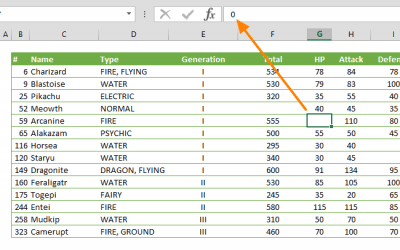
How to hide zeros in Excel
Hiding zero (0) values in Excel can be especially helpful for de-cluttering your workbooks and in most cases, make them easier to read. In this guide, we’re going to show you how to hide zeros in Excel worksheets, following three different methods. How to Hide Zeros...

How to navigate between worksheets in Excel
Clicking on the sheet name on the bottom of the window is the most straightforward way of tab navigation in Excel, but there's more! Some of the other methods we're going to take a look at here can be especially helpful when dealing with a large number of worksheets....