

In Part 1 of this guide we explored how to build a fully automated subscription-based application using Shopify, Stripe, SpreadsheetWeb, and Zapier, from a customer signing up in Shopify to receiving instant application access through SpreadsheetWeb. That foundation gives us the power to now manage the next stage of the subscription lifecycle: handling upgrades, downgrades, and cancellations.
In this Part 2, we focus on creating a smooth, automated process for subscription changes. We’ll leverage the Appstle Subscriptions app for Shopify to handle plan modifications, Zapier to automate SpreadsheetWeb user updates, and optional email notifications to keep customers informed. By the end, you’ll have an automated system that not only provisions access for new subscribers but also dynamically adjusts or revokes access when plans change—without you touching a single admin panel.
Setting Up Appstle Subscriptions for Plan Management
Before we connect automation flows, we need a way for customers to manage their own subscriptions inside Shopify. While Shopify offers native subscription APIs, Appstle Subscriptions provides a robust, user-friendly layer that supports plan changes, cancellations, proration, and scheduling.
From your Shopify admin:
- Install the Appstle Subscriptions app from the Shopify App Store.

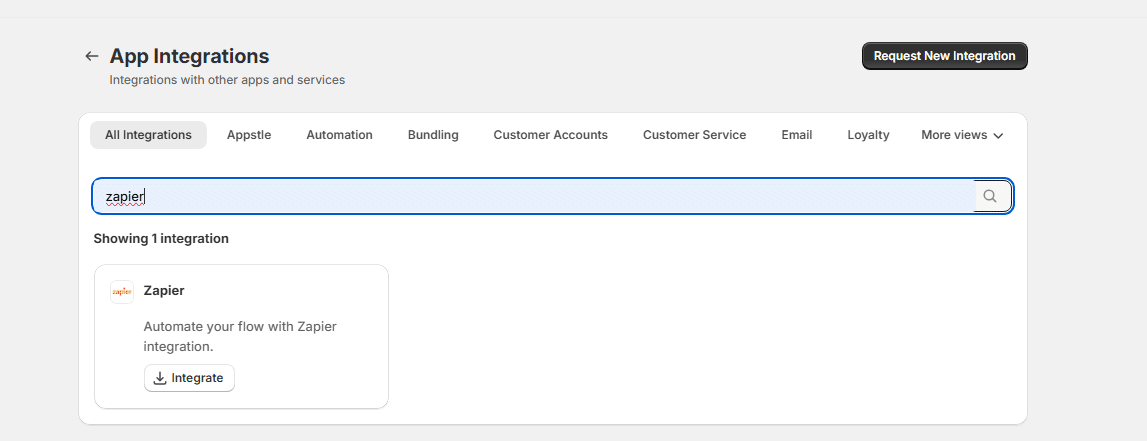
- Open the app, and in the left-hand menu, go to More → App Integrations.

- Search for “Zapier” and enable the integration—this will allow Appstle to send real-time subscription events to Zapier.

- Create or update your subscription plans within Appstle, tying them to the appropriate products. These plans should directly correspond to your SpreadsheetWeb Identity Templates (e.g., Basic, Pro, Enterprise) so that access levels can be managed automatically.



Once configured, Appstle embeds a “Manage Subscription” link in the customer account section of your Shopify storefront.
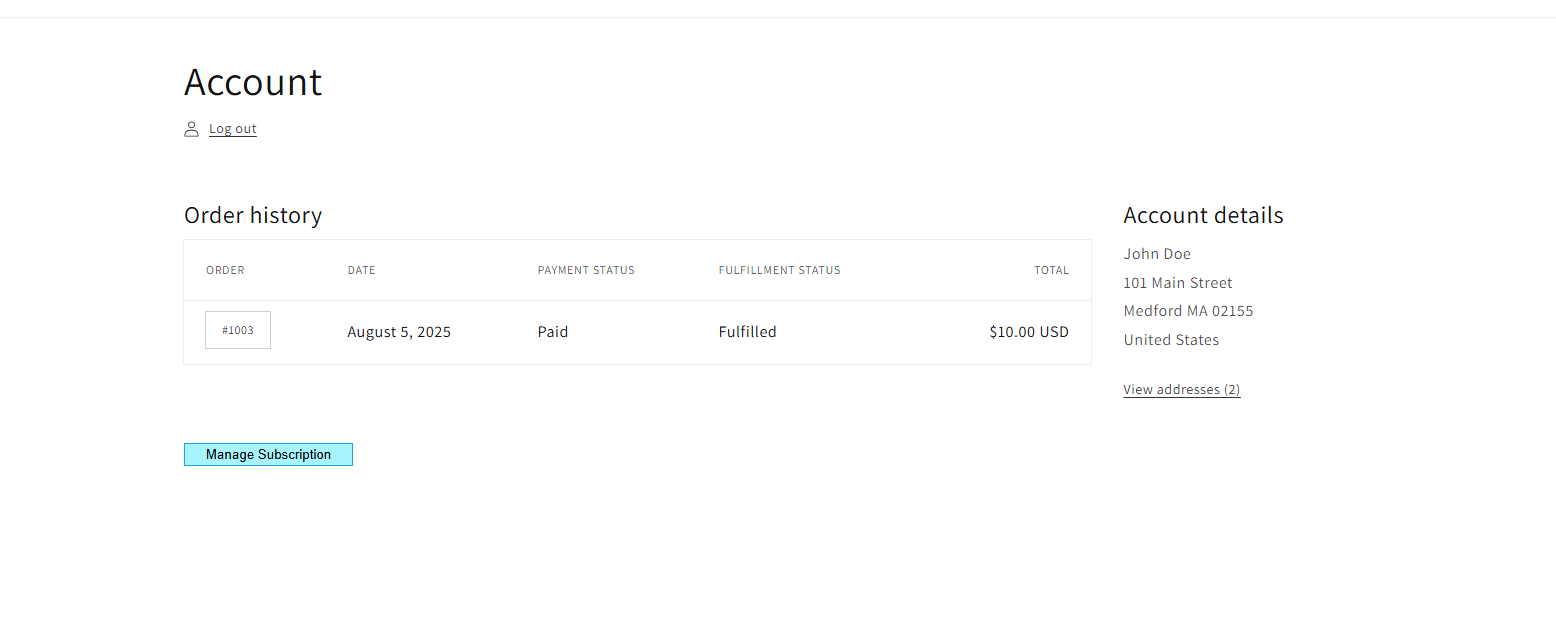
When logged in, customers can click this link to upgrade, downgrade, or cancel their plan without contacting your team.

Connecting Appstle to Zapier
With plan management in place, the next step is to make sure every subscription change in Shopify triggers an update in SpreadsheetWeb.
In Zapier, create a new workflow and choose Appstle Subscriptions as the trigger app. The most relevant trigger events are:
- Subscription Updated – fires when a plan is upgraded or downgraded.
- Subscription Cancelled – fires when a plan is ended.
Once you select the trigger, connect your Appstle account to Zapier using the integration credentials provided in Appstle’s integration settings. When this connection is live, any change made by a customer in their Shopify account will immediately generate a trigger in Zapier.
Linking Subscription Changes to SpreadsheetWeb
From here, the flow looks similar to Part 1’s “new subscription” automation, but instead of inviting users, we will find and update them.
After the Appstle trigger, add the SpreadsheetWeb → Find User action. Connect your SpreadsheetWeb account, and under Workspace selection, choose the correct environment where your application lives. Map the Search Phrase field to the customer’s email address from the Appstle event data. This ensures Zapier finds the exact account associated with the changed subscription.
Once the user is found, we can branch the automation based on the type of change:
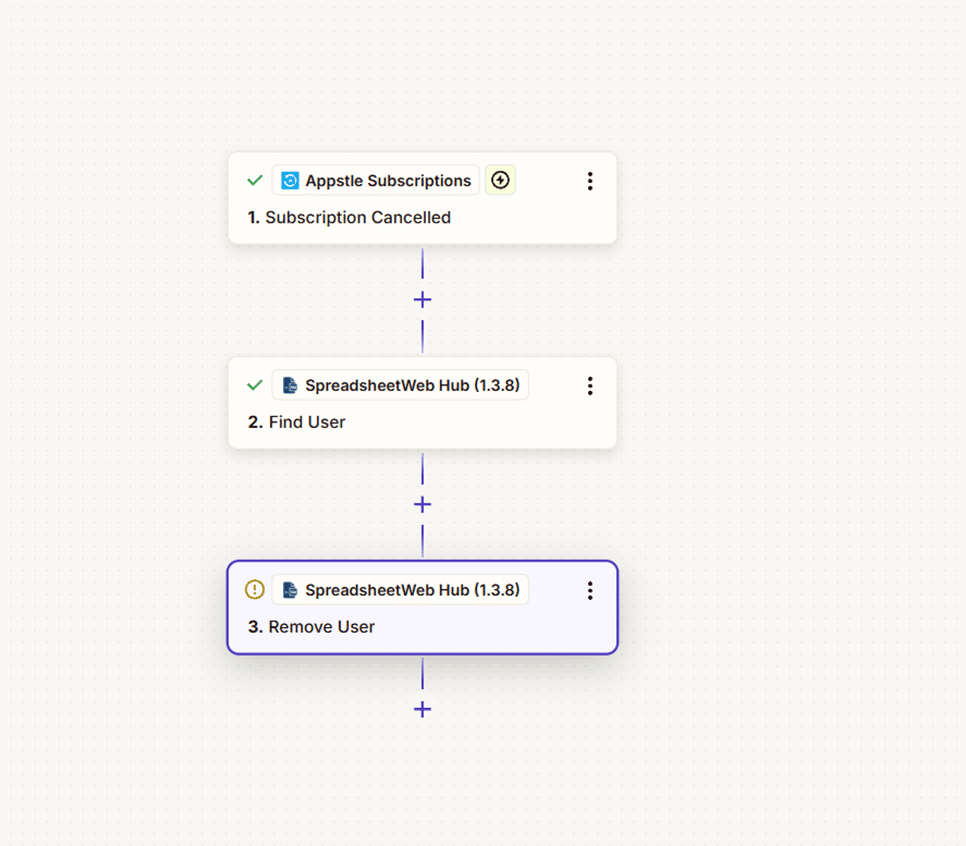
1. Cancel Subscription
When a cancellation event comes in, add the SpreadsheetWeb → Remove User action after the Find User step. This will immediately revoke the customer’s access to your application.
Optionally, you can schedule cancellations for the end of the current billing period. Appstle’s trigger data includes the subscription_end_date, which you can use in Zapier’s Delay Until action. This lets you keep the subscription active until the paid term is over, then automatically remove the user.
For customer experience, consider adding an email notification step using Gmail, Outlook, or your email marketing tool. This message should confirm the cancellation and include instructions for re-subscribing.
2. Downgrade Subscription
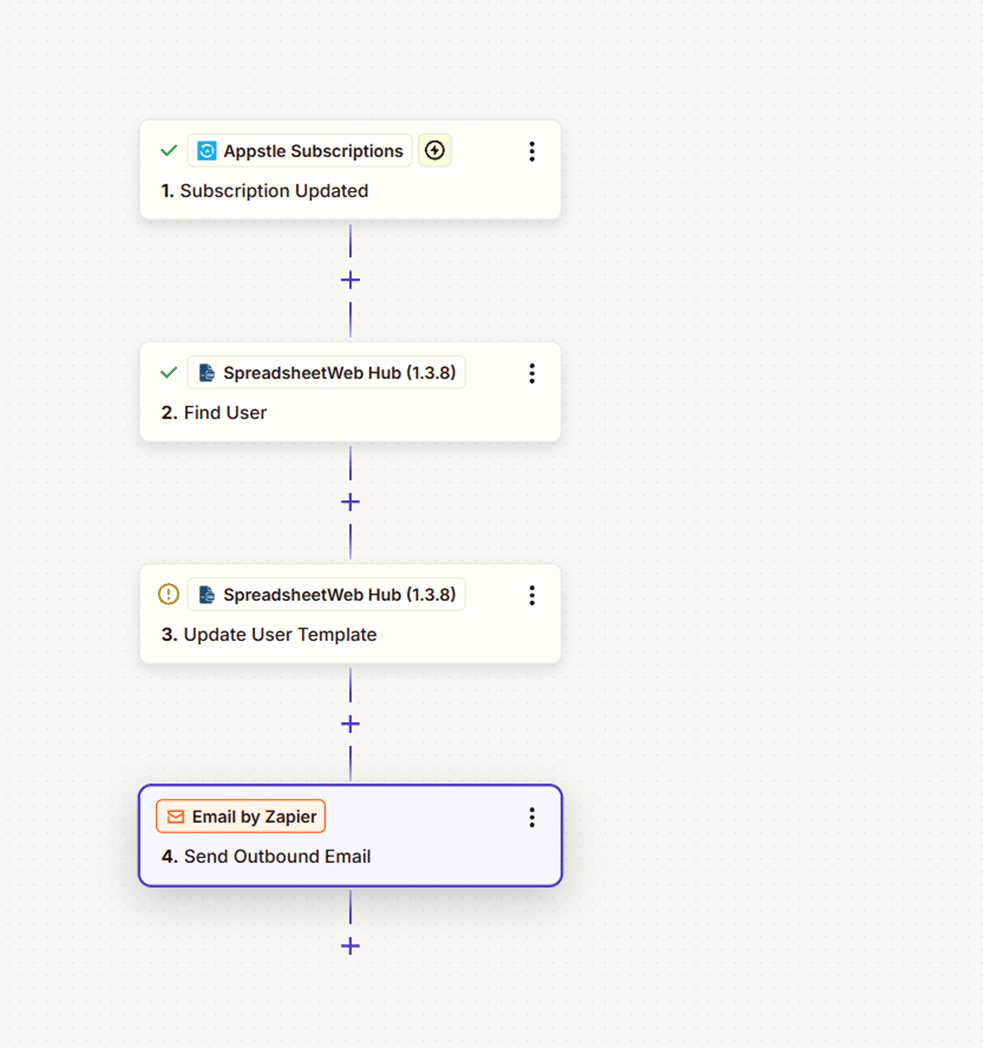
Downgrades reduce a customer’s access but keep them active. After finding the user in SpreadsheetWeb, choose Update User Template as your action. In this step, set the Identity Template to match the lower-tier plan (e.g., from Enterprise to Basic).
If you wish to delay this downgrade until the next billing cycle, again use Appstle’s plan_change_date or current_period_end date in a Zapier Delay Until step before running the update.
Communicating downgrades is important. Customers should know exactly which features will be limited. A follow-up email can detail the changes and encourage upgrades in the future.
3. Upgrade Subscription
Upgrades work exactly like downgrades but in the opposite direction to set the Identity Template to a higher-tier plan in SpreadsheetWeb.
Because upgrades often take effect immediately, you can skip any delay steps unless you want them to align with a specific billing cycle. Customers will appreciate instant access to new features, so you might even send a branded welcome email highlighting the benefits they’ve just unlocked.
Optional Enhancements for All Change Types
- Customer Notifications – Automated, branded emails after every change to reduce confusion and support tickets.
- Access Logs – Store a record in Google Sheets, Airtable, or your CRM every time a subscription changes, including the plan, effective date, and action taken.
- Custom Timing – Use Appstle’s trigger fields to precisely control when the change takes effect in SpreadsheetWeb.
- Multi-App Management – If you run multiple SpreadsheetWeb applications, you can use Zapier Paths to update access across all relevant workspaces at once.
The End-to-End Lifecycle
With Part 1 handling new subscriber provisioning and Part 2 handling upgrades, downgrades, and cancellations, you now have a complete subscription lifecycle automation. Shopify (with Appstle) manages the customer-facing storefront, Stripe processes the payments, SpreadsheetWeb enforces feature access, and Zapier glues it all together.
From the customer’s perspective, it’s as seamless as signing in, clicking “Manage Subscription,” and seeing changes reflected instantly in their application access. From your perspective, there’s nothing to manually adjust—freeing your time to focus on growing your product, not managing user permissions.

