SpreadsheetWeb
  • Features
  • Pricing
  • Blog
  • Customers
  • Enterprise
  • Gallery
  • Sign up for free
  • Sign In
Select Page

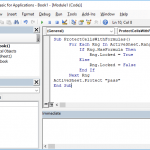
How to open workbook in VBA

by Ilker | Jun 21, 2021

How to open workbook in VBA

Related posts

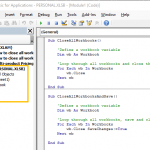
How to lock a cell in Excel formula using VBA How to lock a cell in Excel formula using VBA How to delete named range Excel using VBA How to delete named range Excel using VBA How to insert a toggle in Excel How to insert a toggle in Excel How to highlight selected row and column in Excel How to highlight selected row and column in Excel How to close all workbooks in Excel with VBA How to close all workbooks in Excel with VBA

Recent Posts

  • What’s New in SpreadsheetWeb – November 2025
  • What’s New in SpreadsheetWeb – October 2025
  • From Spreadsheet to Web App: Simulations with Excel Data Tables in SpreadsheetWeb
  • What’s New in SpreadsheetWeb – September 2025
  • One Spreadsheet, Many Faces: How SpreadsheetWeb Transforms a Single Retirement Calculator into Distinct Web Applications

Product

  • Features
  • Gallery
  • Customers
  • Developers & API
  • Templates

Solutions

  • Marketing
  • Human Resources
  • Finance
  • Sales

Use Cases

  • Online Calculators
  • Sales Quoting
  • Timesheet Apps
  • Scored Questionnaires
  • Search Applications
  • Reporting Applications

Support

  • User Guide
  • FAQ
  • Training Videos
  • Case Studies
  • Tips

Resources

  • Blog
  • Excel Applications
  • Excel Tips & Tricks
  • Excel Formulas
  • Excel Macros
  • Excel Templates

About

  • About Us
  • Contact Us
  • Services
  • Facebook
  • X

© Pagos, Inc. - All rights reserved - Privacy Policy - Terms of Use

Manage Consent
To provide the best experiences, we use technologies like cookies to store and/or access device information. Consenting to these technologies will allow us to process data such as browsing behavior or unique IDs on this site. Not consenting or withdrawing consent, may adversely affect certain features and functions.
Functional Always active
The technical storage or access is strictly necessary for the legitimate purpose of enabling the use of a specific service explicitly requested by the subscriber or user, or for the sole purpose of carrying out the transmission of a communication over an electronic communications network.
Preferences
The technical storage or access is necessary for the legitimate purpose of storing preferences that are not requested by the subscriber or user.
Statistics
The technical storage or access that is used exclusively for statistical purposes. The technical storage or access that is used exclusively for anonymous statistical purposes. Without a subpoena, voluntary compliance on the part of your Internet Service Provider, or additional records from a third party, information stored or retrieved for this purpose alone cannot usually be used to identify you.
Marketing
The technical storage or access is required to create user profiles to send advertising, or to track the user on a website or across several websites for similar marketing purposes.

  • Manage options
  • Manage services
  • Manage {vendor_count} vendors
  • Read more about these purposes
View preferences
  • {title}
  • {title}
  • {title}