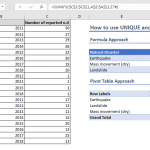
In Excel, the concept of expanding references plays a pivotal role in creating dynamic and flexible formulas. An expanding reference or range is essentially a dynamic reference that adapts and expands as a formula is copied down or across cells. Throughout this article, we will delve into the intricacies of Excel references, exploring their dynamic nature and demonstrating common use cases where these references prove invaluable.
Creating an expanding reference
To create an expanding range, you need to use an absolute and a relative reference. The absolute reference works as an anchor while the relative cell is going to be updated as you copy the formula.
For example, assume the cell F4 has the following formula:
The reference in the formula points to the cell B4. When you copy it through to cell F7, the target range will become:
While the absolute B4 reference remains unchanged, the relative B4 reference becomes D7 after 3 rows and 2 columns. This is how you can establish an expanding range.

Use cases
You can use an expanding range in Excel in various ways. The most common use case is for calculating running counts and totals. An expanding range in a SUM or COUNT formula will help you evaluate values from the first cell, to the formula. For more information about the SUM and COUNT functions see:
How to calculate running totals with SUM
How to calculate running count
Another common use case is creating number series with the ROWS and COLUMNS functions. For more information about these two functions see:
Some formulas can be combined with expanding references to find unique items or merge columns. For more information about these use cases see:
How to find the unique items in a list
How to merge columns using formulas
Mastering the art of Excel references opens up a realm of possibilities for creating efficient and adaptable spreadsheets. By understanding how expanding references work, you gain the ability to build formulas that automatically adjust to changes in your data, saving time and reducing the likelihood of errors. Whether you're working with large datasets, complex calculations, or dynamic scenarios, the knowledge of Excel references empowers you to create more robust and scalable solutions. As you continue to explore and apply these concepts in your spreadsheet endeavors, you'll find yourself navigating the vast landscape of Excel with increased confidence and proficiency.