The Excel PPMT function is a Financial formula that calculates and returns the principal amount of the payment of a loan, based on constant payments and interest rate.
One of the most common uses of the PPMT function in Excel is in the creation of loan amortization schedules. This function helps in determining the principal portion of each periodic payment on a loan. By using PPMT formula, you can see how much of your payment is going towards reducing the principal balance each period. The PPMT function can also be used to compare the financial implications of different loan terms. For instance, by altering the parameters such as loan term, interest rate, or start period, you can compare how much principal you would be paying in different scenarios. This is particularly useful for individuals and businesses evaluating various financing options and trying to find the most cost-effective solution.
In this guide, we’re going to show you how to use the PPMT function and also go over some tips and error handling methods.
Supported Versions
- All Excel versions
PPMT Function Syntax
Arguments
| rate | The interest rate for the loan. |
| per | The number of payment periods. |
| nper | The total number of payments for the loan. |
| pv | The present value, or total value of all loan payments today. |
| [fv] | Optional. The future value, or a cash balance you want after the last payment is made. The default value is 0 (zero). |
| [type] |
Optional. When payments are due. 0 = end of the period. (Default) 1 = beginning of the period. |
Examples of PPMT Function
Simple Use of PPMT Formula with Only Required Arguments
The Excel PPMT function has 4 required arguments: rate, per, nper and pv. Using these arguments, you can calculate the principal portion of the payment amount for a specified period (per). The function assumes payments are made at the end of each period, and the loan is to be paid in full.
For example, the following formula calculates the principal amount for the third payment for a loan of $100,000, to be paid over 36 months. at an 5% annual interest rate.

Full Form of PPMT with Optional Arguments of Future Value and Due Date Type
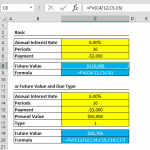
This example demonstrates the full form of PPMT function by specifying a target cash balance for after the last payment is made, and if payments are to be made at the beginning or the end of each period.
In this example, you have a loan and you want to calculate the principal portion of a periodic payment, but with two additional conditions:
- Target Cash Balance After Last Payment: You want to leave a specific amount (say $50,000) as a remaining balance after the last payment is made. This implies that you are not fully amortizing the loan (i.e., not paying it off completely over the term of the loan).
- Payment Timing: Payments are made at the start of each period, which is known as an annuity due, as opposed to the end of each period, which is a more common scenario and known as an ordinary annuity.
In this scenario, the Excel PPMT function is used with the fv argument set to $50,000 and the type argument set to 1. This will calculate the principal portion of each payment, considering that you're leaving a balance of $50,000 at the end of the loan term and making payments at the beginning of each period.

This full form PPMT function allows for a more customized and flexible approach to loan repayment calculations, which is essential for accurate financial planning and analysis in more complex scenarios.
Differences Between PPMT, PMT, and IPMT Functions
The PPMT, PMT, and IPMT formulas are all used for financial calculations related to loans or investments, but they serve different purposes.
PMT (Payment) Function
The PMT function is used to calculate the total payment (both principal and interest) for a loan based on constant payments and a constant interest rate.
=PMT(rate, nper, pv, [fv], [type])
rate: The interest rate for each period.
nper: Total number of payment periods in the loan.
pv: Present value or the total amount of the loan.
fv: (Optional) Future value, or the desired balance after the last payment. Default is 0.
type: (Optional) Specifies when payments are due. 0 = end of period (default), 1 = beginning of period.
IPMT (Interest Payment) Function:
The IPMT function is used to calculate the interest portion of a specific payment for a loan.
=IPMT(rate, per, nper, pv, [fv], [type])
Arguments are the same as the PPMT function.
Issues and Error Handling in PPMT
Common errors in the PPMT function typically arise due to incorrect input values or parameters that fall outside the function's acceptable range. Here are some tips for error handling when using the PPMT formula:
Check Input Values:
- Rate: Ensure the interest rate (rate) is input correctly. If the rate is provided annually but your payments are monthly, divide the annual rate by 12.
- Periods (per): The period number (per) for which you're calculating the principal payment must be between 1 and the total number of payment periods (nper).
- Number of Periods (nper): Verify that the total number of payment periods (nper) is not zero or negative.
- Present Value (pv): The present value (pv) should not be zero, as it represents the total value of the loan or investment.
#NUM! Error: The PPMT function returns the #NUM! error if per is negative or greater then nper.
#VALUE! Error: This error is displayed if any of the arguments are non-numeric.
PPMT Function Tips
- If pv is entered as a positive number, the calculated payment amount will be negative. This is because the money is "coming out of pocket". If you’d like to show negative numbers instead, simply multiply everything with ‘-1’.
- The loan payments returned by the function include principal and interest, but of course does not include any taxes, reserve payments, fees etc. one might want to consider.
- Rate and nper units should be consistent. If nper is defined in months, subsequently an annual interest rate should be divided by 12.
- Multiplying payment value by nper returns the total amount paid.
- Other related financial functions: