This function allows users to isolate and work with specific day values, which can be particularly useful for various date-related calculations and analyses. In this comprehensive guide, we'll walk you through the ins and outs of the DAY function in Excel, providing step-by-step instructions on how to use it effectively.
With practical examples to illustrate its usage in spreadsheet tasks. Additionally, we'll share valuable tips and techniques for error handling, ensuring that you can utilize it confidently in your Excel formulas.
DAY Function (Day-to-Day) in Excel: Supported versions
- All Excel versions
DAY Function (Day-to-Day) in Excel: Syntax
Arguments
| serial_number | The actual date that you want to find the day from. |
Example

Tips
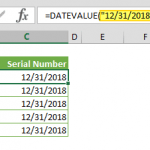
- Excel stores dates as numbers. Excel assumes that the date 1/1/1900 is 1 and increases this number by 1 for each day. For example; 12/31/2018 is equal to 43465. Because of this, you should avoid using dates as text although the DAY function in Excel can operate with dates that match your local format. Use the DATE function to generate a Date value.
- Day number of a date can be retrieved via number formatting as well. Use d as Custom Format on the date cell to see the day only. However, this will not change the actual value and only show the formatted value. For more information see Number Formatting in Excel - All You Need to Know
In conclusion, mastering the DAY function in Excel is essential for efficiently working with date values in your spreadsheets. By understanding how to use this function effectively, you can streamline your formulas for dates in Excel and perform a wide range of date-related calculations with ease. Whether you're extracting day values for analysis or incorporating them into complex formulas, the DAY function is a valuable tool in your Excel arsenal. We hope this guide has provided you with valuable insights into leveraging the DAY function and its applications for date formulas in Excel. With this knowledge, you can enhance your proficiency in Excel and optimize your workflows for handling date data effectively.