
Excel resources
Excel Tips & Tricks
Articles, examples, and practical guidance from the SpreadsheetWeb team.
Page 26 of 60 · 540 articles
How to create dynamic charts in Excel
Learn how to create dynamic charts in Excel. This practical guide covers the formula syntax, setup steps, and how the result is calculated in Excel.

How to split text in Excel in 5 ways
Learn how to split text in Excel in 5 ways. This practical guide covers the formula syntax, setup steps, and how the result is calculated in Excel.
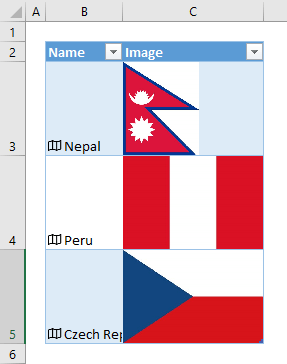
How to insert country flags in Excel
Learn how to insert country flags in Excel. This practical guide covers the formula syntax, setup steps, and how the result is calculated in Excel.

How to replace pivot tables with dynamic array formulas in Excel
In this guide, we’re going to show you how to replace pivot tables with dynamic array formulas in Excel.

5 tips for VBA beginners in Excel
In this guide, discover five beginner-friendly productivity tips for using VBA in Excel to enhance your Excel automation skills efficient.

How to create index of sheets in Excel with hyperlinks
Learn how to create index of sheets in Excel with hyperlinks. This practical guide covers the formula syntax, setup steps, and how the result is calculated in Excel.

How to make multiple selections in a dropdown list in Excel
In this guide, we're going to show you how to make multiple selections in a dropdown list in Excel as well as parsing example.

How to get quarter from a date in Excel
Learn how to get quarter from a date in Excel. This practical guide covers the formula syntax, setup steps, and how the result is calculated in Excel.

How to flip data in Excel
Learn how to flip data in Excel. This practical guide covers the formula syntax, setup steps, and how the result is calculated in Excel.