
Excel resources
Excel Tips & Tricks
Articles, examples, and practical guidance from the SpreadsheetWeb team.
Page 15 of 60 · 540 articles

How to convert European date to US date in Excel with formula
In this guide, we’re going to show you How to convert European date to US date in Excel with formula.

How to convert European date to US date in Excel
In this guide, we’re going to show you How to convert European date to US date in Excel and vice versa.

How to swap two cells in Excel
In this article, we are going to show how to swap two cells in Excel for several scenarios.

How to generate Descriptive Statistics in Excel
In this article, we are going to show how to generate Descriptive Statistics in Excel.
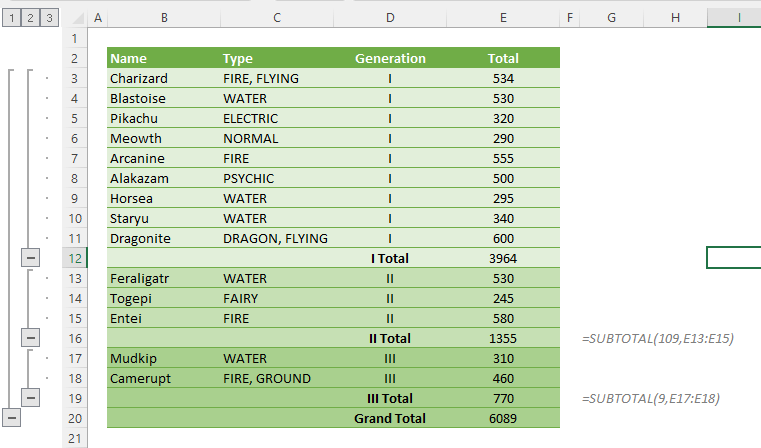
How to use subtotal feature in Excel
In this article, we are going to show how to use subtotal feature in Excel to aggregate a data set by certain sections.

How to calculate as-the-crow-flies distance between two cities in Excel
In this article, we are going to show how to calculate as-the-crow-flies distance between two cities in Excel.

How to use table reference within a data validation list in Excel
In this guide, we’re going to show you How to use table reference within a data validation list in Excel.

How to display negative numbers as zero in Excel
Learn how to display negative numbers as zero in Excel. This practical guide covers the formula syntax, setup steps, and how the result is calculated in Excel.

How to Create Charts with Formula in Excel
This guide demonstrates a straightforward method for creating charts with formulas in Excel. Join us as we explore this simple approach.