Control Shift Enter Excel Shortcut (CSE) and Array Formulas

Control Shift Enter Excel Shortcut (CSE) and Array Formulas

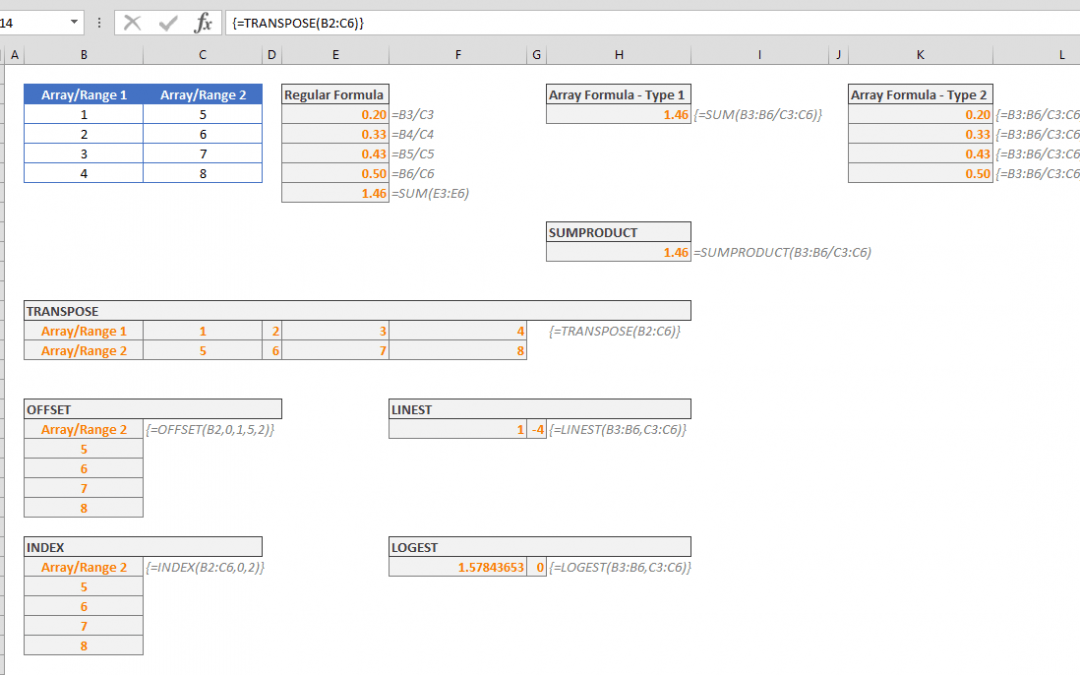
Control Shift Enter Excel shortcut, as known as CSE, is a key combination you can use to apply array functions.CSE abbreviation is also used for array formulas that are entered using the Control + Shift + Enter key combination when entering a formula. Array formulas...
10 Things You Need to Know About the VLOOKUP Excel Function

10 Things You Need to Know About the VLOOKUP Excel Function

In this guide we’re going to go over 10 things you should know about the frequently-used-yet-not-so-easy-to-use VLOOKUP Excel function. Although this guide mainly focuses on the VLOOKUP function, these tips also apply to the HLOOKUP function, which essentially...
How to convert seconds to time value in Excel

How to convert seconds to time value in Excel

When it comes to date and time values, Excel evaluates them a bit differently than how we process them. For Excel, date and time values are numbers in a date or time display. Although this behavior allows making date and time calculations easier, it can be helpful to...
Excel SIGN Function

Excel SIGN Function

The Excel SIGN function is a Math & Trigonometry formula that returns the sign of the specified numeric value in its arguments. Need to identify outliers or any red flags in a data set? This function is perfect for that task! This function can be especially useful...
Excel ADDRESS Function - Find Cell References in Your Workbook

Excel ADDRESS Function - Find Cell References in Your Workbook

The Excel ADDRESS function is a Lookup & Reference formula that returns the address of a cell based on its input arguments. The function also allows you to set the type and reference style of the address. In this guide, we’re going to show you how to use the Excel...
Function: SECOND

Function: SECOND

The Excel SECOND function is a Date & Time formula that parses and returns the second value from a time value. The return value is an integer, ranging from 0 to 59. The outcome of this function resets for every 60 seconds of input. In this guide, we’re going to...
Function: MINUTE

Function: MINUTE

The MINUTE Excel function is a Date & Time formula that returns the minute value from a specified time value. The return value is an integer, ranging from 0 to 59, and the minute values reset after 60 minutes. In this guide, we’re going to show you how to use the...
Function: HOUR

Function: HOUR

The Excel Hour function is a Date & Time formula that parses and returns the hour value from a time value. The return value is an integer, ranging from 0 (12:00 A.M.) to 23 (11:00 P.M.). In this guide, we’re going to show you how to use the Excel HOUR function and...
How to solve quadratic equations in Excel – Formula and VBA

How to solve quadratic equations in Excel – Formula and VBA

This is the second part of the how to solve quadratic equations in Excel guide. Here, we are going to be focusing on how to do this manual and VBA method, whereas the first part shows how to do this using the Goal Seek feature. In this guide, we are going to show you...