Many businesses rely on data-driven applications and tools to streamline processes, analyze data, and support decision-making. SpreadsheetWeb is a platform that transforms Excel-based tools into fully functional web applications. Designed for professionals who work extensively with Excel, SpreadsheetWeb allows users to convert complex spreadsheets into interactive, web-based applications, making it easier to share and access data securely over the web. Whether for calculators, dashboards, or complex decision-support tools, SpreadsheetWeb enables organizations to create powerful applications without coding. However, as mobile access becomes essential, the need to deploy these applications on mobile devices is growing. This is where platforms like Median.co comes into play.
Median.co is a platform that simplifies the process of converting web applications, like those created with SpreadsheetWeb, into native mobile applications for Android and iOS. With a focus on ease of use, Median.co allows users to package web applications as mobile apps without requiring extensive programming knowledge. The platform offers customization options, such as branding, interface controls, and native mobile features, helping users create mobile applications that align with their brand and functionality requirements.
In this guide, we’ll show you how to transform a SpreadsheetWeb application into an Android APK using Median.co. Although Median.co also supports creating iOS apps, we will not cover that process here, as it involves additional permissions through the Apple App Store. We’ll cover each step of the process, from setting up accounts and configuring app details to customizing appearance and downloading the APK for deployment. We’ll also include examples of different application types to demonstrate the versatility of this approach, so you can see how to create everything from simple calculators to complex multi-page dashboards with charts.
Step 1: Create a Median.co Account
Visit Median.co and create an account. After logging in, navigate to the dashboard to begin building your mobile application.
Step 2: Creating a New Application in Median.co
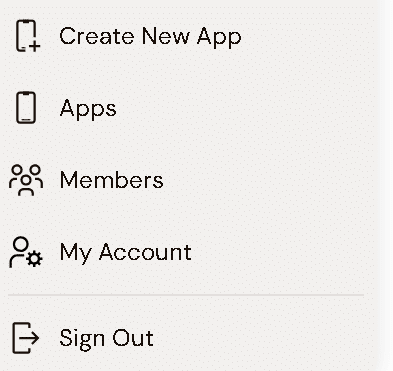
- Start a New Project: From the main menu, select "Create New App."

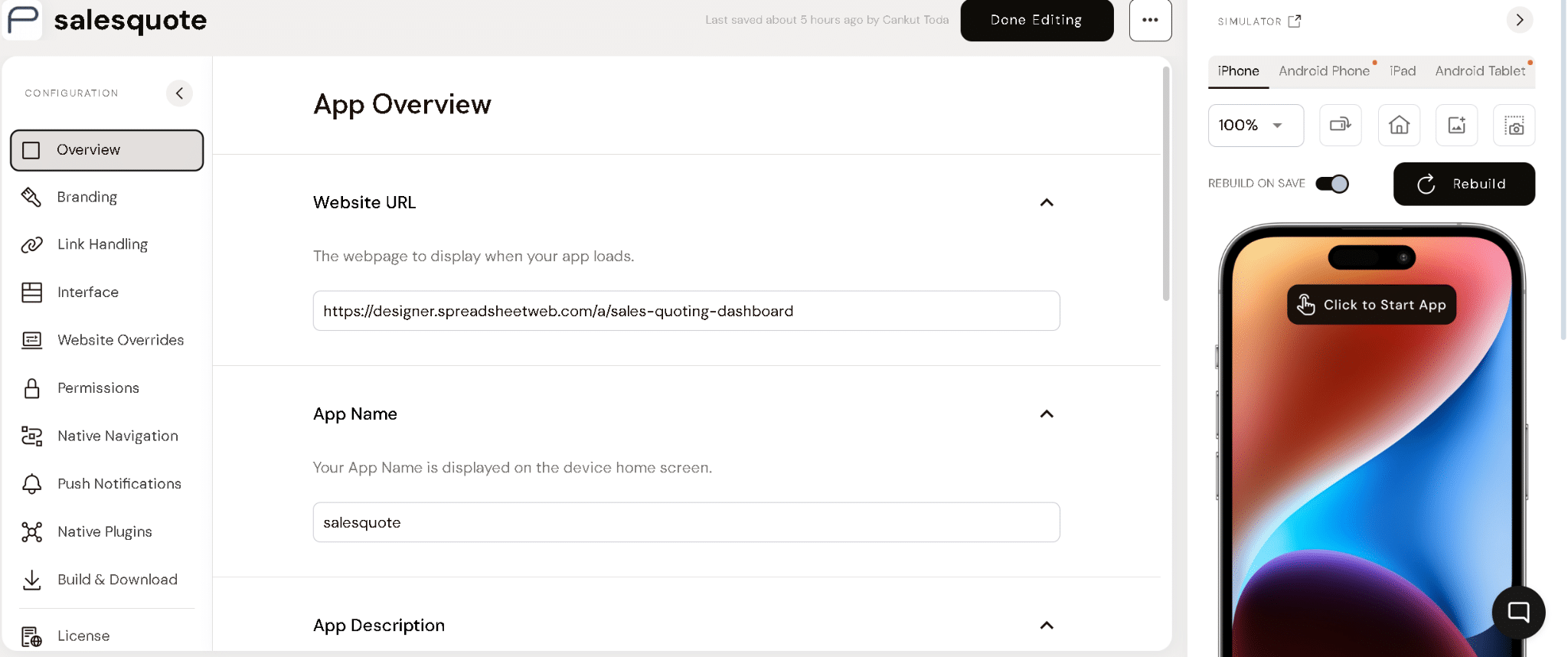
- Enter Application Details: Give your app a name and paste the URL of your SpreadsheetWeb application in the Website URL field. For example, if your app is a sales quoting dashboard, enter the app’s URL here.

- Finalize Basic Setup: Click "Next" or "Continue" to proceed to customization options.
Step 3: Customizing Your Application
Median.co offers various customization options to tailor the app to your brand and functional requirements. These options are accessible via the left panel. Here’s a breakdown of each option:
Step 4: Building and Downloading the APK
- Go to the Build & Download section.
- Click "Build Binaries" to start the compilation process.
- Once the build is complete, download the APK by selecting "Download APK."

Transfer this APK to an Android device to test the app. You can install it by following the device’s installation prompts.
Example Applications
In this section, we will demonstrate how effectively SpreadsheetWeb applications, incorporating a variety of features, can be translated into a native app using Median. We will cover the transition of functions, data handling, and UI elements, showing how Median preserves the integrity and usability of SpreadsheetWeb applications in a native environment.
Single Page Application - Shipping Calculator
This is a simple, single-page app where users input data, submit, and receive immediate results on the same page. Ideal for calculators or basic form-based applications.
Multipage Application - Homeowners Rater
This app has multiple pages, allowing users to navigate between screens. It’s suitable for applications that require multiple forms, tabs, or sections.
Application with charts and maps - Sales Quoting Dashboard
This application supports charts and maps, showcasing Median.co’s ability to render complex data visualizations in a SpreadsheetWeb application. It’s perfect for dashboards and analytical applications.

Each example demonstrates different capabilities, showing how versatile and adaptable Median.co can be for various app types.
Conclusion
Median.co provides an efficient way to convert SpreadsheetWeb applications into native mobile apps. This enables businesses to deploy their existing SpreadsheetWeb applications as native mobile apps, enhancing accessibility and usability for on-the-go access. By transforming web-based applications into native mobile formats, users can leverage the full functionality of their applications directly from their smartphones or tablets, without needing a web browser. This not only improves ease of access but also provides a more streamlined and responsive experience, ensuring that critical business tools are always at hand, regardless of location.