
SpreadsheetWeb blog
What’s New in SpreadsheetWeb – April 2026
Review What’s New in SpreadsheetWeb – April 2026, including the product features, platform improvements, and workflow enhancements covered in this update.
April’s release focuses on improving how information is presented and managed in your applications. With the introduction of the new Simple Label control and a series of enhancements to label handling in Elements and Automated App Creation, building clean, intuitive interfaces from Excel has become more efficient and flexible.
Introducing the Simple Label Control
The highlight of this release is the new Simple Label control, a markup-based component designed to simplify how text and content are displayed in your applications. It provides a streamlined way to add structured text such as titles, headings, and descriptive content without the need for complex configuration. In addition to basic formatting, the control supports richer content such as lists, alerts, images, tables, and carousels, allowing you to present information in a more organized and engaging way.
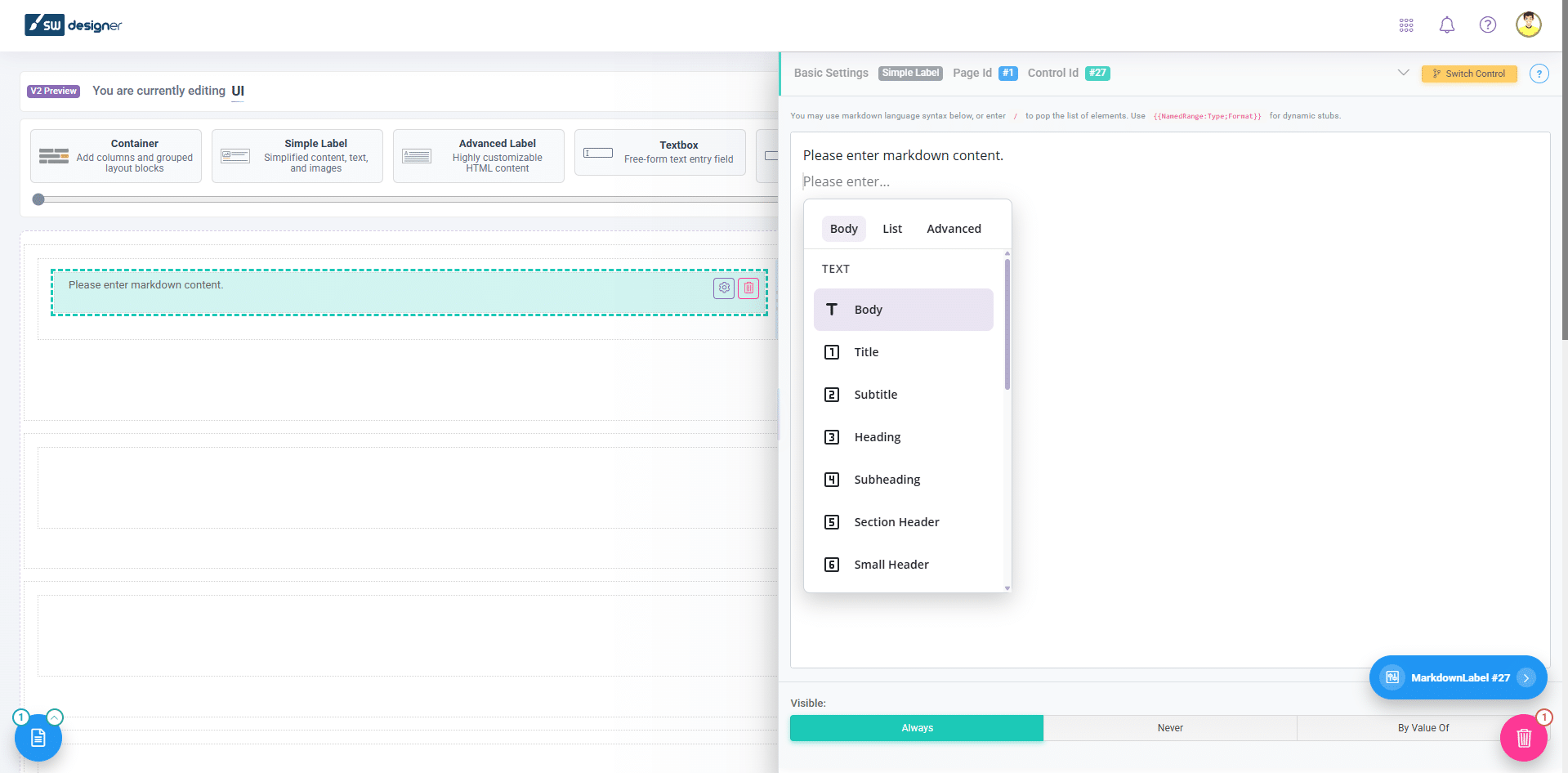
A key capability of the Simple Label control is its support for dynamic content. By using named ranges inside double curly brackets, you can embed live Excel values directly into your text. This makes it easy to display calculated results, summaries, or contextual information exactly where users need it, while keeping your Excel logic fully intact and protected behind the scenes. More details about this feature can be found here: Simple Label Control.
Improved Label Handling in Elements and Automated App Creation
In addition to the new control, this release introduces meaningful improvements to how labels are handled in both the Elements module and Automated App Creation. These updates provide more precise control over label behavior while reducing the amount of manual work required during app generation.
Label detection has been refined to better interpret your Excel structure, while manual selection options give you the flexibility to choose and adjust labels as needed. Updating label text is now quicker and more intuitive, allowing for faster iteration during the design process. Visibility handling has also been improved so labels respond more consistently to application logic, making it easier to control when and how information is displayed.
Label sizing has been enhanced as well, resulting in more balanced layouts and improved readability across different screen sizes. Together, these changes help ensure that your applications not only function correctly but also present information in a clear and professional manner.
Overall, this release is centered on giving you greater control over how your applications communicate with users. With the combination of the Simple Label control and smarter label management across automated tools, you can build interfaces that are clearer, more structured, and easier to navigate.
For a complete and detailed list of all features, improvements, and fixes included in this release, please refer to the full build notes: