How to count by month

How to count by month

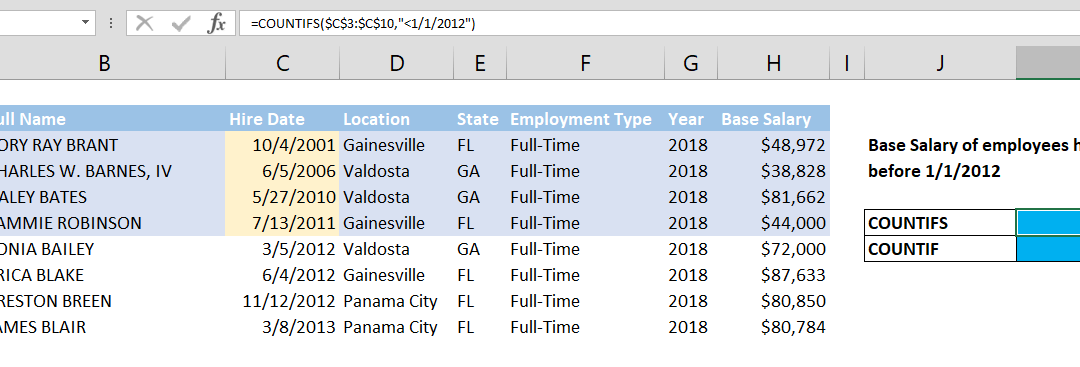
To count by month has nothing different than How to COUNT values between two dates. However, this article shows you a more dynamic and specialized way with EOMONTH function that you don’t need to guess how many days in a month to count month. If you only want to...
How to sum by month

How to sum by month

To sum by month has nothing different than How to SUM values between two dates using SUMIFS formula. However, this article shows you a more dynamic and specialized approach combining EOMONTH and SUMIFS functions that you don’t need to guess how many days in a...
How to find number of days in a month

How to find number of days in a month

This article shows you how to find number of days in a month to make your month-driven calculations dynamic. DAY and EOMONTH functions help us for this tip. Syntax =DAY(EOMONTH(Date, 0)) Steps Start with =DAY( Continue with EOMONTH( Select or type the range that...
How to count years between two dates with the DATEDIF

How to count years between two dates with the DATEDIF

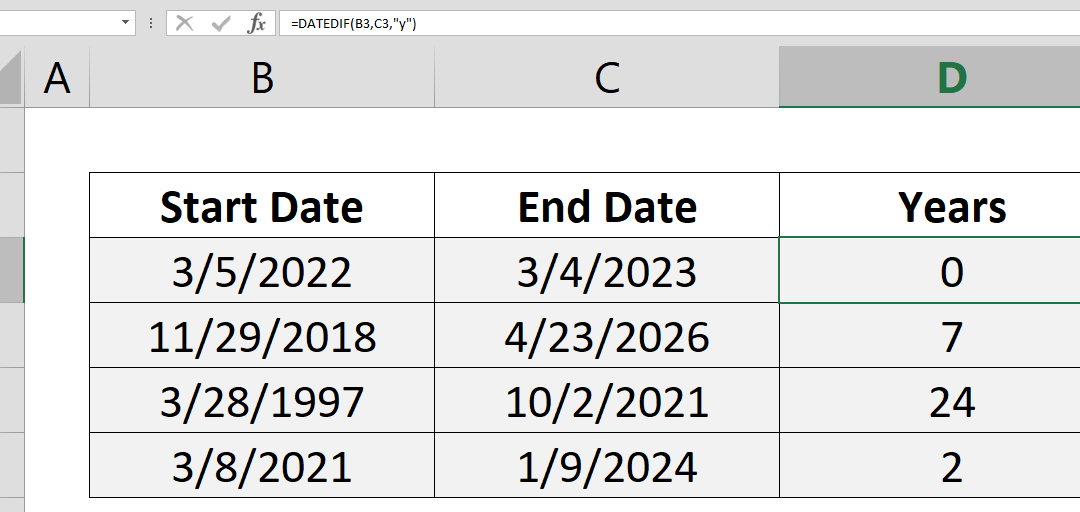
This article show you how to count years between two dates using the DATEDIF function. Syntax =DATEDIF(start date, end date, “y”) Steps Use =DATEDIF( Select or type range reference that includes start date B3, Select or type range reference that includes...
How to count months between two dates with the DATEDIF

How to count months between two dates with the DATEDIF

This article show you how to count months between two dates using DATEDIF function. Syntax =DATEDIF(start date, end date, “m”) Steps Use =DATEDIF( Select or type range reference that includes start date B3, Select or type range reference that includes end...
How to convert D/M/YYYY date to M/D/YYYY or vice versa

How to convert D/M/YYYY date to M/D/YYYY or vice versa

Data formats differ by locations in the world. Once you understand the syntax of dates you can easily convert them from one locale to the other. In this article, we will cover the most standard date conversion in Excel: converting D/M/YYYY to M/D/YYYY. Syntax first...
How to convert a number to time units

How to convert a number to time units

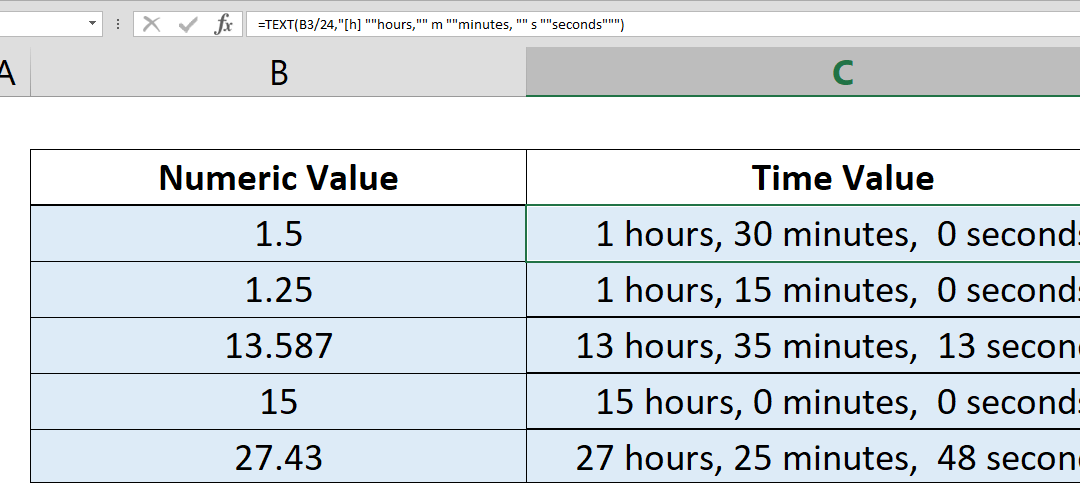
If you want to convert a number to time values, you need some additional operations, multiplying and dividing between days, hours, minutes, and seconds. Here, we’re going to take a look at a simpler approach by using Excel’s TEXT function.   Syntax...
How to create a calendar that only contain workdays

How to create a calendar that only contain workdays

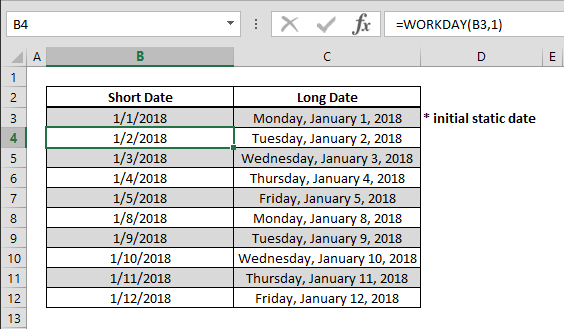
Be it for creating a time card or planning, creating a flexible calendar where you can omit holidays will come in very handy. Using the WORKDAY function you can easily create such a table and incorporate it in your data models. Syntax =WORKDAY(previous date, 1) Steps...