
Resources
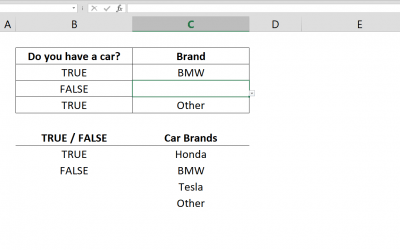
How to create conditional Excel drop down lists
It’s often a good idea to use drop down lists or combo boxes to limit user errors make the data more standardized. However, sometimes we want our drop downs to populate under some conditions. Here, you can find out how to create conditional Excel drop down...
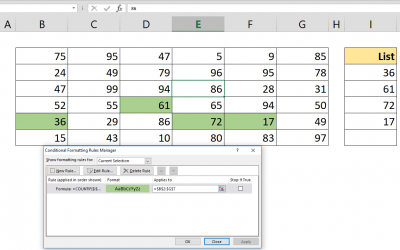
How to highlight values based on item lists
It’s often a good idea to highlight the duplicate values in a data set to help easily identify the outliers. Let us show you how to highlight values based on item lists using Conditional Formatting. Syntax =COUNTIF( absolute reference of list of values,...
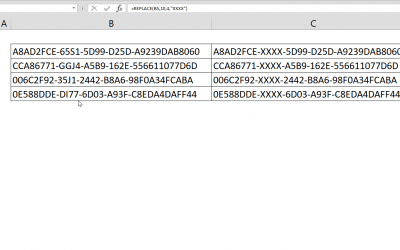
How to replace character in Excel by position
This article shows how to replace character in Excel by position using REPLACE function. If you are looking to replace a specific character please refer to article How to replace a character. Syntax =REPLACE( text, start position of replacement, number of...

Excel Case Statements: SWITCH Function Versus Nested IF
Excel case statements can be handled with either SWITCH function or nested IF statements. A popular use for the IF function is creating nested formulas that can check for various criteria. However, nested IF statements can get pretty complicated and...

How to replace characters in Excel
Excel's built in find and replace feature is fairly useful in most cases. But this can get tedious if you're working with a large workbook or want to set this up dynamically. In this article we're going to show you how to replace characters in Excel using...
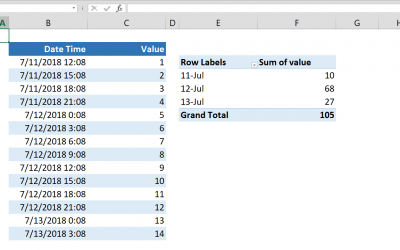
Grouping Dates in Pivot Table
Excel already has functions like the SUMIF and the SUMIFS for summing data by groups. However, they won't work when have date-time values combined. In this article we will cover grouping dates in Pivot Table. Steps Select a cell in your data Click Pivot...

How to sum by date in Excel without time
Excel already has functions like the SUMIF and the SUMIFS for summing data by groups. However; they can't work if you have date-time values combined. This article shows How to sum by date in Excel without time using SUMPRODUCT and INT functions. Syntax =SUMPRODUCT(...

How to calculate running totals in Excel Tables
This article shows how to calculate running totals in Excel Tables by using structured references. If your data is not in a Table, please continue with this article: How to calculate running count Syntax =SUM(INDEX([column of values],1):[@ column of...

How to create a Quarter formula in Excel
There is no specific Quarter formula in Excel. But an Excel quarter formula can be constructed by combining ROUNDUP and MONTH functions with custom number formatting. Syntax =ROUNDUP( MONTH( date value ) /3, 0 ) Steps Start with =ROUNDUP( function Continue...