
Interactive calculator
s-S Inventory Model
Try our s-S Inventory Model. Analyze reorder point and order-up-to levels, and optimize inventory policies online using SpreadsheetWeb.
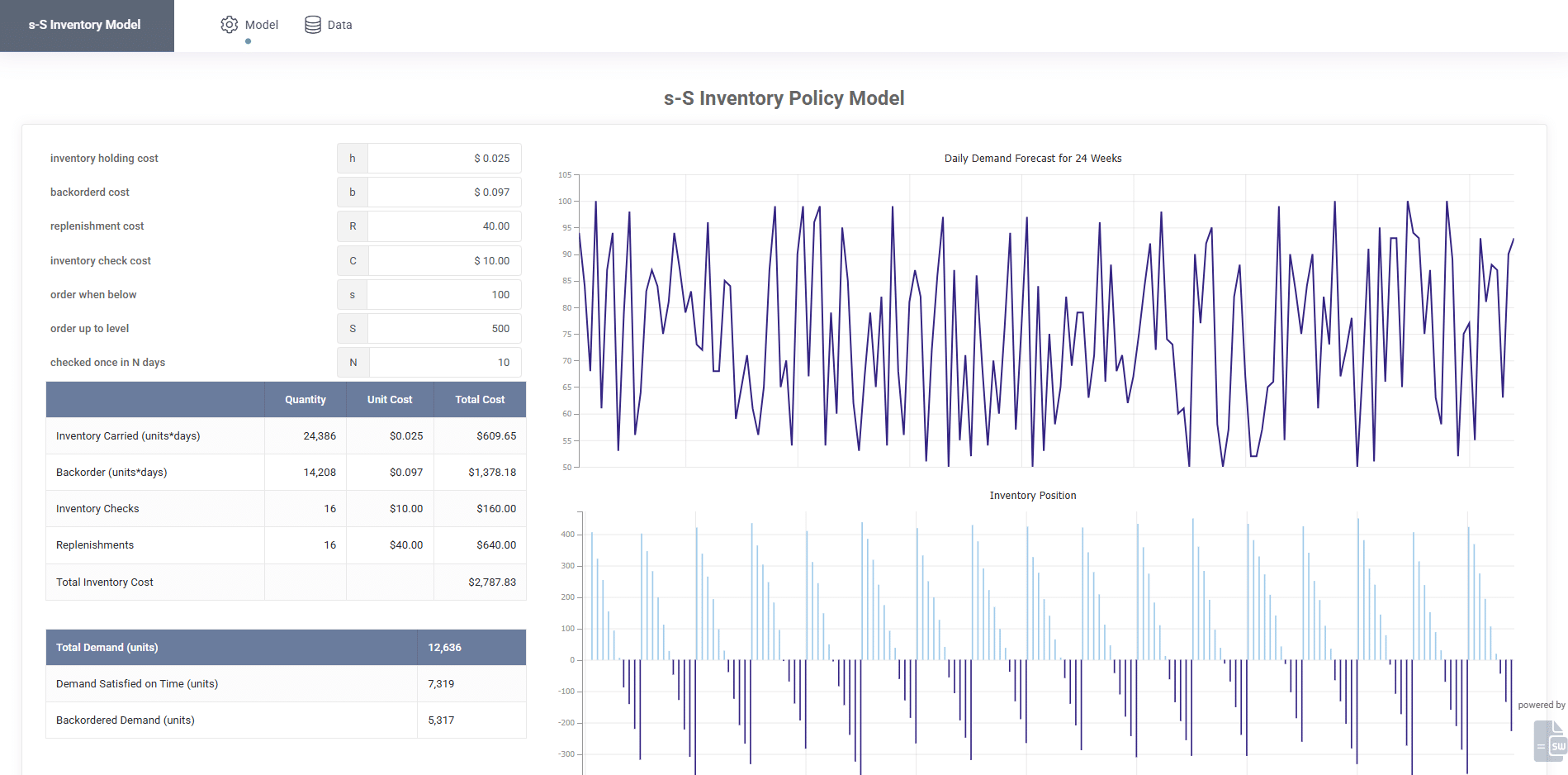
SpreadsheetWeb application example
About this calculator
s-S Inventory Model Demo — Convert Inventory Models in Excel to Web Apps with SpreadsheetWeb demonstrates how inputs, spreadsheet calculations, and calculated results can move from a spreadsheet into an accessible web interface. The embedded application below is a live example built with SpreadsheetWeb.
Use the application to enter example values and review how the calculated output responds. You can also open the demo in a separate tab for a full-page view.
Live application
Try s-S Inventory Model
Interact with the application below, or open it in a separate tab for a full-page view.
Effective inventory management requires balancing service levels with the costs of holding and replenishing stock. One of the most widely studied approaches in inventory theory is the s-S Inventory Model. This policy defines two critical points: the reorder point (s) and the order-up-to level (S). When stock drops below s, an order is placed to replenish inventory back up to S.
What Is the s-S Inventory Model?
The s-S Inventory Model is a type of inventory control policy used when demand and lead times are uncertain. It is based on two thresholds:
- s (reorder point): If inventory falls to this level or lower, a replenishment order is triggered.
- S (order-up-to level): The maximum stock level to which inventory is restored after an order.
This model is particularly useful for businesses managing volatile demand, high-value products, or variable lead times.
Key Features of the Demo
- Interactive Inputs: Define reorder point (s), order-up-to level (S), demand parameters, lead time, and cost factors.
- Real-Time Calculations: Instantly compute expected costs, service levels, and inventory positions.
- Excel Logic Preserved: All formulas, statistical calculations, and cost equations from the Excel model are intact.
- Scenario Analysis: Test different (s, S) combinations to identify efficient inventory policies.
- Visualization: Graphs show cost trade-offs and performance measures.
Applications of the s-S Inventory Policy
- Retail & E-commerce: Balance stock availability with holding costs in fast-moving markets.
- Manufacturing: Manage components with variable lead times to prevent downtime.
- Pharmaceuticals: Maintain adequate stock of critical medicines without overstocking.
- Supply Chain Education: Teach inventory optimization models in business and engineering courses.
Why Move Inventory Models from Excel to the Web?
- Accessibility: Run inventory analysis from any device without sharing spreadsheets.
- Consistency: Ensure everyone uses the same validated formulas and inputs.
- Scalability: Deploy across teams or organizations globally.
- Integration: Connect with databases, ERP, or reporting systems for automated workflows.
FAQ
What is the difference between s-S and (Q,R) inventory models?
The s-S inventory model places orders up to level S whenever inventory drops to or below s, while the (Q,R) model orders a fixed quantity Q when stock reaches the reorder point R.
What inputs does this calculator require?
You can specify reorder point (s), order-up-to level (S), demand distribution, holding cost, and ordering cost to simulate performance.
Who can benefit from this calculator?
It is useful for supply chain professionals, inventory planners, students of operations research, and businesses managing uncertain demand.
Can I integrate this with my ERP system?
Yes. SpreadsheetWeb applications can connect to databases and APIs for seamless integration with ERP or supply chain platforms.
Note: This demo was created by converting an Excel-based s-S inventory model into a web application using SpreadsheetWeb, preserving the underlying formulas while adding interactivity and accessibility.