
SpreadsheetWeb blog
Function: INDEX
In this guide, we’re going to show you how to use the Excel INDEX function and also go over some tips and error handling methods.
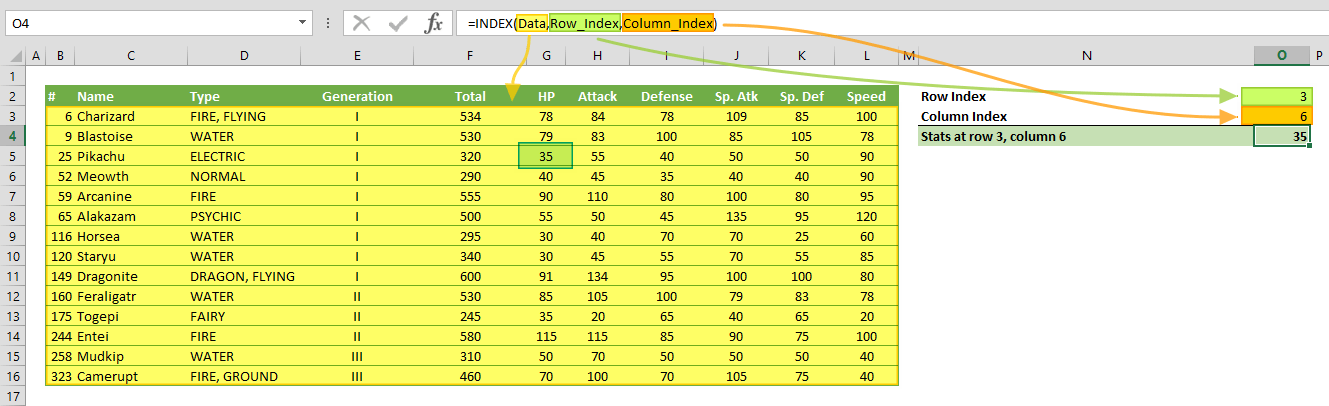
The Excel INDEX function returns a value or the reference of a value at a given position in a range or array. The INDEX function has two different forms to return a value or a reference. Using an array form returns a value, while a reference form returns a reference. In this guide, we’re going to show you how to use the Excel INDEX function and also go over some tips and error handling methods.
Supported versions
- All Excel Versions
Excel INDEX Function Syntax
Reference Form: INDEX(reference, row_num, [column_num], [area_num])
Arguments
| array / reference | A range of cells or an array constant. |
| row_num | The position of the row in the reference or array. |
| column_row | Optional. The position of the column in the reference or array. |
| area_num | Optional. Specifies the area that is used in the formula. Areas are numbered by the order they are specified. For example, if reference is (A1:C5,E10:G16) area_num 1 refers the range A1:C5 and area_num 2 refers the range E10:G16. |
Examples
Note that we're using named ranges in our examples to make the formulas easier to read. This is not required.
Array Form
Example 1
Example 2
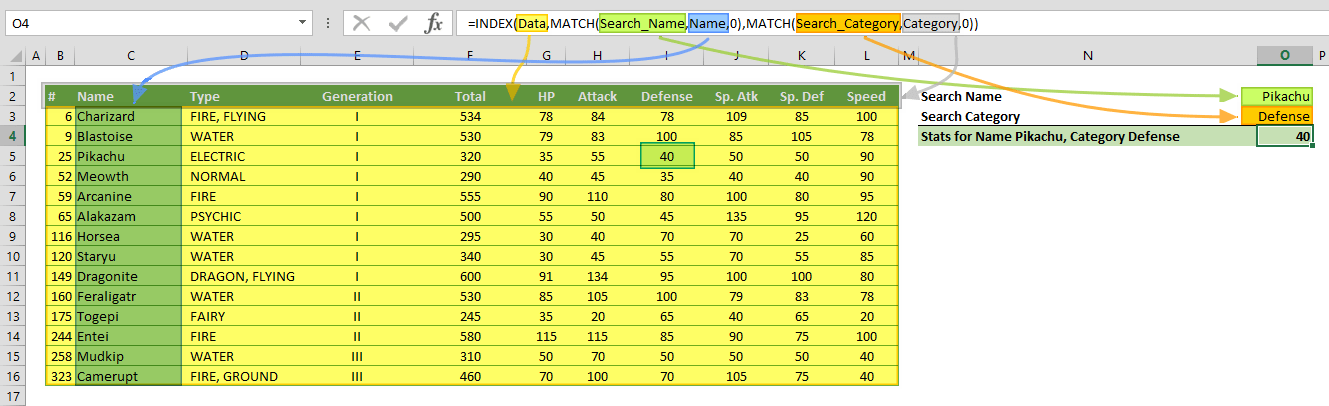
Example 3
In this example, the INDEX returns the values from the Defense column and the SUM function sums these numbers.
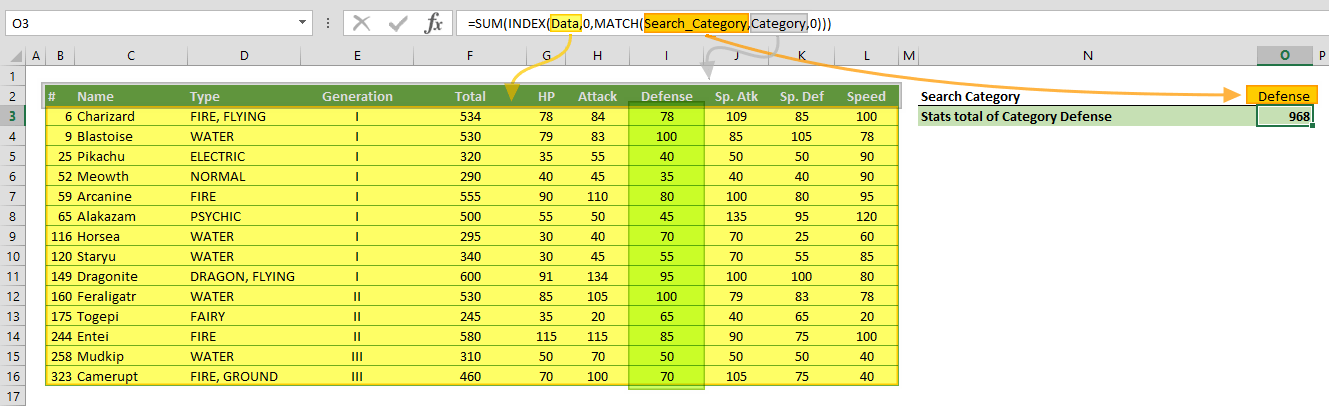
Reference Form
Example 1

Example 2

Tips
- The Excel INDEX function can be combined with the MATCH. Combination of the two functions will give you a dynamic lookup approach: INDEX & MATCH: A Better Way to Look Up Data
- If the array argument contains only a single row or column, you can omit the corresponding row_num or column_num argument. For example, formula returns the value from the 3rd column.=INDEX(A1:J1,3)
Issues
#REF!
If values of row_num, column_num or area_num arguments are greater than the specified range, array, or the reference, the formula returns an #REF! error.
#VALUE!
- If area_num is 0, the formula returns #VALUE!
- If values of row_num, column_num or area_num arguments are negative numbers, the formula returns #VALUE! error.