Decimal Values
Discerning the intricate details embedded within a dataset plays a pivotal role in extracting meaningful insights. Amidst the vast array of numeric information, the ability to distinguish between whole numbers and their decimal counterparts becomes a crucial element for nuanced evaluation. In this context, employing a straightforward yet powerful technique can significantly enhance your analytical capabilities. This method serves as a beacon, guiding you through the process of isolating decimal values from their integral counterparts, fostering a more granular understanding of your data. As we delve into this exploration, we'll navigate the landscape of decimal values, unveiling the intricacies of the decimal number system and utilizing tools such as the decimal places calculator to refine our analytical prowess.

Syntax
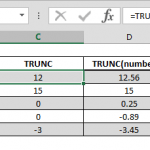
=number - TRUNC(number)
(only for positive numbers) =number - INT(number)
Steps to Find Values
- Select or type range reference that includes the value B3
- Type - (minus sign)
- Type TRUNC(
- Select or type same range reference that includes the value B3
- Type ) and press Enter to complete formula
Note: To get integer value by TRUNC function, it is enough to omit 2nd argument rather than typing 0 which means no decimal digits as well.
How
the TRUNC function emerges as a powerful tool for isolating the precise integer component of a decimal value, ensuring an accurate depiction without any rounding involved. Concurrently, the INT function offers similar outcomes to TRUNC when applied to positive numbers, yet introduces a noteworthy distinction in handling negative numbers by rounding them down. In navigating the realm of decimal values, the use of TRUNC becomes particularly advantageous, given its reliability in maintaining the integrity of numeric data. The key lies in leveraging the TRUNC or INT function to extract the integer component and subsequently subtracting it from the original decimal value. This strategic approach unveils the inherent characteristics of decimal numbers within the broader framework of numerical calculations, reinforcing the importance of understanding decimal place value and utilizing tools like the decimal places calculator for precise analyses.
=B3 - TRUNC(B3)
= B3 - INT(B3)
To learn more about decimals, don't forget the visit the Microsoft.