How to Count the Number of Columns in Excel

How to Count the Number of Columns in Excel

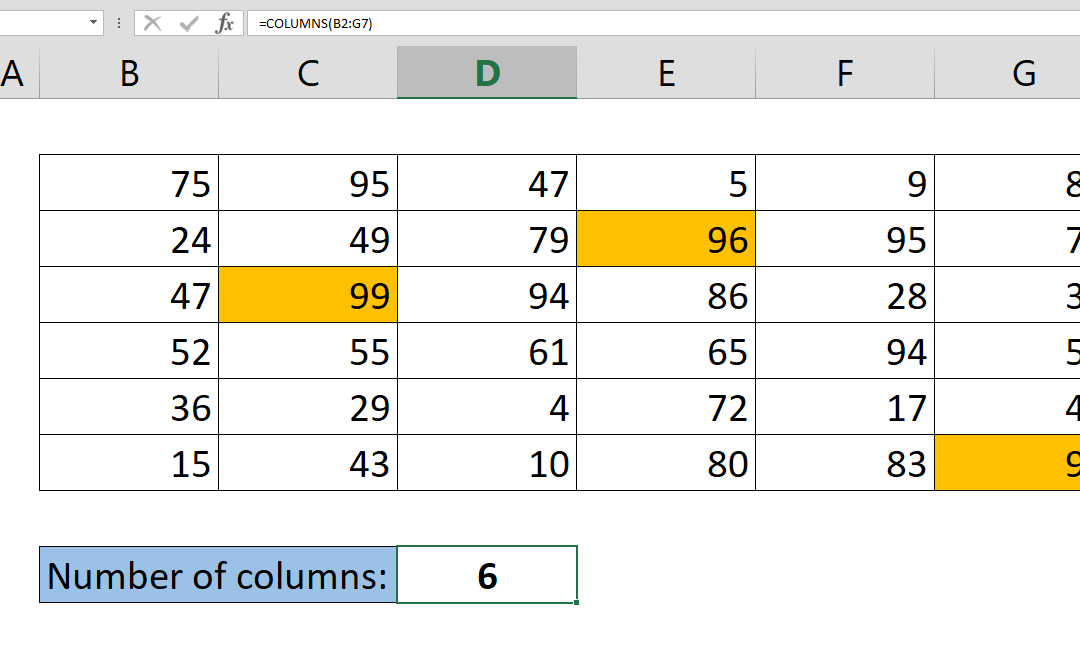
In the realm of data management and analysis, Microsoft Excel stands out as a powerful tool due to its array of functions that facilitate efficient data manipulation. One such function is the ability to determine the total number of columns within a given range. While...
How to Get The Number of Rows Containing Data in Your Table

How to Get The Number of Rows Containing Data in Your Table

Excel offers numerous built-in features to streamline data analysis. For instance, you can manually count the number of entries in your spreadsheet by selecting the relevant rows, and the count will be displayed in the bottom right corner. However, this process can...
How to create dependent dropdowns

How to create dependent dropdowns

Dropdown type of inputs are very common in Excel models, but dependent dropdowns take it to the next level, and are dynamic. This means that available options of the dropdown menu will change based on other selections. This article will show you how to create...
How to remove blanks from a list

How to remove blanks from a list

We often find data in a raw, unorganized form that contain empty cells. In this article we’re going to show you how to remove blanks from a list and create a new table using only formulas. Syntax =IFERROR(INDEX(list range,SMALL(IF(ISTEXT(list range),ROW(rows...
How to convert a number to time units

How to convert a number to time units

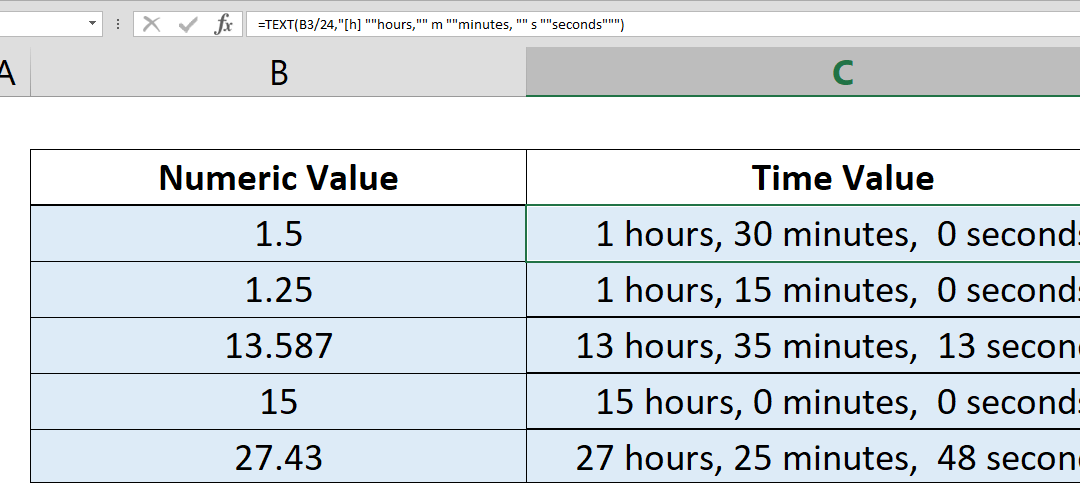
If you want to convert a number to time values, you need some additional operations, multiplying and dividing between days, hours, minutes, and seconds. Here, we’re going to take a look at a simpler approach by using Excel’s TEXT function.   Syntax...
How to highlight a column

How to highlight a column

To highlight a column may be tricky because there is no built-in option in Excel’s Conditional Formatting feature. Here, you can find out how you can do this dynamically using Excel formulas. Steps Begin by selecting rows by clicking on column letters Open...
How to return an entire row

How to return an entire row

To return an entire row you need to use array returning functions like INDEX or OFFSET. Both of these functions can return arrays, as well as single values, which can be used in other functions like SUM, AVERAGE or even another INDEX or OFFSET. How to return an entire...
How to return an entire column

How to return an entire column

To return an entire column you need array returning functions like INDEX or OFFSET. Both of these functions can return arrays, as well as single values, which can be used in other functions like SUM, AVERAGE or even another INDEX or OFFSET. How to return an entire...
How to convert a URL into a hyperlink automatically

How to convert a URL into a hyperlink automatically

Excel can detect URLs and convert them into hyperlinks when you press the Enter key on that particular cell. When working with a large data set with thousands of rows you may not want to go to each cell and repeat this process. Enter the HYPERLINK function. Syntax...