Excel TRIM Function

Excel TRIM Function

The Excel TRIM function is a very useful tool in text manipulation in Microsoft Excel. Essentially, this text formula is adept at cleaning up text strings. It skillfully removes any unnecessary leading and trailing spaces from your data, ensuring your text is neat and...
How To Use Random Number Generator in Excel

How To Use Random Number Generator in Excel

The random number generator in Excel is a versatile tool that allows users to generate random numbers within specified parameters. Whether you're looking to simulate data, conduct statistical analysis, or create randomized scenarios for testing, Excel's random number...
Function: CODE

Function: CODE

The Excel CODE function is a Text formula that converts a specified character into the corresponding code based on the character set used by your computer. This can be useful for when you want to find out the code for a specific character, or using this value in other...
How to insert a cent symbol (¢) in Excel

How to insert a cent symbol (¢) in Excel

Unlike the dollar sign ($), the cent symbol doesn’t have a place in our keyboards. In this article, we’re going to show you how to insert a this symbol in Excel, and walk you through 5 different methods to do this.Copy & PasteCopy & Paste the...
Function: IFNA

Function: IFNA

The IFNA Excel formula is a Logical function that checks whether the reference contains an #N/A (not applicable) error. If the value is an #N/A error, the function returns a specified value; otherwise returns the value itself. In this guide, we’re going to show you...
Function: ISNA

Function: ISNA

ISNA Excel function is an Information formula that checks whether the specified value is an #N/A (not applicable) error. The function returns a Boolean value – TRUE if there is an #N/A error, and FALSE if not. In this guide, we’re going to show you how to use...
Function: NA

Function: NA

One of the most common error codes, the #N/A error, stands for “not available” or “no value available”. This typically means that one or more references targeted by that cell is not valid or no result could be generated from your selection....
How to insert a delta symbol in Excel (Δ)

How to insert a delta symbol in Excel (Δ)

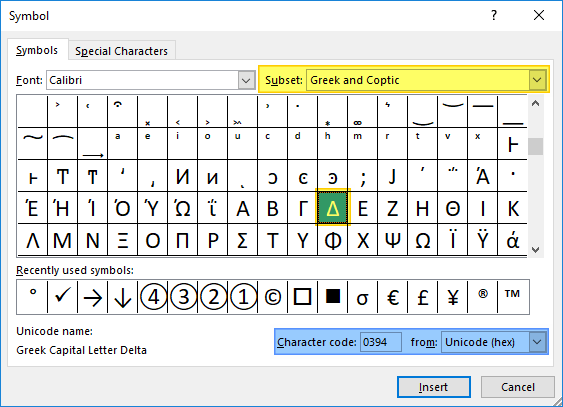
Delta, which is the 4th letter of the Greek alphabet, is widely used in mathematics and science. Unfortunately, most keyboards don’t have this key and you would have to use different methods to get it in your Excel spreadsheets. In this article, we’re...
Function: ISFORMULA

Function: ISFORMULA

The ISFORMULA is a Lookup & Reference function that checks whether the specified reference contains a formula. The function returns a Boolean value based on the outcome – TRUE if there is a formula, and FALSE if not. In this guide, we’re going to show you...