How to get top values from a list or a table in Excel

How to get top values from a list or a table in Excel

Sorting data can substantially help organizing data and generating reports. In Excel, you can sort data with a single click using the Sort icons under the DATA tab. However, this is a permanent solution, meaning that the sorted data will remain that way, and you will...
How to Generate a General Ledger (GL) List using SEQUENCE

How to Generate a General Ledger (GL) List using SEQUENCE

Ledgers are crucial for keeping track of expenses, and managing the budget of any entity, be it a small house to an international company. Preparing a general ledger (GL) table can be a daunting task, especially when dealing with lots of category codes. If your table...
How to generate a date list using the SEQUENCE function

How to generate a date list using the SEQUENCE function

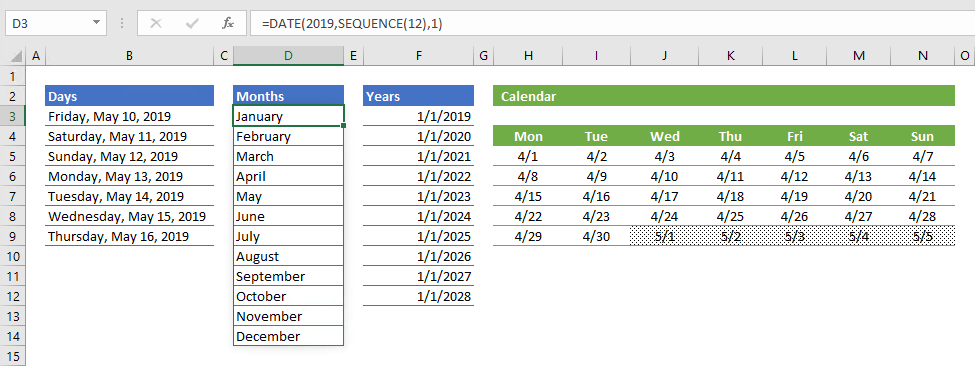
Date lists are an important part of numerous Excel models. Excel can automatically recognize date-time values, format the cells, and generate a date list quickly with AutoFill or specific functions. However, date-time functions are focused on a generating a single...
Function: TRANSPOSE

Function: TRANSPOSE

The TRANSPOSE Excel function is a Lookup & Reference formula that rotates a given range or array. Since the output of this formula is an array, you need to press the Ctrl + Shift + Enter (CSE) key instead of just pressing the Enter key when entering this function....
Function: CONCATENATE

Function: CONCATENATE

The CONCATENATE Excel function is a Text formula that joins multiple strings together. You can enter static strings and individual cell references. In this guide, we’re going to show you how to use the CONCATENATE Excel function and also throw in some tips and error...
Function: TEXTJOIN

Function: TEXTJOIN

The TEXTJOIN Excel function is a Text formula that joins strings together with a delimiter. You can enter static text strings, a range of cells, and individual cell references to join. In this guide, we’re going to show you how to use the Excel TEXTJOIN function and...
Excel Function: SUBSTITUTE

Excel Function: SUBSTITUTE

The SUBSTITUTE function in Excel is a powerful tool for manipulating text strings by replacing specific instances of a substring with another. This function is particularly useful when you need to replace certain characters or words within a cell with something else....
How to Use Excel SMALL Function

How to Use Excel SMALL Function

The Excel SMALL function is a Statistical formula that sorts numbers in a list from smallest to largest and then gives you the number that is in a certain position. In short, it returns the kth smallest value in a list. In this guide, we’re going to show you how to...
How to filter by using a formula in Excel

How to filter by using a formula in Excel

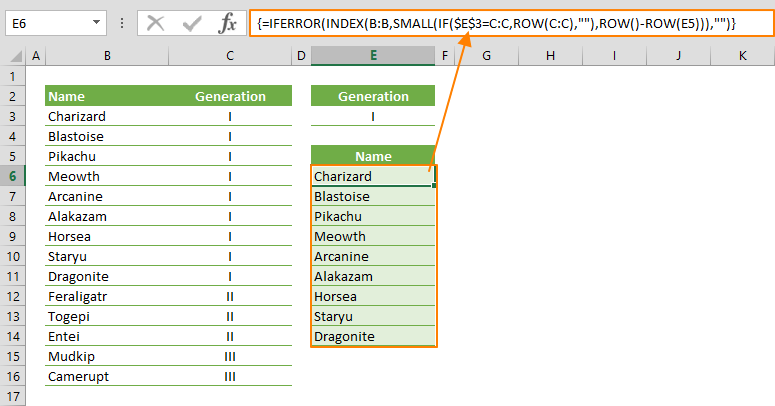
Filtering data helps focusing on certain aspects of a data set. Excel has built-in features for this, an Excel formula for filtering data was not in the software’s scope until the introduction of dynamic array functions. In this guide, we’re going to show you...