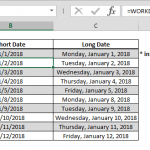
The week numbers in Excel can significantly enhance your ability to analyze and organize date-related data. In this guide, we will explore the versatile WEEKNUM function, unraveling its power in calculating week numbers. Discover how to leverage this function effectively and gain insights into advanced date-related analyses.
Understanding Week Numbers in Excel
Week numbers provide a valuable perspective when working with date-based information. Excel's built-in WEEKNUM function offers a straightforward solution for obtaining the week number corresponding to a given date. Let's delve into the nuances of this function and explore its applications in various scenarios.
Syntax and Usage of WEEKNUM
The syntax of the WEEKNUM function is simple yet robust:
=WEEKNUM(serial_number)- WEEKNUM: This function returns the week number for a specified date.
- serial_number: Represents the date from which you want to derive the week number.
WEEKNUM in Action: A Practical Example
To illustrate the application of the WEEKNUM function, consider a scenario where you need to categorize sales data by week. By incorporating the WEEKNUM function, you can efficiently organize and analyze sales figures based on weekly intervals, providing a clear and structured view of your data.
Steps
- Start with the MIN function =MIN(
- First argument of MIN function is the last day of current year DATE($C$2+1,1,0),
- Enter the first day of current year for the second argument DATE($C$2,1,1)
- Subtract the week number of the first day of the current year -WEEKDAY(DATE($C$2,1,1),2)
- Add a multiplier for the current week day and 7 +B5*7
- Type in ) to close MIN function and press the Enter key to complete formula
Advanced Techniques: Calculating Week Start and End Dates
While WEEKNUM excels in providing week numbers, what if you need to determine the start and end dates of a specific week? Explore a more intricate formula that not only identifies the week number but also calculates the precise start and end dates for enhanced date-related analyses.
Dynamic Year Selection: Empowering Your Analysis
One of the key strengths of the WEEKNUM function lies in its ability to adapt to varying years dynamically. Incorporating a dynamic year selection ensures that your week number calculations remain flexible, allowing you to seamlessly analyze data across different years without the need for manual adjustments.
Professional Insights: Navigating the Excel Date Landscape
Understanding the interaction between dates and numerical values is essential for crafting sophisticated formulas. As we explore the complexities of calculating week numbers and related date functions, you gain valuable insights into navigating the intricate landscape of Excel's date capabilities.
Conclusion: Elevating Your Spreadsheet Skills with WEEKNUM
Mastering the WEEKNUM function opens up a realm of possibilities for effective date-based analysis in Excel. Whether you're organizing data, conducting financial analyses, or planning projects, integrating WEEKNUM into your formulas empowers you to approach date-related challenges with precision and confidence. Elevate your spreadsheet skills by embracing the versatility of WEEKNUM and unlocking the potential of week-based insights in Excel.
Also see What week of the year is it and how to get its start date to find the start date of weeks and navigate to Microsoft for support.