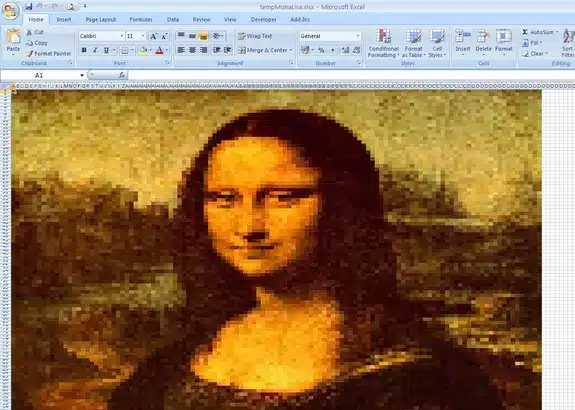
There are some unique ways people use Excel, and one of the most surprising is making art. Most people think of Excel as a tool for numbers, charts, and data. But some artists have turned it into a blank canvas. They use the rows and columns, simple shapes, colors, and even individual cells to create detailed pictures and designs.
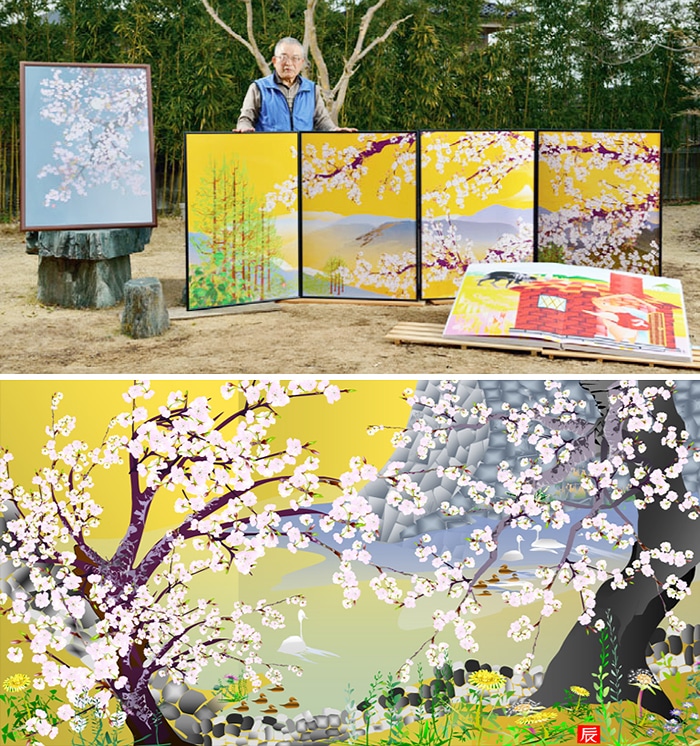
Tetsuo Horiuchi uses Excel to paint landscapes like Mount Fuji and cherry blossoms. Danielle Aubert creates patterns and designs that explore repetition and structure, almost like a design lab. Felipe Salazar takes a different approach, coloring thousands of tiny cells to recreate famous works of art like his most famous piece of the Mona Lisa. All of them show that even a program made for spreadsheets can be used to make amazing art.
Tetsuo Horiuchi
Most people use Microsoft Excel for numbers, budgets, or taxes, but Tetsuo Horiuchi saw something different. After retiring, he wanted to try digital art but didn’t want to spend money on expensive art software. So, he used what he already had: Excel. With its basic Shape tool, he began creating detailed pictures of Japanese landscapes, producing art that people normally only see in spreadsheets.
Horiuchi carefully built scenes like Mount Fuji and cherry blossoms, using simple shapes, colors, and gradients. Every part of the picture was made inside a file you’d expect to hold financial data, not beautiful artwork. His creative use of Excel surprised people around the world and showed that sometimes, you don’t need fancy tools—just imagination.

Danielle Aubert
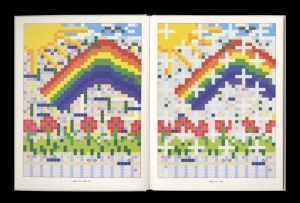
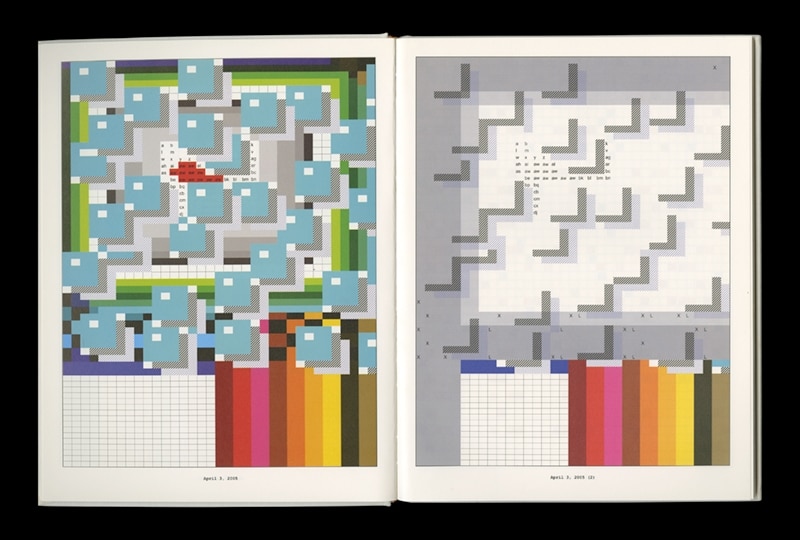
Danielle Aubert is a graphic designer who found a creative way to turn Microsoft Excel into an art tool. While working on her MFA at Yale, she first used Excel to organize her thesis. But as she worked, she noticed the grid of rows and columns had potential for more than just data. What started as a way to stay organized turned into a space for art. She began creating small drawings in Excel, spending about 30 to 40 minutes on each, playing with colors, shapes, and patterns. This process led to her project 16 Months’ Worth of Drawings in Microsoft Excel, where she created hundreds of unique pieces using only Excel’s basic features.
Aubert treats her work like a minimalist design lab, using Excel’s simple structure to test repetition, order, and small changes in pattern. Instead of making pictures of people or places, she focuses on how simple design choices can build interesting visuals. She also published Marking the Dispossessed, a book where she continues to explore design, language, and systems. Today, as a professor in Detroit, she keeps finding new ways to turn everyday tools like spreadsheets into creative and unexpected works of art.
Felipe Salazar
Felipe Salazar is a digital artist who uses Excel differently. Instead of using shapes or patterns, he treats each cell like a tiny pixel. By carefully coloring thousands of cells, Salazar recreated famous works of art, including the Mona Lisa, all inside Excel. When you zoom out, the small colored squares come together to form a detailed image, almost like digital pointillism.
His work shows how creative you can get with a program made for numbers and spreadsheets. Most people use Excel for charts and data, but Salazar turned it into a digital canvas made of tiny colored squares. His Mona Lisa project shows the patience, skill, and creativity it takes to turn a simple spreadsheet into art